How to Set Up Cabin Convenience Features in an Unfamiliar Car
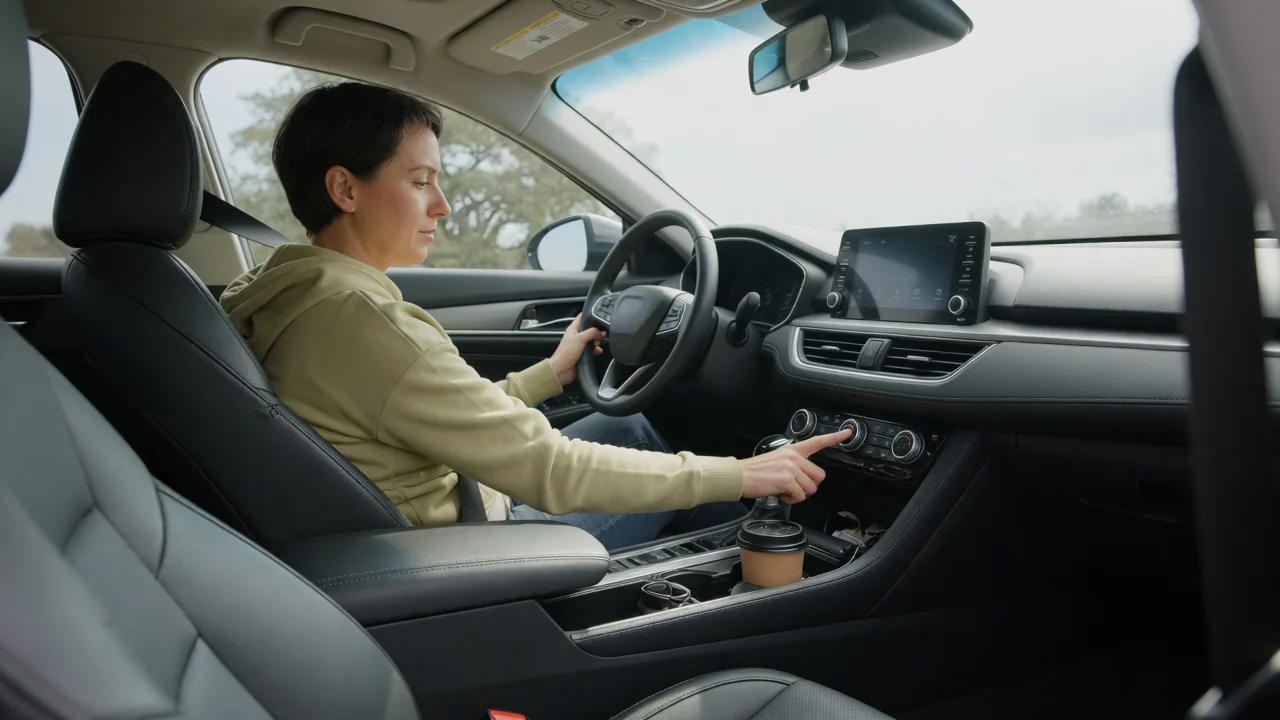
Sliding into a rental, a borrowed vehicle, or a newly purchased used model means facing switches and menus arranged by someone else's logic. Learning how to set up cabin convenience features in an unfamiliar car goes faster with a simple workflow: identify the controls, change one thing at a time, store what works, and then refine during normal driving. Do all of it while parked.
Read controls
Start with the vehicle parked and the ignition or power mode on, then survey the cabin in zones rather than pressing buttons at random. The driver's door panel usually groups window, lock, and mirror switches, and it may hold seat memory buttons. The steering wheel and stalks handle wipers, lighting, and instrument display menus. The center stack covers climate and audio, either with physical knobs or within a touchscreen. Overhead, look for interior lighting, sunroof, and garage door buttons.
Symbols are largely standardized, so a windshield icon with wavy arrows points to defrost and a seat outline with rising lines suggests heating, but placement differs widely between brands and even trim levels. Some cars bury heated seat or steering wheel controls in a screen menu, while others give them dedicated buttons. Blank switch panels usually mean the feature is not fitted. When an icon is unclear, the owner's manual, printed or built into the infotainment system, gives the vehicle-specific answer.
Try one setting
Changing several settings at once makes it hard to tell which adjustment caused which result, so work through features in order of importance. Begin with the seating position, because seat height and distance determine where mirrors and the steering wheel should sit. Move the seat, then set the wheel's reach and tilt if it adjusts, then aim the mirrors. Each step has a visible outcome you can confirm before moving on, such as a clear view of the instrument cluster through the wheel.
Apply the same single-change approach to comfort features. Set the climate control to automatic, if offered, and pick one temperature, then watch how fan speed and vent selection respond over a minute or two before touching anything else. Pair a phone and confirm that audio and calls route correctly before exploring navigation or app mirroring. If a setting behaves unexpectedly, such as locks that engage on their own as the car moves, note it; that is often a configurable option in a vehicle settings menu rather than a fault.
Save profile
Many vehicles can store a driver's preferences, although how much is saved depends on equipment. A common arrangement is a set button beside numbered buttons on the door panel: once the seat and mirrors are positioned, pressing the set button followed by a number stores them, often confirmed by a chime or a message. Other cars manage this through a driver profile on the touchscreen, which may also hold climate preferences, radio presets, display layout, and drive mode choices.
Profiles are sometimes linked to a particular key fob or a phone acting as a key, so the car recalls positions when that driver unlocks it. This is convenient in a shared household car but worth knowing in a borrowed one, where overwriting the owner's stored position would be unwelcome; choose an unused slot or a guest profile if one exists. In cars with manual seats and no memory, a quick note of what worked, like the seatback angle and mirror tilt, serves the same purpose.
Everyday Use and Observations
A setup that feels right in a parking space still needs to prove itself on the road. During the first few drives, pay attention to small signals: shoulders lifting off the seatback when turning the wheel suggests the seat sits too far back, while glare on the screen or a blocked gauge points to a wheel or display brightness adjustment. Notice whether automatic climate keeps the windows clear in damp weather and whether air is reaching rear passengers.
Convenience automation also reveals itself over time. Automatic headlights, rain-sensing wipers, auto-dimming mirrors, and walk-away locking each respond to conditions you may not meet on day one, so observe how they behave at dusk, in a shower, or when you leave with the key. Sensitivity for several of these can often be adjusted. Make refinements when parked, change one item, and re-save the profile afterward, because some systems keep the old stored position until it is deliberately overwritten.
Limits and Next Steps
Not every feature seen in a menu will work in every vehicle. Remote start, connected services, and built-in navigation may depend on a subscription, an owner account, or regional availability, and a rental or borrowed car may have them locked or tied to someone else's login. Some functions are deliberately restricted while moving, such as phone pairing or keyboard entry. These limits are design choices rather than defects, and the manual or the dealer for that brand can confirm what a specific trim includes.
If a control does nothing, a seat memory refuses to store, or a warning message appears, treat that as a clue rather than a verdict. The cause could be a setting, a blown fuse, a weak battery, or a component, and only vehicle-specific diagnosis can tell which. Before returning a borrowed or rented car, delete the paired phone and any personal addresses from the system. For a car you are keeping, revisit the settings after a couple of weeks, once habits have shown what matters.