Battery Corrosion Keeps Coming Back: Why It Returns and How to Stop It
The short answer
If corrosion returns soon after you clean it, the terminals aren't the real problem. Something keeps supplying acid or moisture to the connection. The usual sources are acid vapor vented during charging, electrolyte seeping past a worn post seal, a loose or damaged clamp, or a charging system that overcharges or undercharges the battery. Cleaning only removes the symptom. A lasting fix means finding which of these applies to your vehicle.
This guide covers conventional 12-volt lead-acid starter batteries in petrol, diesel and hybrid vehicles. Battery type changes the picture. Flooded (wet-cell) batteries vent gas and are the most prone to recurring corrosion. AGM (absorbent glass mat) batteries are sealed and valve-regulated, so heavy, persistent corrosion on one is a stronger sign of a fault such as overcharging or a damaged case. EFB (enhanced flooded) batteries, common in start-stop vehicles, sit between the two. High-voltage traction batteries in EVs and hybrids are a separate system and are not covered here.
What the corrosion is
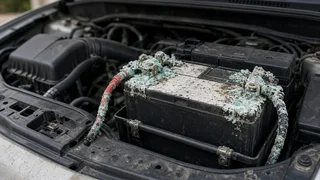
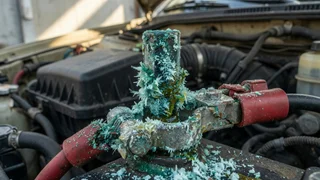
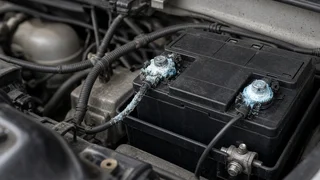
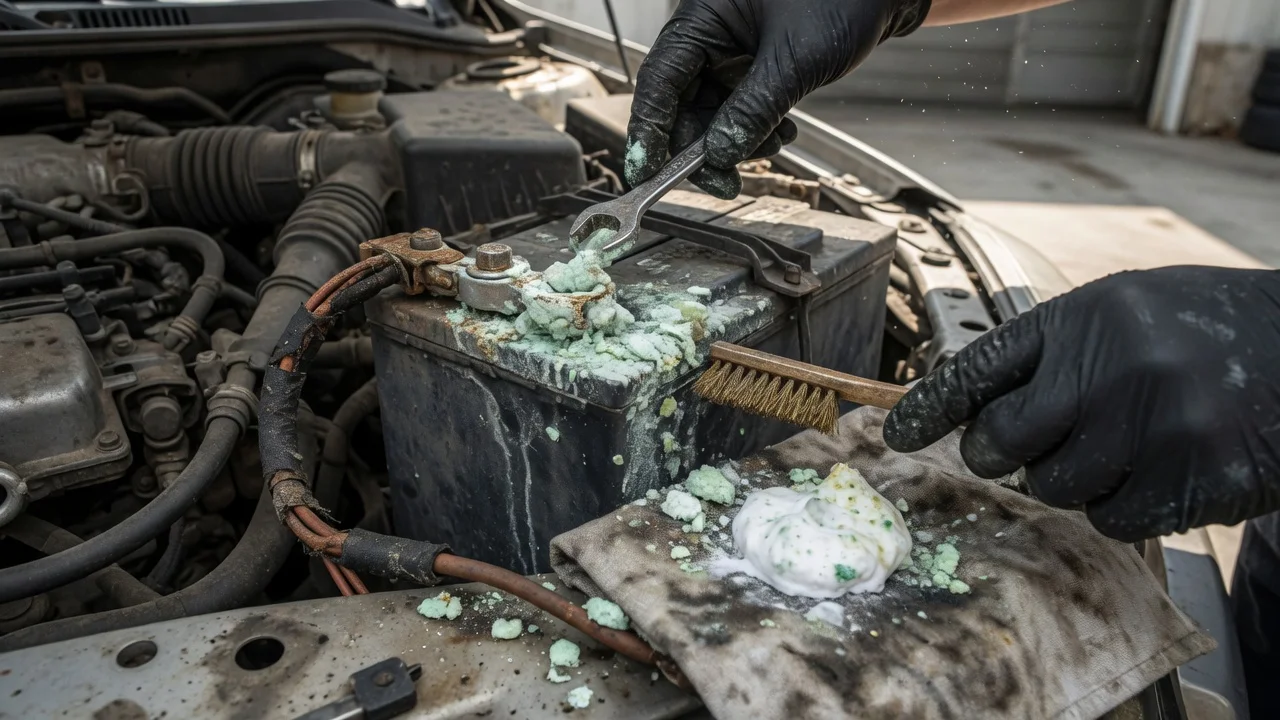
The crusty buildup is mostly the product of sulfuric acid, from the battery's electrolyte, reacting with the metal of the posts and clamps. White or grayish deposits are typically lead sulfate. Blue or green deposits usually mean copper is involved, often from copper cable strands or clamps. Either way, the deposit adds electrical resistance. That can cause slow cranking, dim lights at startup, charging warnings or intermittent no-starts, even when the battery itself is healthy.
Common reasons it keeps returning
Likely cause | What to look for | Typical remedy; Normal venting from a flooded battery | Light, slow buildup over months, often on one terminal | Clean, then seal the terminals with a protectant; Leaking post seal | Corrosion growing up from the base of the post; damp residue around it | Replace the battery; the seal can't be reliably repaired; Overfilled electrolyte | Wet battery top; residue near the vent caps | Correct the fluid level on serviceable batteries; clean and neutralize the top; Overcharging | Fast, heavy buildup; hot battery; swollen case; sulfur (rotten-egg) smell | Test the charging system; replace a faulty alternator or regulator; Undercharging or a weak battery | Repeated slow cranking; battery often discharged | Test the battery and charging output; check for parasitic drain; Loose or damaged clamp | Clamp turns on the post by hand; arcing marks; deformed clamp | Clean and tighten, or replace the clamp or cable end; Cracked case or damaged vent | Visible cracks; acid staining on the tray or nearby parts | Replace the battery; neutralize and clean the tray
You'll often hear that corrosion on the positive terminal means overcharging and corrosion on the negative means undercharging. Treat that as a loose hint, not a diagnosis. The chemistry involved doesn't map neatly to one terminal, so confirm with an actual battery and charging-system test before replacing parts.
How to clean the terminals properly
Battery acid and its residue can burn skin and damage eyes, and batteries can give off flammable hydrogen gas. Wear eye protection and gloves, keep sparks and flames away, and check your owner's manual first. Some vehicles need specific procedures after battery disconnection, such as resetting the radio code, relearning idle or windows, or registering a new battery in the vehicle's software.
Switch off the ignition and all accessories. Disconnect the negative (black, minus) cable first, then the positive (red, plus). Neutralize the deposits with a mix of baking soda and water. Fizzing shows acid is being neutralized. Scrub the posts and the inside of the clamps with a terminal brush or stiff wire brush until the metal is bright. Rinse with a small amount of clean water. Keep it out of the vent caps. Dry everything thoroughly. Inspect the clamps, cable ends and battery case for cracks, swelling, frayed strands or corrosion that has crept up inside the cable insulation. Reconnect the positive cable first, then the negative, and tighten until the clamps can't be twisted by hand. Don't overtighten, which can damage the posts. Apply a thin coat of dielectric grease, petroleum jelly or a battery terminal protectant spray over the finished connection. Anti-corrosion felt washers under the clamps are an optional extra.
The protective coating is what stops a clean connection from corroding again quickly. It keeps out moisture and acid vapor. Apply it after the clamp is tightened, not between the post and the clamp.
When cleaning isn't enough
If heavy corrosion returns within days or weeks, test the battery and charging system. Many parts stores and workshops offer this. A multimeter check of battery voltage at rest and with the engine running gives a first indication. Compare the readings with the specification for your vehicle rather than a generic figure, because charging targets vary by manufacturer and battery type. Many modern vehicles also use smart charging that deliberately changes the voltage.
Replace the battery if the case is cracked or swollen, the post seals leak, or it fails a load or conductance test. Replace the cable end or the whole cable if corrosion has wicked up under the insulation. Cleaning the outside won't reach it. Have the alternator and voltage regulator checked if the battery runs hot, smells of sulfur or loses fluid quickly. Check the battery tray and hold-down. A loose battery can vibrate, stress the post seals and start leaks.
Limits of this guide
This is general guidance for 12-volt lead-acid batteries. It doesn't include model-specific data such as charging voltage specifications, battery location, approved battery types or known faults for particular makes, model years or markets. Those details can change the diagnosis. For example, some vehicles mount the battery under a seat or in the boot with a vent tube that must stay connected, and some require a specific battery type. Check the owner's manual or a qualified technician for your vehicle's exact requirements.