How to Remove an Old Driver Profile From a Car
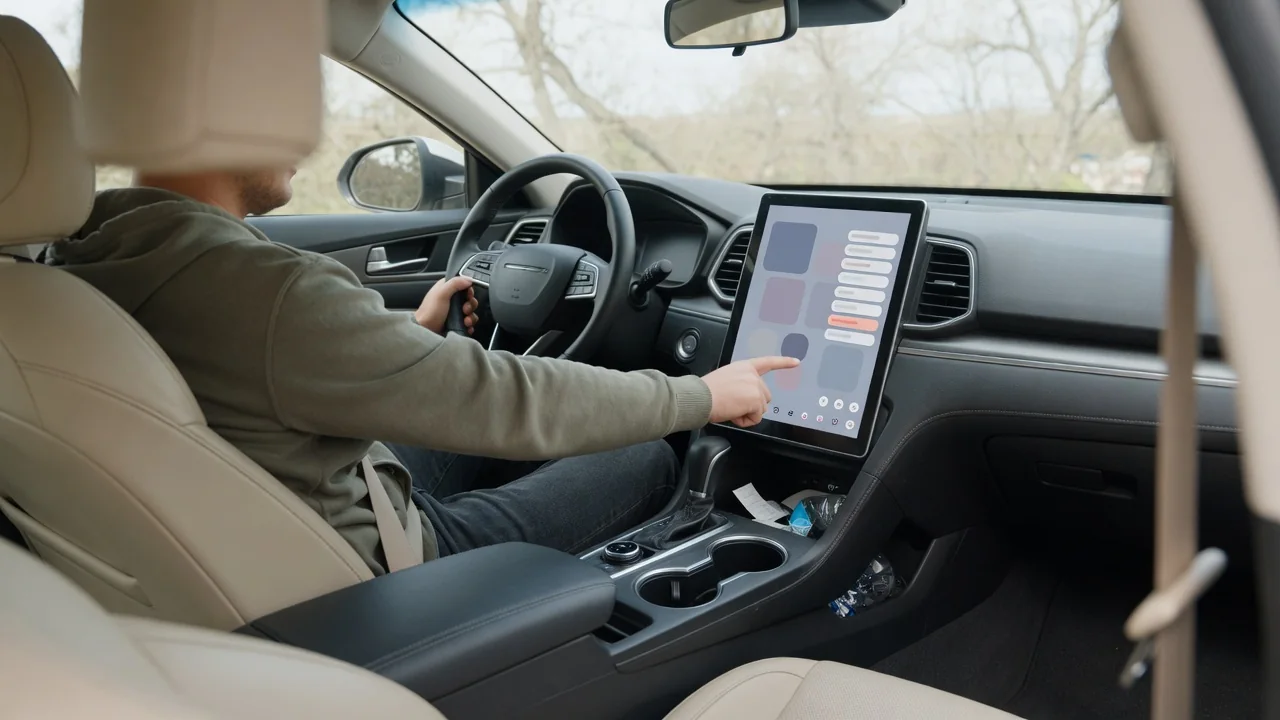
A used car often arrives with someone else's seat position, radio presets and paired phone still stored in its memory. Knowing how to remove an old driver profile from a car gives the vehicle a clean start and protects the previous owner's data. The exact menus differ by brand, but the general cleanup sequence follows the same logic almost everywhere.
Profiles
A driver profile is a named account stored in the vehicle that bundles personal preferences under one identity. Depending on the car, it may be a simple memory slot tied to a numbered button on the door panel, a user entry in the infotainment system, or a cloud account linked to the manufacturer's app. Many modern vehicles combine all three, so a single person can leave traces in several places. Identifying which type the car uses is the first step, because each one is removed through a different menu.
Start by opening the infotainment settings and looking for an entry labeled users, profiles, personalization or accounts. The screen normally lists every stored profile by name, sometimes with a guest option that cannot be removed. Some vehicles only allow deletion while parked, and some require the active profile to be switched before another can be erased. A car may also refuse to delete the profile currently in use, so creating or selecting your own profile first is usually the cleanest way to begin.
Saved settings
Deleting the profile name does not always clear everything attached to it. Seat, mirror and steering column positions may live in a separate memory module, and those slots are often overwritten rather than erased, by setting your own position and storing it on the same button. Paired phones, downloaded contacts, call history and navigation destinations such as a home address typically sit in their own menus. Garage door opener buttons and stored Wi-Fi networks are similarly independent and deserve a separate look during cleanup.
A sensible order is to remove paired Bluetooth devices first, then clear navigation history and saved addresses, then delete the profile itself, and finally reprogram the seat memory and garage buttons. Some vehicles also link a profile to a specific key fob or a phone used as a digital key, so the car recalls the old settings whenever that key is detected. If that link exists, it usually has to be reassigned or cleared in the key or profile settings, and the wording varies considerably between manufacturers.
Verify removal
After deletion, confirm that the change actually held. Switch the vehicle fully off, lock it, wait a few minutes and then unlock and restart it. The profile list should no longer show the old name, and the welcome screen should not greet the previous driver. Watch the seat and mirrors as you open the door or press the start button: if they travel to an unfamiliar position, a memory slot or key association is still carrying the earlier setup.
Check the connected features as well. Open the phone menu to make sure no unknown device appears in the paired list, and look at recent destinations, favorites and contacts for leftover entries. If the car supports a companion app, see whether the infotainment system still shows a signed-in account or an active subscription under another person's name. A remote account cannot always be removed from inside the cabin, so a profile that reappears after a restart often points to a cloud link rather than a failed deletion.
Everyday Use and Observations
Day to day, leftover profile data tends to reveal itself through small behaviors rather than warnings. The seat may slide back when a particular key is used, the climate control may default to a temperature you never chose, or the audio system may return to a station nobody in the household listens to. Drive mode, head-up display height, ambient lighting color and driver assistance sensitivity are other preferences that commonly follow a profile, so unexpected changes in those areas are worth tracing back to stored settings.
It helps to notice when the behavior occurs. Settings that change with one key but not another suggest a key-linked profile, while changes that appear after a phone connects suggest the car is recognizing a paired device. If everything reverts after a software update, the system may be restoring preferences from an online account. Vehicles shared by several drivers benefit from clearly named profiles and a habit of selecting the right one at startup, which keeps new preferences from being saved over someone else's.
Limits and Next Steps
Menu-level cleanup has limits. A factory reset of the infotainment system, where the vehicle offers one, wipes local profiles, pairings and navigation data in a single step, but it also erases your own settings and may not affect seat memory modules or the manufacturer's online account. Ownership of connected services is generally tied to the vehicle identification number on the manufacturer's side, so a previous owner may retain remote access until that account is transferred or released, regardless of what the screen shows.
When a profile cannot be deleted, keeps returning or is locked behind a PIN you do not have, the owner's manual is the first reference for the correct sequence on that model. Beyond that, the brand's customer support or a dealer service department can confirm ownership and release the old account from the connected system. Have proof of purchase and the vehicle identification number ready. Once the car is clear, set up your own profile, pair your phone and store your seat position so every memory slot holds current information.