How to Remove a Phone From a Car Before Selling It
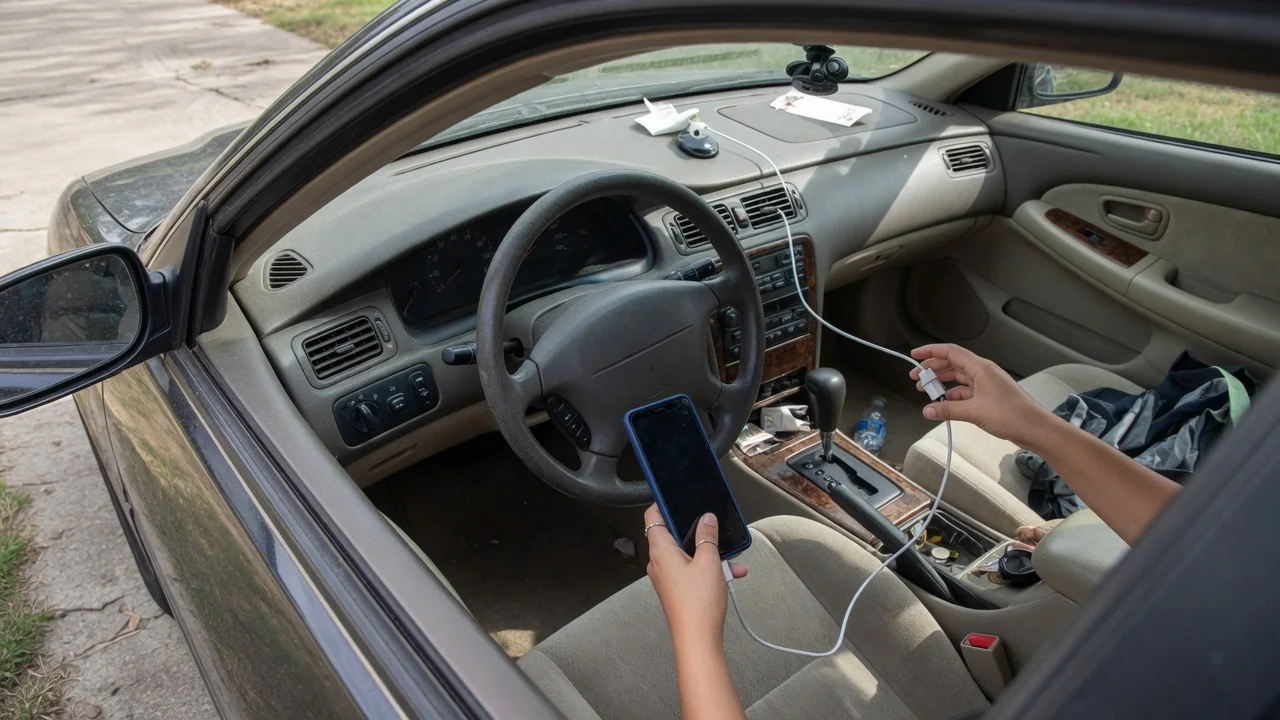
A car's infotainment system quietly stores a surprising amount of personal information, from call logs to home addresses. Knowing how to remove a phone from a car before selling it protects that data from the next owner. The cleanup works best as a sequence: unpair devices, erase stored data, reset the system, and then confirm that nothing personal remains.
Delete paired devices
Start in the Bluetooth or connections menu on the head unit, where the vehicle keeps a list of every phone that has ever been paired. Select each entry and choose the delete, remove, or forget option. Older phones, a spouse's handset, or a friend's device from a road trip may still be listed, so scroll through the whole list rather than stopping at the phone currently connected. Many systems block these menus while moving, so do this parked with the ignition on.
Finish the job on the phone side as well. Open the handset's Bluetooth settings and forget the vehicle, so the two do not attempt to reconnect during a test drive or handover. If the car supports wired or wireless phone projection, that feature often keeps its own separate device list, which needs clearing too. Menu names and locations differ between manufacturers and even between trim levels, so the owner's manual is the reliable guide when an option is not where you expect.
Clear contacts and destinations
Unpairing a phone does not always erase what the car copied from it. Many systems download the phonebook, recent calls, and sometimes text messages into their own memory so they appear on screen quickly. Look in the phone or communication settings for an option to delete the downloaded contacts and call history. If the screen still shows names, favorites, or recent numbers with no phone connected, that information is living in the vehicle and will stay there for the buyer.
Built-in navigation deserves the same attention. Saved home and work addresses, recent destinations, and favorite places can reveal where you live and where you spend your days. Most navigation menus offer a way to clear previous destinations and stored locations, either individually or all at once. Some vehicles also tie trip history or route suggestions to a driver profile, so deleting the profile may be necessary. Cars without factory navigation will not have these entries, but checking takes only a moment.
Verify reset
A factory reset of the infotainment system is the broadest cleanup step, and most vehicles offer one in the general or system settings. It typically returns the unit to its delivered state, wiping paired devices, stored contacts, destinations, and personalized settings in one pass. The process may take several minutes and the screen may restart. Because the name and scope of this function vary by manufacturer, read the on-screen description carefully so you know what it actually erases.
Do not assume the reset worked; check it. After the system restarts, open the Bluetooth list and confirm it is empty, then look at the phonebook, recent calls, and navigation history. Try the voice command for calling a contact and see whether any names are recognized. Walk up to the car with your phone's Bluetooth switched on and watch whether it connects on its own. If any personal entry reappears, remove it manually or repeat the reset before the handover.
Everyday Use and Observations
Daily driving leaves traces beyond the phone connection itself. Streaming and music accounts may stay logged in on the head unit, built-in Wi-Fi hotspots remember passwords, and radio presets or seat and mirror memories reflect your habits. Signing out of each app and removing saved wireless networks keeps a new owner from using your subscriptions. A quick look through every tile on the home screen usually reveals which services still greet you by name or display your account picture.
Physical items matter too. Check the USB ports, console, and glovebox for cables, memory sticks, and SD cards, since media drives can hold personal files and map cards may store destination history. A built-in garage door opener is easy to overlook, yet its programmed buttons could open your home for a stranger, so clear them using the method in the manual. Toll transponders and parking permits attached to the windshield should also leave with you rather than with the car.
Limits and Next Steps
A reset inside the cabin has limits. Many modern vehicles are linked to a manufacturer account and companion app that allow remote locking, location tracking, and status checks. Erasing the head unit does not necessarily break that link, which is managed on the manufacturer's servers. Remove the vehicle from your account in the app or online portal, cancel or transfer any connected service subscriptions, and delete digital keys stored on your phone. Where the process is unclear, the brand's customer support or a dealer can confirm it.
Timing the cleanup helps. Do it shortly before handover rather than weeks earlier, since continued driving simply rebuilds the data. If you have already parted with the car, you can still forget the vehicle on your phone and remove it from your online account, though data stored in the car itself requires access to the cabin. Handing over the owner's manual and all keys alongside a clean system lets the buyer set up their own profile from scratch, with nothing of yours left behind.