How to Reset a Car's Infotainment Before Selling
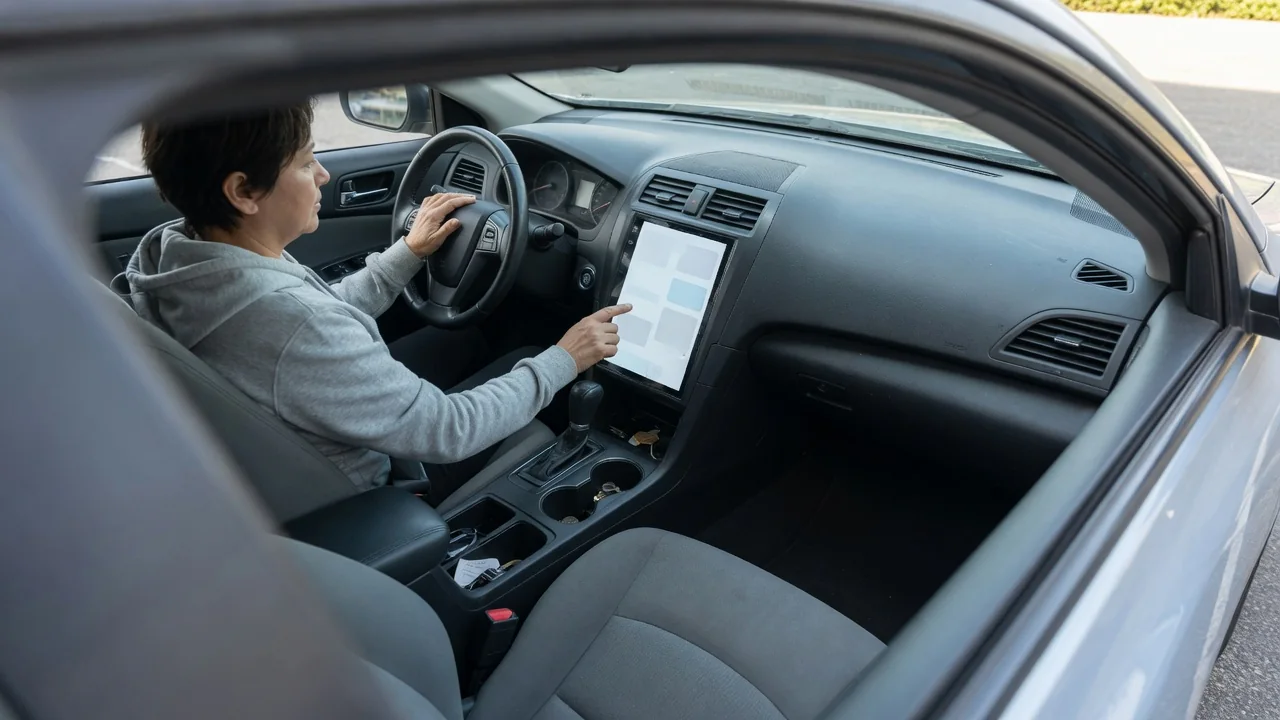
A modern head unit remembers far more than radio presets. Paired phones, synced contacts, saved destinations, garage door codes and connected accounts can all stay in the vehicle after the keys change hands. Knowing how to reset a car's infotainment before selling protects your privacy and gives the next owner a clean system to set up as their own.
Sign out
Start with the accounts tied to the vehicle, because a factory reset on the screen does not always break those links. Many cars support driver profiles connected to a manufacturer account, plus in-dash apps for music streaming, navigation services or voice assistants. Open the profile or account menu and sign out of each one individually. If the system asks whether to keep or delete the profile's data on the vehicle, choose deletion so nothing remains stored under your name after you leave.
The automaker's companion phone app deserves separate attention. If the car remains registered to your account, you may still be able to see its location, lock status or trip history after the sale, and the buyer may be blocked from enrolling it themselves. Remove the vehicle from the app or the manufacturer's owner portal, and cancel or transfer any connected-service subscriptions and in-car Wi-Fi plans. Menu names and the exact removal process differ by brand, so the owner's manual or the brand's support line is the reliable reference.
Remove data
Personal data sits in several places within the system, and it helps to clear the obvious items before running a full wipe. Delete every paired Bluetooth device, along with any saved smartphone-projection connections for Apple CarPlay or Android Auto. Synced contacts, call logs and text message previews are usually stored with the phone pairing, yet some systems keep a cached copy. Navigation history is another sensitive area, since home and work addresses, recent destinations and favorite locations reveal a lot about your routine.
After those items, look for the factory reset option, commonly found under settings in a section labeled system, general or privacy. Wording varies, with phrases such as master reset, restore factory settings or erase all personal data. The process typically requires the vehicle to be parked and may take several minutes, during which the screen can restart more than once. Keep the ignition or power state as the on-screen prompt instructs, and avoid interrupting it, since a partial reset can leave the unit in an unstable state.
Verify reset
A reset should be confirmed rather than assumed. Once the system restarts, a successful wipe usually shows a first-time setup screen, a language selection prompt or a welcome message asking to create a profile. Walk through the menus you cleared earlier. The Bluetooth device list should be empty, the phone book should show no contacts, and the navigation screen should have no recent destinations, saved home address or stored favorites. Radio presets and audio settings normally return to their defaults as well.
Check the account side too. The profile menu should show no signed-in user, and streaming or connected apps should request a login. On your phone, open the manufacturer's app and confirm the vehicle no longer appears in your garage. It also makes sense to delete the car from your phone's own Bluetooth and projection lists, so the handset does not attempt to reconnect during a buyer's test drive. If any item survives the wipe, remove it manually and repeat the reset if the system allows.
Everyday Use and Observations
Timing matters when you still need the car for daily driving. Wiping the system weeks before the sale means living without your presets, paired phone and saved routes, while leaving it to the last minute invites forgetting it altogether. A practical approach is to do the reset once a deal is agreed and shortly before handover, ideally at home where you have time and a good cellular signal. Some account removals need the car to be online, so an underground garage may not be the best location.
Everyday features outside the main screen also hold personal information. A built-in garage door transmitter keeps its programmed codes until they are cleared, usually through buttons near the mirror or overhead console. Memory seat and mirror positions may be tied to a profile or a key. Some vehicles store toll transponder details, payment cards for in-car purchases, or digital keys shared to a phone. Remove physical items as well, including a USB drive, an SD card with map data you added, or a dashcam memory card.
Limits and Next Steps
An infotainment reset has limits worth understanding. It clears the head unit, but it may not touch data held on the manufacturer's servers, such as trip logs, location history or driving behavior records linked to your account. Requesting deletion of that information is a separate step handled through the automaker's privacy settings or customer support. Likewise, other modules in the vehicle, including the telematics unit, may retain an active connection until the subscription is ended or ownership is formally transferred in the brand's records.
If the reset option is missing, greyed out or fails to complete, a dealer service department can usually perform the wipe and confirm that connected services are released from your account. Ask for written confirmation where possible. Sellers trading in to a dealership should not rely on staff to do this later, since the car may be resold quickly. Buyers of used vehicles can apply the same checks in reverse, looking for a previous owner's profile or paired devices and running their own reset before adding personal accounts.