How to Keep a Phone Charged During a Long Car Delay
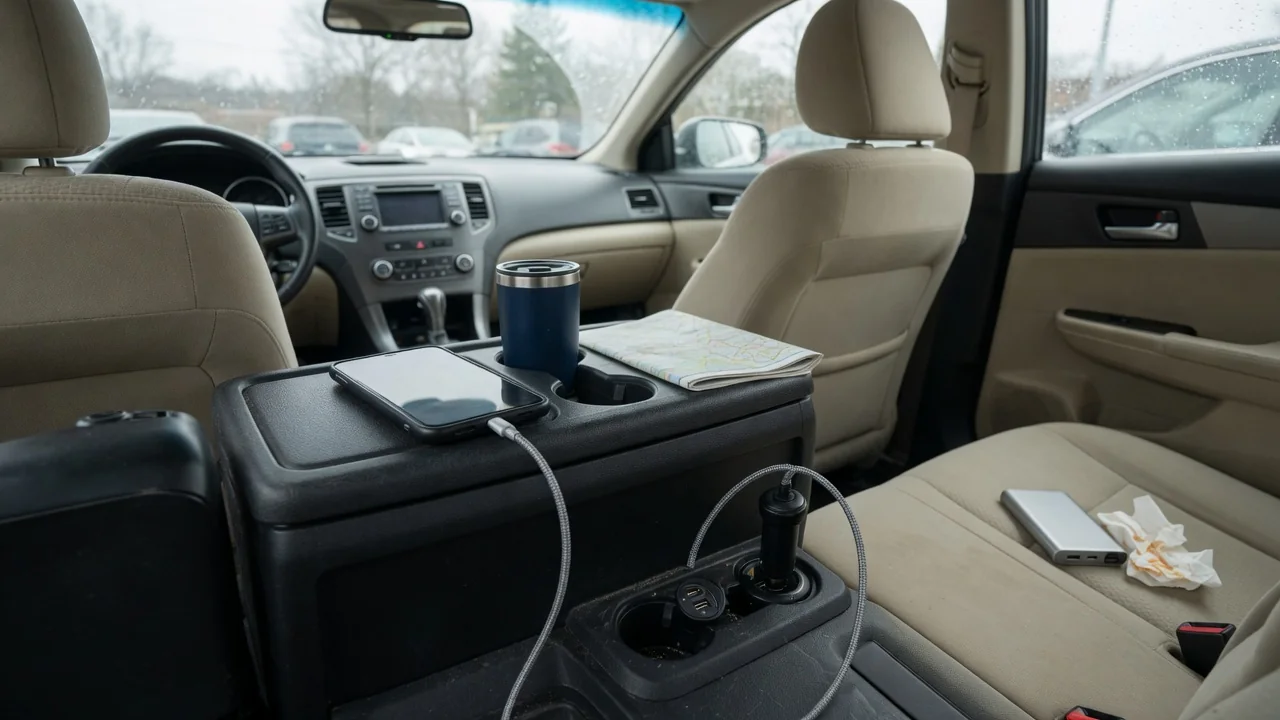
A highway closure, a winter storm, or a breakdown can turn a short trip into hours of waiting, and a working phone becomes the link to navigation updates, family, and roadside help. Knowing how to keep a phone charged during a long car delay comes down to understanding where the vehicle's power comes from, carrying a backup, and using less energy.
Vehicle outlets
Most vehicles offer at least one built-in power source: a round 12-volt accessory socket, one or more USB ports, or in some newer models a wireless charging pad or household-style outlet. These do not all deliver power at the same rate. A USB port intended mainly for connecting media to the infotainment system may charge slowly, while a dedicated charging port or a quality adapter in the 12-volt socket usually does better. The phone's own display often indicates whether it is charging slowly or quickly.
Whether those outlets work with the engine off varies by vehicle. Some sockets stay live at all times, some only work in the accessory or ignition-on position, and some shut off after a timer or when a battery-saver feature intervenes. A simple test before any trip is to plug in a phone with the vehicle off and see whether it charges. The owner's manual usually identifies which outlets are switched, and a small light on a plug-in adapter gives a quick visual confirmation.
Portable backup
A portable power bank removes the vehicle from the equation entirely, which matters most when the engine cannot run, the starting battery is weak, or the car has been left behind. Capacity is usually printed on the case in milliamp-hours, and a larger figure generally means more phone refills, although some energy is always lost as heat during transfer. A bank kept in the glovebox or center console is only useful if it has been charged recently, since stored cells slowly lose energy over time.
Temperature affects these packs as much as it affects the phone. A power bank left in a hot cabin through the summer can degrade, and a very cold one may deliver less than expected until it warms up, so carrying it in a bag or jacket pocket is often wiser than storing it permanently in the car. Some jump-starter packs also include USB outputs, giving one device two emergency roles. Keeping a short, known-good cable with the pack avoids discovering a damaged cord at the worst moment.
Limit accessory drain
When the engine is running, the alternator supplies the electrical system and a phone charger is a trivial load. With the engine off, everything draws from the 12-volt battery, and the phone is rarely the biggest consumer. Headlights, the blower fan, heated seats, rear defrost, the audio system, and a large infotainment screen all pull far more than a charging handset. Switching those off, or leaving the vehicle fully off rather than in accessory mode when nothing is needed, preserves the reserve required to restart.
Hybrids and electric vehicles behave differently, because a large traction battery typically supports the 12-volt system while the vehicle is in its ready state, and climate control can often run for extended periods. The dash display usually shows remaining range, which falls as accessories run. In a conventional car, signs of a battery running low include dimming interior lights, a slower blower, or warning messages on the instrument cluster. Those are cues to stop drawing power and, if conditions allow, run the engine for a while.
Everyday Use and Observations
The phone's own settings stretch whatever energy is available. Lowering screen brightness, turning on the low power mode, closing navigation when the car is not moving, and pausing video streaming all reduce consumption noticeably. In areas with weak coverage, a phone works harder searching for a signal, so the battery percentage can drop quickly even when the device sits untouched. Checking for updates at intervals rather than leaving the screen on continuously makes a meaningful difference over several hours.
Small habits before and during a drive pay off in a delay. Starting a trip with a full phone, charging while the engine is running rather than waiting until the battery is nearly empty, and prioritizing one device when several passengers share limited ports all help. A phone that feels hot on a sunlit dash or wireless pad may slow or pause its charging to protect itself, so moving it to a shaded, ventilated spot is worthwhile. Watching how fast the percentage rises reveals which port and cable perform best.
Limits and Next Steps
Idling the engine to recharge has limits. It uses fuel, and the charge returned to the battery at idle may be modest, so short, purposeful run periods are more sensible than assuming idling solves everything. Safety matters more than charge level: an engine should never idle in an enclosed space, and in snow the tailpipe must be kept clear so exhaust cannot enter the cabin. An aging 12-volt battery also holds less reserve than a new one, which shortens how long accessories can run safely.
If the delay turns into a real emergency, a phone with little charge left is best saved for essential calls and brief messages that share a location, rather than browsing. Afterward, it is worth reviewing what happened. An outlet that never worked may point to a blown fuse or a switched circuit, which the owner's manual or a technician can confirm for that specific vehicle. A battery that struggled after modest accessory use deserves testing, and a dedicated charger, cable, and power bank belong in the car's regular kit.