How to Keep Rear Passengers' Devices Charged
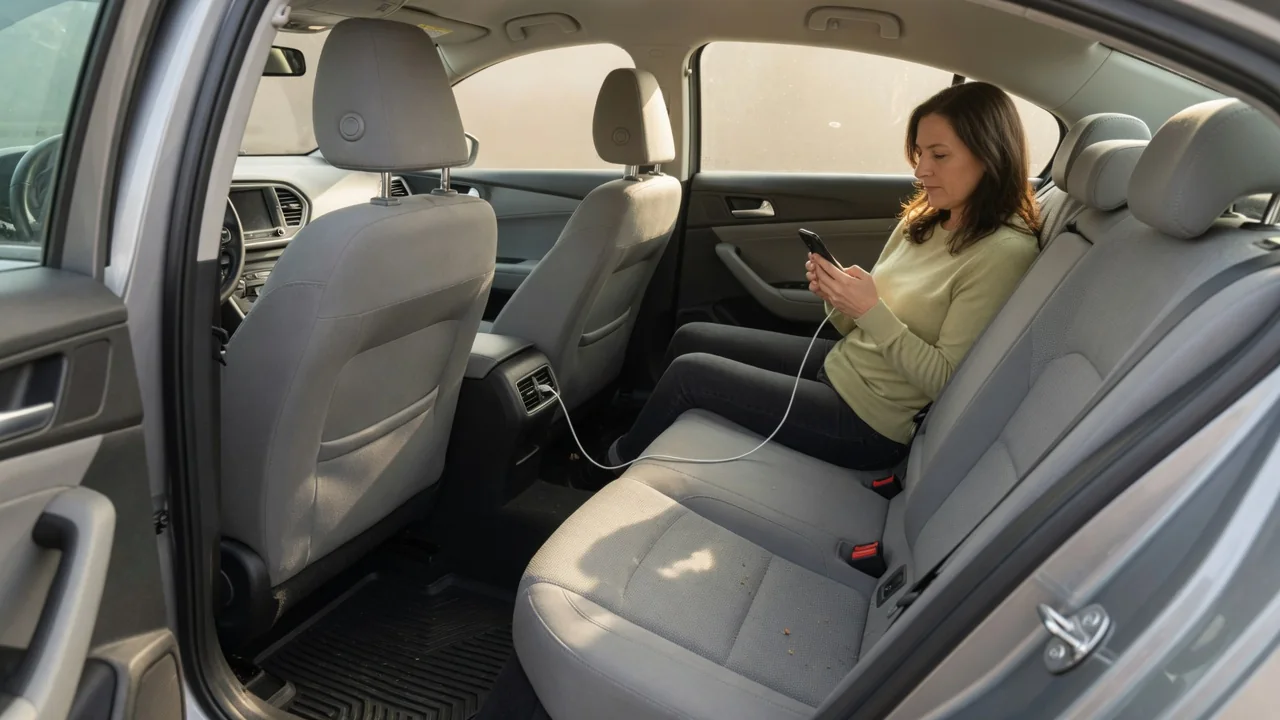
Knowing how to keep rear passengers' devices charged comes down to two things: understanding what power the vehicle can actually deliver to the back seat, and getting that power there without creating clutter or hazards. A little planning before a long drive prevents dead tablets, tangled cords, and arguments over the only working outlet, and it protects the vehicle's electrical system too.
Port capabilities
Not every port in a cabin delivers the same power. Older rectangular USB-A ports, especially those built mainly for connecting a phone to the infotainment system, often supply only a modest current that may hold a tablet's charge level rather than raise it. Newer USB-C ports frequently support faster charging standards, and some vehicles add a household-style outlet or a 12-volt accessory socket in the second row. The owner's manual, or a label molded near the port, usually states the output rating for that specific vehicle.
Rear passengers can check what they have by looking at the back of the center console, the rear of the front seatbacks, the third-row side panels, and the cargo area. Where no rear ports exist, a quality adapter in a front 12-volt socket with multiple outputs can serve the back seat through longer cables. Remember that an adapter's total output is shared, so three devices plugged in together each charge more slowly than one alone. Matching the hungriest device, usually a tablet or laptop, to the strongest port makes the best use of available power.
Safe cable routing
A cable running from the dashboard to the second row should never cross the driver's footwell, the shifter, the parking brake, or the pedals. The safer path runs along the side of the center console or between the console and the passenger seat, low and out of the way. Keep cords clear of seat tracks, where sliding the seat can pinch or sever insulation, and away from door openings and folding seat hinges that can crush them over time.
Airbag locations also matter. Many vehicles house side airbags in the outboard edge of the front seatbacks and curtain airbags along the roof rail, so cables and device mounts should not be clipped or wrapped across those areas; markings on the trim or seat tag usually show where they are. Choose a cable length that reaches the passenger with a little slack but does not pool on the floor, where feet tangle in it. Seatback pockets, adhesive clips on console trim, and short reusable ties keep the excess contained.
Battery load
With the engine running, the alternator supplies the cabin electronics and recharges the 12-volt battery, so a few phones and tablets represent a small demand compared with headlights, the blower motor, or heated seats. The picture changes when the engine is off. Charging devices in accessory mode draws directly from the 12-volt battery, and a long wait in a parking lot with screens, lights, and chargers all active can drain an older or weakened battery enough to cause a slow or failed start.
Vehicles differ in how they handle this. Some cut power to sockets and USB ports shortly after the ignition is switched off, while others keep certain outlets live all the time, which means an adapter left plugged in can continue drawing a small current for days. Hybrids and electric vehicles power their accessories from a 12-volt system supported by the high-voltage battery through a converter, so behavior when parked varies by design. Checking whether a port stays live after shutdown, by watching the charging indicator on a phone, is a simple test.
Everyday Use and Observations
Day-to-day habits make more difference than hardware. Starting a trip with devices already full means the ports only need to maintain charge rather than recover it, and assigning each passenger a cable avoids mid-drive swapping that distracts the driver. Watch how quickly charge percentages rise: a tablet that streams video and barely gains charge is on a port too weak for it, while a phone that charges quickly on the same port confirms the port itself is healthy.
Heat is worth observing too. Devices charging in direct sun on a seat or tucked under a blanket get warm and often slow or pause charging to protect their batteries, so a shaded seatback pocket or mount works better. Intermittent charging that starts and stops when a cable is bumped usually points to a worn connector, lint packed into a device port, or a loose adapter in the socket rather than a vehicle fault. Swapping in a known good cable is the quickest way to narrow that down.
Limits and Next Steps
Factory ports and sockets have limits. Each accessory socket is protected by a fuse, and stacking splitters or running a high-draw inverter, a cooler, and several chargers from one outlet can exceed what that circuit was designed for. A socket that suddenly goes dead may have a blown fuse; the manual identifies its location and rating, and a replacement should always match that rating, never exceed it. A fuse that blows again signals an overload or wiring fault that deserves professional diagnosis.
When built-in options fall short, a portable power bank kept in the seatback pocket offers charging that is independent of the vehicle and removes long cable runs entirely. Laptops and other demanding devices may need a rear household-style outlet or a properly rated adapter, and the vehicle's documentation states what that outlet can support. Permanently adding rear ports involves tapping into vehicle wiring and removing trim near airbags, which is best left to a qualified installer. If starting becomes sluggish after heavy accessory use, have the battery and charging system tested.