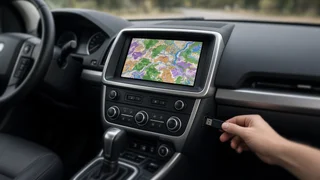
Freelander 2 dashboard controls
Getting to know the Freelander 2 dashboard controls turns routine driving into a more confident experience. This compact SUV groups its switchgear and displays so common adjustments stay close at hand without cluttering the cabin. The layout prioritizes clear operating status through the instrument cluster, while buttons and stalks handle ventilation, lighting, and driver information. Because some indicators depend on equipment level, a quick walk around the controls helps distinguish normal behavior from a warning that deserves attention. The following overview explains how the primary interfaces work together and where the most frequently used functions are located.
Essential answer
The Freelander 2 dashboard controls consist of the main instrument cluster, the center stack climate and audio panel, and steering-column stalks. The cluster provides speed, engine rpm, fuel level, and coolant temperature along with warning indicators that illuminate during a diagnostic check at startup. A driver information display within the cluster shows trip computer data, gear selection prompts, and display messages tied to operating status. Because these messages appear in a fixed area, a brief illumination at ignition on is part of the self-test rather than a sign of trouble. Recognizing the normal sequence reduces confusion when one light stays on afterward.
The center stack groups heating, ventilation, and air conditioning controls with the audio system, while some vehicles also put hill descent or terrain response switches nearby. The steering wheel and column combine turn signals, wipers, cruise control, and phone or audio buttons depending on trim. The owner manual remains the most reliable reference for a particular vehicle, because optional features change which icons appear. If an unfamiliar symbol remains lit, treat it as an indicator that a system is active or needs attention rather than assuming a specific part has failed. Vehicle-specific confirmation is especially important when a manufacturer-dependent code or dashboard message appears.