Choosing a Portable Android Auto Display: What to Check Before You Buy
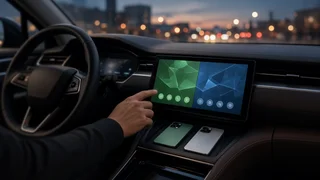
A portable Android Auto display is a standalone screen that sits on your dashboard or windshield, draws power from the car, and mirrors the Android Auto interface from your phone. It adds navigation, music, and messaging to a car that has no infotainment screen or no Android Auto support, without replacing the factory radio. Whether it suits you depends on how your car can receive audio, what phone you use, and whether a simpler option already fits your vehicle.
The short answer
A portable Android Auto unit is a sensible choice if your car lacks Android Auto and you want a removable setup with no permanent installation. If your car already has wired Android Auto, a small wireless interface adapter that plugs into the existing USB port usually gives a cleaner, better-integrated result. If you want factory-like integration, including steering wheel controls and the car's own speakers without compromise, an aftermarket head unit is usually the better long-term fit.
The condition that changes the answer most often is audio. A portable screen has to send sound to your car somehow. If your car has a Bluetooth audio input or an AUX jack, a portable display can work well. If your only option is an FM transmitter or the screen's built-in speaker, expect weaker sound quality, and possibly interference in areas with crowded radio frequencies.
How these displays work
Most portable units connect to your phone wirelessly. Initial device pairing happens over Bluetooth, and the Android Auto session then runs over a direct Wi-Fi link between the phone and the screen. Some units also accept a wired USB connection. The display renders the Android Auto interface, takes touch input, and sends audio out through one or more of these paths: Bluetooth to the car stereo, a 3.5 mm AUX cable, an FM transmitter, or a built-in speaker.
Many of these screens also support Apple CarPlay, which is useful if more than one driver shares the car or if you might switch phones later. Some add features such as a dash camera or an input for an aftermarket backup camera. Those extras vary widely from one product to another, so confirm them on the specific listing rather than assuming they come standard.
What to check before buying
Phone and software compatibility
Wireless Android Auto depends on your phone's Android version and hardware, and some older or budget phones do not support it even when they run wired Android Auto fine. Check your phone's support for wireless Android Auto before buying a wireless-only screen. If your phone supports only the wired version, look for a unit that explicitly offers a wired USB connection.
Software compatibility also matters over time. Android Auto updates arrive through your phone, but the display runs its own firmware. A manufacturer that publishes firmware updates is more likely to fix connection bugs and keep up with phone-side changes. A product with no visible update path carries more risk of becoming unreliable.
How audio reaches your speakers
Work out your car's audio inputs first, because this determines your experience more than screen size or styling. In general, sound quality ranks roughly as follows:
AUX cable: usually the most consistent sound and the fewest dropouts, if your car has the jack. Bluetooth to the car stereo: convenient. It can conflict with your phone's own Bluetooth connection to the car, so check how the unit handles this. FM transmitter: works with almost any radio but is prone to static and interference, especially in cities. Built-in speaker: fine for navigation prompts, generally weak for music and calls.
Also consider phone calls. The display's microphone handles your voice in calls and for Google Assistant commands. Placement and microphone quality affect how well you are heard over road noise, and some units include an external microphone for this reason.
Screen visibility and size
Look for a screen you can read in direct sunlight and that does not glare at night. Anti-glare coatings and adjustable or automatic brightness help. A larger screen makes maps easier to read but takes up more of your view. Before ordering, hold up something of a similar size where the unit would sit, so you can judge both readability and how much of the road it blocks.
Mounting and placement
Units typically come with a suction cup mount for the windshield, an adhesive dashboard mount, or both. Suction mounts are easy to move but can lose grip in heat. Adhesive mounts are more stable but leave residue and may not stick well to textured dashboards. Make sure the screen will not block airbag deployment zones, sightlines, or controls.
Windshield mounting rules differ by US state. Some states restrict where devices may be attached to the windshield, or prohibit it. Check your state's rules before you settle on windshield placement.
Power and cable routing
Most portable displays draw power from the 12-volt accessory socket or a USB port. Check that your car's outlet supplies enough power for the unit, and that the outlet switches off with the ignition, or that the unit handles constant power without draining the battery. Consider where the cable will run. A cable draped across the dash or near the gear selector is a nuisance and can be a hazard. Some owners hardwire the power supply for a cleaner look, which adds installation cost.
Controls and vehicle integration
A portable screen does not connect to your car's electronics, so expect limited vehicle integration. Steering wheel controls usually will not operate it, and it will not display factory camera feeds, climate settings, or vehicle data. Some units include a small wireless remote that mounts on the steering wheel to replicate basic controls. If integrating with the steering wheel interface matters to you, an aftermarket head unit with the correct wiring interface is the more suitable route.
Connection settings and everyday reliability
Wireless Android Auto ties up your phone's Wi-Fi radio while it runs, and this can affect hotspot use or other Wi-Fi connections. Reliable auto-reconnection is one of the most important day-to-day qualities: the screen should rejoin your phone each time you start the car, without you opening connection settings. Startup time matters too, since a slow boot means you start driving before navigation is ready. Owner reviews that mention reconnection behavior tend to be more useful than spec sheets on this point.
Total cost and return terms
The purchase price is only part of the cost. Depending on your car, you may also need an AUX cable, a better mount, a hardwiring kit or professional installation, or a backup camera if the unit supports one. Prices for these displays change frequently and vary by seller. Compare current listings in your market, and treat advertised discounts with caution. Because compatibility problems often appear only in your specific car with your specific phone, a return window long enough to test the unit properly is worth prioritizing.
Portable display versus the alternatives
The right choice depends mostly on what your car already has. The comparison below covers the four common routes.
Option | Best when | Main advantages | Main trade-offs; Portable Android Auto display | Car has no screen or no Android Auto | No permanent installation; removable; can move between cars | Limited audio paths in some cars; no steering wheel or vehicle integration; visible cables and mount; Wireless interface adapter | Car already has wired Android Auto | Small and inexpensive relative to other routes; uses the factory screen and audio | Only adds wireless; does nothing for cars without Android Auto; Aftermarket head unit | You want full integration and plan to keep the car | Factory-style fit; uses the car's speakers; can support steering wheel controls with the right interface | Highest cost; installation required; dash kit and wiring vary by model year and trim; Phone in a dash mount | Minimal budget, occasional use | Cheapest; no extra hardware | Small screen; phone heat and battery drain; less driver-focused interface
Which option fits your situation
Older car with an AUX jack or Bluetooth audio, and you want a quick, reversible upgrade: a portable display is a strong fit. Leased car, or a car you plan to sell soon: a portable display avoids modifying the dashboard. Car with factory wired Android Auto: buy a wireless adapter instead of a portable screen. Car you plan to keep for years, where steering wheel controls and clean installation matter: budget for an aftermarket head unit, and confirm the dash kit and wiring interface for your exact model year, trim, and audio system. Car with only an FM radio and no AUX or Bluetooth input: a portable display still works, but expect compromised audio. Weigh whether a head unit is worth the extra cost.
A practical next step
Before shortlisting products, answer three questions. Does your phone support wireless Android Auto? Which audio inputs does your car have? Where can a screen sit without blocking your view or breaking local mounting rules? With those answers, you can rule out unsuitable units quickly, then compare the remaining candidates on screen visibility, reconnection reliability, firmware support, and return terms.