Choose a compatible wireless Android Auto adapter
The short answer
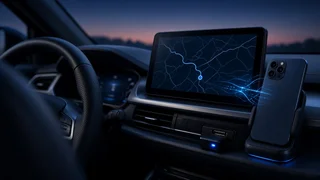
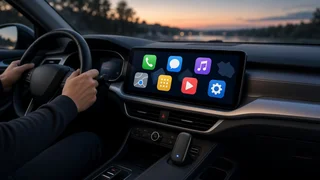
A wireless Android Auto adapter will work in most cars that already run wired Android Auto from the factory screen. The adapter plugs into the car's USB port, presents itself to the car as a wired phone, and connects to your phone over Bluetooth and Wi-Fi. It does not add Android Auto to a car that lacks it. It is also pointless in a car that already offers wireless Android Auto.
Three conditions most often change the outcome. Your specific vehicle and infotainment version must support wired Android Auto. Your phone must meet the requirements for wireless Android Auto. The adapter must explicitly support Android Auto, since some adapters only handle Apple CarPlay. If all three line up, the main remaining differences between adapters are connection speed, stability, audio delay and how well the maker supports firmware updates.
How these adapters work and why compatibility matters
Android Auto normally runs on your phone and projects its interface to the car's display. With a wired connection, video, audio and touch input travel over the USB cable. A wireless adapter replaces that cable with a link of its own. It first pairs with your phone over Bluetooth, then moves the heavy data traffic onto a direct Wi-Fi connection, usually on the 5 GHz band. The car still sees a USB device, which is why it must already understand wired Android Auto.
Because the adapter sits between two systems it does not control, the car's infotainment software and your phone's Android Auto app, updates on either side can affect how well it works. Treat compatibility as a combination of car, phone and adapter firmware rather than a fixed property of any single product.
Check your car first
Confirm that your exact vehicle supports wired Android Auto. Support can differ by model year, trim level, market and infotainment package, and even within one model line. Some vehicles gained Android Auto only through a later software update, and others offer it only with a higher-tier screen or navigation option. Do not assume support because a different trim or a newer model year has it.
Plug your phone in with a known-good data cable and confirm Android Auto launches on the car's screen. This is the most reliable test. If it does not launch, look in the infotainment settings for a smartphone projection or Android Auto option that may be switched off. Check the owner's manual or the infotainment section of the vehicle settings for the software version and any mention of Android Auto. Identify which USB port carries data. Many cars have several ports, and some only charge. The adapter must go into the port that supports Android Auto. Note the connector type in that port, USB-A or USB-C, so you can confirm the adapter includes a suitable cable or that you can use a short, quality adapter cable.
If your car already shows a wireless Android Auto option, you do not need an adapter. If your car only supports Apple CarPlay, a wireless Android Auto adapter cannot help. In that case you would be looking at a replacement head unit rather than an adapter.
Aftermarket head units
Many aftermarket stereos support wired Android Auto, and adapters often work with them. Results vary more than with factory systems, though, because head unit makers implement the protocol differently and update firmware on their own schedules. Check whether the adapter maker lists your head unit brand as supported. Also check whether your stereo has a firmware update available, and confirm wired Android Auto works before adding an adapter.
Check your phone
Wireless Android Auto has stricter phone requirements than the wired version. Generally, the phone needs a reasonably recent Android version and Wi-Fi that supports the 5 GHz band. Google's minimum requirements have been set by Android version, with some phone brands supported on slightly older versions, and these requirements can change. Check the current requirement for your phone, and check the minimum Android version the adapter maker states.
Confirm your phone's Android version in the system settings and keep the Android Auto app updated. Confirm the phone supports 5 GHz Wi-Fi. Nearly all recent mid-range and flagship phones do, but some budget models may not. If you use a work profile, a heavily customized Android build or aggressive battery-saving settings, expect possible connection problems. You may need to exempt Android Auto and the adapter's companion app, if it has one, from battery optimization.
What to check on the adapter itself
Once car and phone are confirmed, compare adapters on the points that affect daily use. Product listings often make broad compatibility claims, so give more weight to clearly stated supported systems and to how the maker handles updates.
Explicit Android Auto support: some adapters are CarPlay-only, some are Android Auto-only, and some handle both. Dual-mode units suit households with mixed phones. Firmware updates: a maker that issues regular updates is better placed to respond when a car or phone update breaks compatibility. Check how updates are installed, whether through a companion app, a browser page on the adapter's own Wi-Fi, or not at all. Startup time: how long it takes to connect after you start the car. This varies between adapters and between cars, and it matters most on short trips. Audio delay: wireless links add some latency. It is rarely noticeable for music, but it can matter for navigation prompts and calls, and it is more apparent when tapping media controls. Stability: dropouts usually show up as the screen returning to the car's home menu. Look for consistent reports from owners of similar cars rather than isolated reviews. Power and heat: the adapter draws power from the USB port. Some ports supply less power than others, which can cause restarts. Units that run hot in a sunny dashboard area may be less reliable over time. Multiple phones: if more than one driver uses the car, check how the adapter chooses which phone to connect to and how easily you can switch. Physical fit: check the size and cable length, since a bulky unit can block other ports or sit awkwardly in a console. Companion app and permissions: if the adapter requires an app, check what permissions it requests and whether the adapter works without it.
Dedicated adapters versus streaming boxes
Two broad product types appear when you search for wireless Android Auto devices. Dedicated adapters do one job: they convert a wired Android Auto connection to wireless. Multimedia or streaming boxes also plug into the car's USB port, but they run their own operating system, often a version of Android. They can show video apps or other software on the car's screen, and some also offer wireless Android Auto or CarPlay modes.
Criterion | Dedicated wireless adapter | Multimedia or streaming box; Main purpose | Replace the Android Auto cable | Run apps on the car screen, sometimes with wireless projection; Setup complexity | Usually simple pairing | More settings and accounts to manage; Compatibility risk | Depends on car, phone and firmware | Same dependencies, plus the box's own software; Updates | Firmware for the adapter | Operating system and app updates as well as firmware; Typical fit | Drivers who want a cable-free version of what they already use | Drivers who want extra features and accept more complexity; Other considerations | Fewer features to go wrong | Watching video while driving is unsafe and may be illegal; features may be limited by the car
For most people who simply want their existing Android Auto experience without plugging in, a dedicated adapter is the more straightforward choice. A streaming box makes sense only if you specifically want its added features and are comfortable managing another piece of software.
Ownership trade-offs to expect
Battery drain: wired Android Auto charges your phone, but wireless use runs Bluetooth, Wi-Fi, GPS and the screen projection without charging. On longer drives, plan to use a wireless charging pad, if the car has one, or a separate charger. Phone heat: wireless projection combined with wireless charging can make some phones warm. This may lead the phone to throttle performance or pause charging. Possible Wi-Fi interference: in some environments, other wireless devices can affect connection quality. This is usually minor but can explain occasional dropouts. Breakage after updates: a car, phone or Android Auto app update can occasionally disrupt an adapter until the maker issues a fix. Keeping the wired cable in the car gives you a fallback.
Costs and buying considerations
An adapter normally requires no professional installation, so the main cost is the unit itself, plus possibly a different cable if the included one does not match your car's port. Prices vary by brand, features and retailer, and they change often. When comparing, check whether a listed price is current, which retailer and region it applies to, and whether it includes the cables you need. A discounted listing is not the same as the price you will actually pay at checkout.
Because compatibility can only be fully confirmed in your own car, a clear return policy matters more than a small price difference. Buy from a seller that accepts returns for incompatibility, test the adapter promptly over several drives, and check startup time, call quality and stability before the return window closes.
Which option fits your situation
Your car has wired Android Auto and you want to stop plugging in on short trips: a dedicated Android Auto adapter with a reputation for fast startup is the best fit. Your household uses both Android phones and iPhones: choose a dual-mode adapter that supports both systems, and check how it handles switching between phones. You often take long drives: an adapter can still be worthwhile, but plan for charging. In some cases, staying wired on long trips is the more practical choice. Your car only supports CarPlay or has no smartphone projection: an adapter will not add Android Auto, so look at compatible replacement head units instead. You have an aftermarket stereo: confirm wired Android Auto works and that the stereo's firmware is current, then choose an adapter whose maker lists support for your head unit brand. You want video or other apps on the car screen: a streaming box is the relevant category, but expect more setup and use any video features only when parked.
Before you buy: a quick checklist
Wired Android Auto works in your exact car, on the correct USB port. Your car does not already offer wireless Android Auto. Your phone meets current wireless Android Auto requirements and supports 5 GHz Wi-Fi. The adapter explicitly supports Android Auto, not just CarPlay. The included cable matches your car's port type. The maker provides firmware updates and a clear way to install them. The seller accepts returns if the adapter does not work with your setup.