Choosing a Portable Apple CarPlay Display
A portable Apple CarPlay display is a standalone screen that mounts on your dash or windshield, plugs into a power outlet and runs CarPlay from your iPhone. It is a reasonable choice if your car has no CarPlay, you don't want to modify the dashboard, or you want one device to move between vehicles. The deciding factor is usually audio. A portable unit can only sound as good as its connection to your car's speakers, so check what audio inputs your car has before you compare screens.
The Short Answer
Buy a portable CarPlay screen if you want navigation, music, messages and calls on a larger display without replacing the stereo, and if your car has an AUX input or Bluetooth audio. Choose a different route in two cases. If your car already has wired CarPlay, a wireless adapter is simpler. If you want factory-style integration, including working steering wheel buttons, a replacement head unit is the better fit.
How Portable CarPlay Units Work
The display does not run its own navigation or apps. It mirrors the CarPlay interface from your iPhone, so maps, music and messaging come from the phone. Location also usually comes from the phone's GPS. The unit supplies the screen, a touch interface, a microphone for Siri and calls, and one or more ways to send audio to the car.
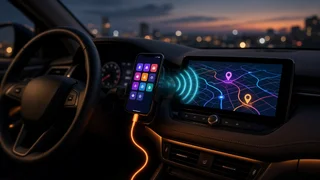
Most units connect to the iPhone in one of two ways. Wired connections use a USB cable to the phone. Wireless connections pair over Bluetooth first and then carry the CarPlay session over Wi-Fi. Many units support both. Device pairing normally happens once, after which the phone should reconnect automatically when you start the car.
What to Check Before You Buy
1) How the Sound Reaches Your Speakers
Confirm which audio paths the unit supports and match one to your car:
AUX (3.5 mm) output: a direct wired connection to the car's auxiliary input. This is generally the most reliable option if your car has an AUX jack. FM transmitter: the unit broadcasts on an FM frequency and you tune the radio to it. It works in almost any car with a radio, but quality depends on finding a clear frequency and can suffer from interference, especially in cities or while driving between areas. Bluetooth to the car stereo: some units can relay audio to a Bluetooth-capable stereo. Check how the unit handles this, because your iPhone is already connected to the display. Built-in speaker: useful as a fallback, but typically not a substitute for the car's speakers for music.
If your car has none of these except FM radio, factor possible audio compromises into your decision. Buy from a seller with a clear return policy so you can test sound quality in your own car.
2) Wired, Wireless or Both
Wireless CarPlay is convenient for short trips because the phone can stay in your pocket. It tends to use more phone battery and can take a few moments to connect after startup. While a wireless CarPlay session is active, the phone's Wi-Fi is occupied by the display, which may limit connections to other Wi-Fi networks. A wired connection charges the phone and is usually more stable.
A unit that supports both gives you a fallback if wireless becomes unreliable. If you go wired, check that you have the right cable for your iPhone's port.
3) Software Compatibility and Updates
Portable displays depend on the unit's firmware working with current iOS versions. Before buying, check whether the maker offers firmware updates and explains how to install them. Look at whether recent owner feedback mentions connection problems after iOS updates. Confirm the unit lists support for your iPhone model and iOS version.
If the unit also supports Android Auto, that can help a household with mixed phones. It also gives you some flexibility if you change phones later.
4) Screen Readability
Screen size is easy to compare. Readability in daylight matters more. A larger screen helps with maps, but it must not block your view of the road. Brightness figures in listings are not always measured the same way, so compare them cautiously. Look for:
Anti-glare or matte surface treatment, which helps if sunlight hits the dash directly. Automatic or easily adjustable brightness for night driving. Touch responsiveness, since you will tap the screen while the car is stopped and should be able to do so quickly.
5) Mounting and Placement
Most units come with a suction mount for the windshield or dash, an adhesive dash base, or both. Before choosing, consider:
Local rules: US states differ on whether and where devices may be mounted on the windshield. Check your state's rules before choosing a windshield position. Dash shape: textured or curved dashboards can defeat suction cups. An adhesive base may hold better but is harder to remove cleanly. Heat: suction mounts can lose grip in high cabin temperatures. Electronics left on a sunny dash are also exposed to heat, so consider removing the unit when parked in hot weather. Reach and sightline: the screen should be easy to tap without leaning. It should not cover gauges, vents you rely on, or airbag deployment areas.
6) Power and Cable Routing
Most portable displays draw power from the 12V accessory socket or a USB port. Check whether your car's socket switches off with the ignition. If it stays live, the unit may need to be unplugged to avoid draining the battery. Plan the cable route so wires don't dangle near the pedals, shifter or steering wheel. A hardwire kit gives a cleaner look but adds installation work.
7) Controls and Vehicle Integration
A portable unit generally sits apart from the car's electronics. Your steering wheel audio buttons usually won't control it, and it won't show vehicle information such as climate settings. Some units include a small remote or rely on Siri for hands-free control. Microphone quality matters here, so check owner feedback on call clarity and voice recognition at highway speeds.
8) Extra Features Worth Paying For, or Not
Built-in dash camera: convenient, but check where recordings are stored, how storage is managed and whether the camera's view is blocked by the mount position. Backup camera input: useful in older cars, but running a camera cable from the rear of the vehicle is real installation work. Memory card slot or media playback: only relevant if you play media without your phone. Adjustable connection settings: options to pick a default audio output or change the FM frequency make daily use easier.
Estimating the Total Cost
The listed price of the display is rarely the full cost. Budget for any of the following that apply:
An AUX cable or a compatible USB cable for your iPhone. A replacement or alternative mount if the included one doesn't suit your dash. A hardwire kit if you want hidden power cabling. Backup camera installation, if you plan to use that input. Your time, or professional help, for any wiring.
When comparing prices, look at the same seller condition, such as new, open-box or refurbished. Check what accessories are included and what the return window covers.
Portable Display vs. Other CarPlay Options
Option | Best for | Main trade-offs; Portable CarPlay display | Cars without CarPlay, leased cars, moving between vehicles, avoiding dash modifications | Audio quality depends on the car's inputs; visible cables and mount; usually no steering wheel control integration; Wireless CarPlay adapter | Cars that already have factory wired CarPlay | Only works if wired CarPlay is already present; adds a small connection delay at startup; Aftermarket head unit with CarPlay | Owners keeping the car long term who want a built-in look and better sound integration | Requires a dash kit, wiring harness and often a steering wheel interface adapter; more installation effort and cost; Phone mount only | Occasional use and minimal spending | Small screen; no CarPlay interface; calls and audio depend on the car's existing connections
If you plan to keep the car for years and its stereo is a standard replaceable size, a head unit gives the most integrated result. An interface adapter can retain steering wheel controls and, in some vehicles, other factory functions. Compatibility depends on the specific make, model year and trim, so confirm fitment for your exact vehicle before buying.
Which Choice Fits Your Situation
Older car with an AUX jack: a portable display is a strong, low-commitment choice. Older car with only an FM radio: a portable display still works, but test FM audio quality and keep the receipt. Car with factory wired CarPlay: skip the portable screen and consider a wireless adapter. Leased car or frequent rentals: a portable unit avoids modifications and moves with you. Long-term ownership and integration matters to you: compare the total cost of a replacement head unit with a steering wheel interface, including installation.
Final Checklist
Confirm your car's audio input: AUX, Bluetooth or FM only. Decide on wired, wireless or both. Check support for your iPhone model and iOS version, and whether firmware updates are offered. Pick a mount type that suits your dash and complies with your state's placement rules. Check whether your power socket switches off with the ignition. Accept that steering wheel controls and vehicle data usually won't integrate. Add accessory and installation costs to the purchase price. Buy with a return window long enough to test it in your own car.