Choosing a Dashcam to Collect Collision Evidence
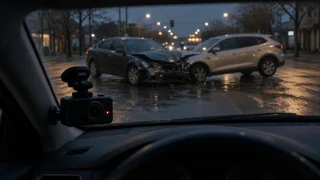
If you want to get a dash cam mainly to document collisions, focus on the features that make footage usable afterward, not on the longest feature list. The camera needs to capture other vehicles clearly enough to identify them, show the correct incident time, lock the clip when an impact happens, and record reliably every time the car moves. For most drivers, a front-facing camera with good low-light performance, automatic event locking, GPS or reliable time sync, and a high-endurance memory card covers the essentials. Add a rear camera if rear-end impacts or disputes about who hit whom from behind are a real concern. If you also want coverage while the car is parked, plan for a hardwired installation or a dedicated battery pack, because that changes both cost and setup.
What makes dashcam footage useful as collision evidence
Insurers, police and courts generally look for footage that shows what happened, when it happened and who was involved. A dashcam that records smoothly but blurs license plates at night, or shows the wrong date, gives you far less to work with. The following capabilities matter most for evidence collection.
Clear detail on other vehicles: resolution helps, but image sensor quality, lens sharpness and compression settings often matter as much. Look for sample footage recorded at night and in motion, since plates and vehicle details are hardest to read in those conditions. Low-light and glare handling: many collisions happen at dusk, at night or with headlights and sun glare in the frame. Features such as wide dynamic range (WDR) or high dynamic range (HDR) processing balance bright and dark areas so details are not lost. Accurate incident time and location: a built-in or add-on GPS module, or automatic time sync through a phone app, stamps footage with the date, time and often speed and position. An incorrect clock can undermine an otherwise strong recording. Automatic event locking: a G-sensor (an accelerometer that detects sudden force) protects the clip around an impact so loop recording does not overwrite it. Reliable loop recording: the camera continuously records in short segments and overwrites the oldest unlocked files when the card fills, so it keeps working without manual management. Field of view: a wider angle captures more of the road, including adjacent lanes and intersections, but very wide lenses can distort edges and make distant plates smaller in the frame.
Choosing the right camera configuration
Dashcams are usually sold as single-channel (front only), dual-channel (front and rear, or front and cabin) and three-channel (front, rear and cabin) systems. The right choice depends on where you think disputes are most likely to come from.
Configuration | Covers | Best suited to | Trade-offs; Front only | Road ahead | Most commuters; disputes over intersections, lane changes and frontal impacts | Misses rear-end impacts and side events outside the field of view; Front and rear | Road ahead and behind | Drivers in heavy traffic or who worry about rear-end collisions and tailgating | More wiring to route to the rear window; slightly more complex installation; Front and cabin | Road ahead and vehicle interior | Rideshare and delivery drivers who want a record of passengers and interactions | Interior audio and video raise privacy and consent questions; Three-channel | Front, rear and cabin | Professional drivers wanting the fullest record | Highest cost, most cabling and largest storage demand
If you are unsure, a front-and-rear system is a sensible middle ground for collision evidence, since rear-end impacts are a common source of fault disputes. A front-only camera is a reasonable starting point if budget or installation simplicity matters more.
What to check before you buy
Fit and mounting in your vehicle
Check where the camera will sit on your windshield. Many drivers mount it behind the rearview mirror so it stays out of their line of sight. Windshield mounting rules vary by state, so confirm what is allowed where you drive. Also consider whether your windshield has a tinted band, a sensor cluster for driver-assistance systems, or heating elements that could block or interfere with the camera. For rear cameras, check how the cable will reach the rear window, which differs between sedans, hatchbacks, SUVs and pickups, and whether a rear-window tint will darken the footage.
Power source and parking coverage
Most dashcams plug into a 12-volt accessory socket or a USB port, which is simple but usually means the camera only records when the ignition is on. If you want parking mode, which monitors the car for impacts or motion while it is parked, you typically need a hardwire kit connected to the fuse box or a separate dashcam battery pack. Hardwire kits often include a low-voltage cutoff that shuts the camera off before it drains the car battery. Factor in whether you will install it yourself or pay a professional, and check whether any work near airbags or the electrical system could affect a vehicle warranty.
Heat and cold tolerance
A dashcam sitting behind the windshield can get very hot in summer and very cold in winter. Models that use a supercapacitor instead of a lithium-ion battery are generally considered better at tolerating temperature extremes, since they are less prone to swelling or failing in heat. If you live somewhere with harsh summers or frequently park in direct sun, give this significant weight.
Storage and memory cards
Constant overwriting wears out memory cards faster than ordinary use. Use a high-endurance card designed for continuous recording, and confirm the maximum card capacity your camera supports. Larger cards hold more footage before loop recording overwrites it, which matters if you do not discover an incident right away. Some cameras warn you when a card is failing or needs formatting; this is worth having, because a dead card means no evidence. A few models also offer cloud upload, which can back up event clips automatically but may require a subscription and a mobile data connection.
Getting footage off the camera
After a collision you may need to share a clip quickly. Many cameras connect to a phone app over Wi-Fi so you can view and download footage at the scene. Check that the app is actively supported and that you can export the original file, not just a compressed or trimmed version. Being able to remove the memory card and read it on a computer is a useful fallback.
Audio recording and privacy
Audio can capture useful context, such as horns, statements or brake noise, but laws on recording conversations differ by state, and some require consent from everyone being recorded. This matters most for cabin cameras and drivers who carry passengers. Choose a camera that lets you turn audio off easily, and check the rules where you drive.
Total cost of ownership
The camera's price is only part of the cost. Budget for a high-endurance memory card, a hardwire kit or battery pack if you want parking mode, professional installation if you will not do it yourself, a GPS module if it is sold separately, and any cloud subscription. Replacing memory cards periodically is also a normal ongoing cost. When comparing prices, check that listings include the same components, since a cheaper bundle may leave out the rear camera, GPS or mounting hardware.
Matching a dashcam to your priorities
Daily commuter on busy roads: a front-and-rear camera with strong night performance, GPS time stamping and automatic event locking. Driver on a tight budget: a well-reviewed front-only camera with reliable loop recording, a G-sensor and a quality high-endurance card, rather than a cheaper multi-channel unit with weak image quality. Car often parked on the street or in public lots: a hardwired camera or battery pack with parking mode and low-voltage protection, so hit-and-run impacts are recorded. Rideshare or delivery driver: a front-and-cabin or three-channel system with infrared night vision for the interior, while paying attention to passenger consent rules. Hot climate: prioritize a supercapacitor-based camera and a mount that keeps the unit out of direct sun where possible.
Using your dashcam after a collision
Even the best camera only helps if the footage is preserved properly. After making sure everyone is safe and following local requirements for reporting a crash, take these steps to protect the evidence.
Lock or save the clip immediately: if the G-sensor did not trigger, use the manual event button so the file is not overwritten. Keep the original recording unedited: copy the file to your phone, a computer or cloud storage, and keep an untouched original alongside any trimmed copy you share. Editing, filtering or re-encoding can raise questions about authenticity. Note the incident time and location as recorded by the camera, and check that they match the actual time; if the clock was off, write down the difference. Capture vehicle identification details: license plates, makes, models, colors and any visible damage, whether from the footage or your own photos. Record witness details: names and phone numbers of anyone who saw the collision, since footage does not always show the full sequence of events. Keep the report reference: write down the police report number or insurance claim number and attach it to your saved files so they are easy to match later. Plan for record retention: keep the original files until the claim or any dispute is fully resolved. Store them in more than one place, and consider removing the memory card and keeping it aside if the incident is serious.
Bottom line
When you get a dash cam for collision evidence, judge it by how well its footage will hold up after an incident: clear detail on other vehicles in poor light, an accurate time stamp, automatic protection of impact clips and dependable storage. Decide between front-only and front-and-rear coverage based on where disputes are most likely for you, add parking mode if your car spends time unattended in public, and include the card, wiring and installation in your budget before comparing prices.