Using a Dash Cam to Document a Collision
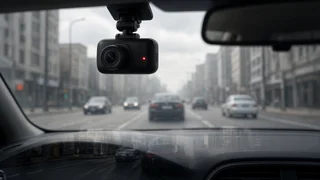
A dash cam can act as your on-board witness when a collision happens. It records a continuous, time-stamped view of the road that does not depend on anyone's memory or account. Footage alone does not settle fault, and how useful it is depends on the camera, how it was set up, and how you handle the file afterward. This guide covers what a dash cam typically captures, why drivers use one, and the steps that keep a recording usable after a crash.
The Short Answer
After a collision, a dash cam is most valuable when three things are true. The relevant clip has been saved before the camera records over it. The original file is preserved unedited. The footage is backed by the basic details an insurer or police officer will ask for, such as the time of the incident, the vehicles involved, and any report number. The camera supplies the visual record, and you still supply the context around it.
What Does a Dash Cam Record?
Features vary by model, but most dash cams share a core set of functions. Check your own camera's settings menu to see which of these it supports and whether they are switched on.
Video of the road ahead, and on dual- or multi-channel units, the rear view or the cabin as well. A date and time stamp embedded in the footage, which is only accurate if the camera's clock is set correctly. Loop recording, which saves video in short segments and overwrites the oldest files when the memory card fills. Event detection through a built-in accelerometer, often called a G-sensor, which locks the current clip against overwriting when it senses a sudden impact or hard braking. Audio from inside the cabin, on many models, usually with an option to turn it off. GPS location and speed data, on models with built-in or add-on GPS. Parking mode, on some models, which records impacts or motion while the vehicle is parked, usually requiring a hardwired or battery-backed power source.
A dash cam records only what its lens can see at the resolution, frame rate, and lighting conditions it was working with. Glare, darkness, rain on the windshield, or a low mounting angle can make license plates or traffic signals hard to read. A side impact may fall outside the frame of a front-only camera entirely.
Why Use a Dashcam for Collision Evidence
People run dash cams mainly to have an objective record when accounts of an incident differ. Footage can show the sequence of events, such as signal timing, lane position, following distance, or a vehicle running a stop. That kind of detail is otherwise reconstructed from statements and damage patterns. It can also help in situations where no other witness stopped, or where the other party later changes their account.
The footage records your own driving too. If it shows you speeding, distracted, or contributing to the crash, it can work against you. Be realistic about that before deciding how to use it. Whether and how footage is accepted by an insurer or a court depends on the specific situation and jurisdiction. If a claim becomes disputed, take that question to your insurer or an attorney.
Preserving the Recording After a Crash
Your first priorities after any collision are safety, checking for injuries, calling emergency services where needed, and following state reporting requirements. Once the scene is safe, these steps help keep the footage intact.
Make sure the clip is locked. If the G-sensor did not trigger, as can happen in a low-speed impact, use the camera's manual event or emergency button to protect the current file. Stop the camera from overwriting. If you cannot confirm the clip is protected, consider powering the camera off or removing the memory card once you are safely stopped, so loop recording cannot erase it. Keep the original recording untouched. Do not trim, compress, re-encode, or add effects to the original file. Edited versions can raise questions about authenticity. Make copies as soon as practical. Copy the full original file, not just a screen recording of it, to a computer or other storage. Keep the original card or file aside as the master. Save surrounding footage. Keep the clips from before and after the impact as well, since the lead-up often matters as much as the moment of contact. Note the file names and the camera model. This makes it easier to explain where a file came from if someone asks.
Details to Record Alongside the Footage
Video rarely captures everything an insurer or officer needs. Write down or photograph the following while you are still at the scene.
Item | Why it matters; Incident time and location | Lets you match the moment to the camera's time stamp and correct for any clock error; Vehicle identification | Plate numbers, make, model and color of every vehicle involved, in case plates are unreadable on video; Driver and insurance details | Exchanged as required by your state, needed to start a claim; Witness details | Names and contact information for anyone who saw the collision, which supports or adds context to the footage; Report reference | The police report or incident number, plus the responding agency, so the footage can be tied to the official record; Photos of the scene | Damage, debris, road markings and signals from angles the dash cam did not capture
Sharing Footage and Record Retention
When an insurer or police officer requests the footage, share a copy and keep the original. Ask what format and delivery method they accept. Some prefer the unaltered file over a link to a video-sharing site. Posting crash footage publicly before a claim is resolved can complicate matters, so it is generally wiser to hold off.
For record retention, keep the original file and your notes until the claim is fully closed and any deadline for legal action has passed. Those time limits vary by state and by type of claim. Memory cards wear out and can fail, so store at least one copy on a separate device or backup.
Setup Choices That Affect Evidence Quality
Most problems with collision footage come from how the camera was set up long before the crash. A few habits make a usable recording far more likely.
Set the date, time and time zone correctly, and recheck after daylight saving changes or power loss if the camera does not sync automatically. Mount the camera where it has a clear view through the swept area of the windshield, without blocking the driver's view. Windshield mounting rules differ by state, so check local requirements. Use a memory card type and capacity the manufacturer supports, and format it periodically as the camera's instructions recommend. Adjust G-sensor sensitivity so real impacts are locked without filling the card with false triggers from potholes. Check now and then that the camera is actually recording, since a loose power connection or failed card may go unnoticed until you need the footage.
Audio and Privacy Considerations
Video of a public road is generally treated differently from audio of private conversations. Some US states require consent from everyone being recorded before audio can be captured, which can matter if you carry passengers or rideshare customers. If you are unsure about your state's rules, disable audio recording or tell passengers that the camera records sound. Where cabin cameras are used for commercial driving, there may be additional notice requirements.
Bottom Line
A properly set up dash cam gives you an independent, time-stamped record of a collision, but its value depends on what you do in the minutes and days afterward. Lock the clip, protect the original recording, make copies, and pair the footage with incident time, vehicle identification, witness details and the report reference. Handled that way, your on-board witness becomes a clear supporting record for an insurance claim or police report rather than a file that was quietly overwritten.