How Does a Dash Cam Work?
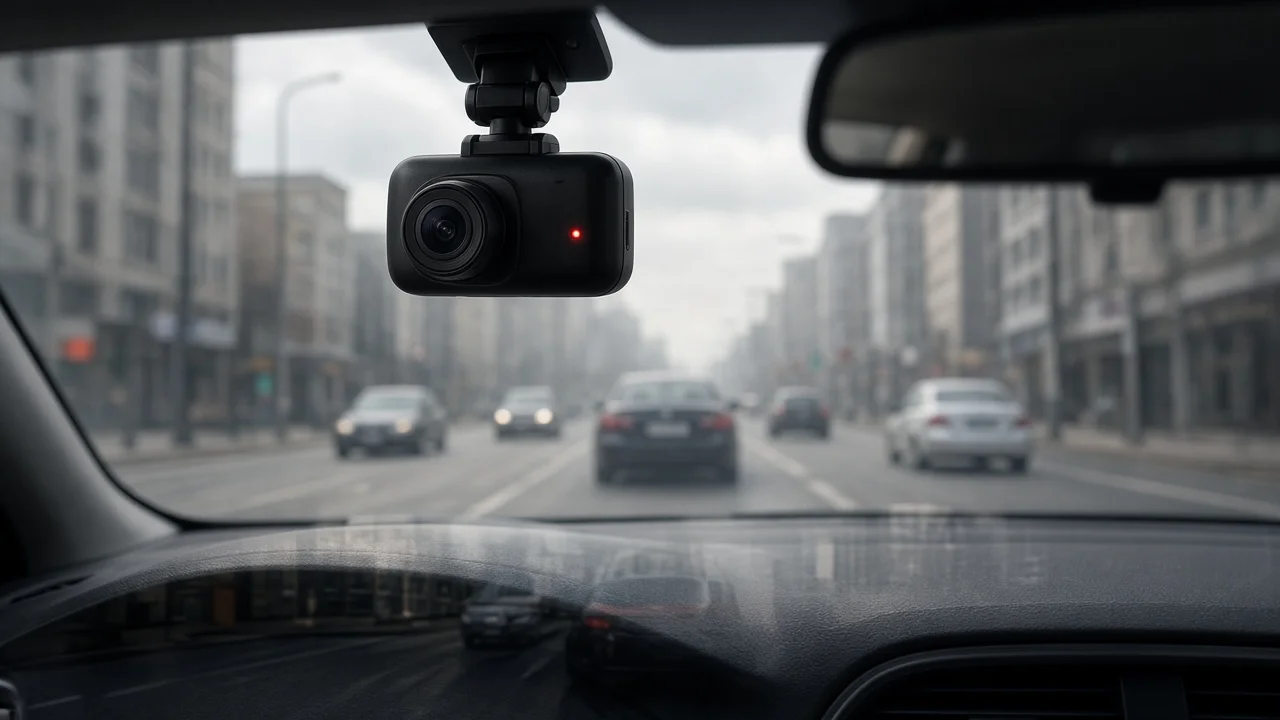
A dash cam is a small camera mounted in a vehicle, usually on the windshield, that starts recording automatically when the vehicle is powered on. It saves video continuously to a memory card. When the oldest footage is no longer needed, the camera records over it. When the camera senses a sudden jolt, such as a collision, it marks the current clip as protected so it is not overwritten. That combination of automatic recording, continuous overwriting and event protection is what makes a dash cam useful for capturing collision evidence without any action from the driver. Features vary widely between models. Some cameras record only the road ahead. Others add rear or cabin cameras, location logging or monitoring while parked. The explanation below covers the principles common to most dash cams and notes where a feature depends on the specific model or installation. No model specifications, test results or prices were available for this article, so it does not compare products.
The Essential Answer
A dash cam turns light into digital video through a lens and image sensor. A processor compresses that video into files, and the files are written to removable storage, usually a microSD card. The camera records in short, consecutive segments and replaces the oldest unprotected segments when the card fills. A built-in motion sensor detects impacts and locks the relevant footage. The result is an ongoing record of recent driving, plus a preserved copy of the moments around any detected incident.
How a Dash Cam Records and Stores Video
Capturing the image
The lens gathers light from the road and focuses it onto an image sensor, a chip that converts light into electrical signals. Dash cam lenses are typically wide-angle so they can cover several lanes and the roadside. The trade-off is some distortion at the edges of the frame, and distant objects appear smaller. The image processor turns the sensor's signals into video frames and adjusts exposure and color as lighting changes.
Compressing and saving files
Raw video takes up a lot of space, so the processor compresses it with a video codec, which is software that encodes video into a smaller file. It then saves the footage as a series of short clips rather than one continuous file. Short segments limit how much footage is lost if a file is damaged, and they make individual moments easier to find later.
Loop recording
Loop recording is the feature that lets a dash cam run indefinitely on a fixed-size memory card. When the card is full, the camera deletes the oldest unprotected clip and writes a new one in its place. The driver never has to clear the card manually. However, ordinary footage only lasts until it is overwritten. How long that takes depends on card capacity, recording quality and the number of cameras.
Impact detection and file locking
Most dash cams contain a G-sensor, which is an accelerometer that measures sudden changes in motion. A collision, hard braking or a sharp jolt can trigger it. The camera then moves or flags the clips from shortly before and after the event into a protected area that loop recording will not overwrite. Many cameras also have a button that locks the current clip manually. This helps when an incident did not produce a strong jolt, such as a near miss or a minor scrape.
Sensitivity is usually adjustable. If it is set too high, potholes and speed bumps can fill the protected area with unneeded clips. On some models, a full protected area can stop new events from being locked or can cause older locked files to be overwritten. Check the camera's manual to see how your model handles this.
Power and shutdown protection
A dash cam is usually powered from the vehicle's accessory socket or a USB port, or it is hardwired into the fuse box. With socket or USB power, the camera typically turns on and off with the ignition. Hardwiring can supply power when the vehicle is off. It is often paired with a voltage cutoff that stops the camera before it drains the battery too far. Because hardwiring involves the vehicle's electrical system, a professional installer is the safer choice for anyone unfamiliar with fuse circuits.
Many dash cams contain a small supercapacitor or internal battery. Its main job is to give the camera enough power to finish writing the last file when power cuts out, which can happen in a crash. It is generally not meant to run the camera for long without external power. Battery-based units can be more sensitive to heat inside a parked car than capacitor-based ones. That consideration matters more in hot regions.
Timestamps, location and speed data
Dash cams typically stamp footage with the date and time. Models with GPS can also record location and vehicle speed, either shown on the video or stored alongside it. That data helps establish when and where an incident happened. The time and date must be set correctly, and GPS data is only available on models that include it.
Parking mode
Parking mode monitors the vehicle while it is unattended. Depending on the model, it may record when the G-sensor detects a bump, when the camera detects motion in view, or in a low-frame-rate time-lapse. Parking mode generally needs continuous power from a hardwired connection or an external battery pack. Without it, the camera usually stops when the ignition is off.
Multiple cameras and retrieving footage
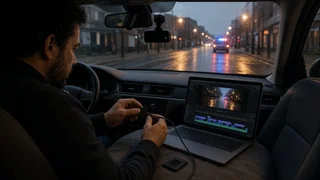
Single-channel dash cams record the road ahead. Dual-channel systems add a rear camera, and some models add a cabin-facing camera, which ride-share drivers often use. Footage can usually be reviewed by removing the memory card. Many models also connect to a phone app over Wi-Fi so clips can be viewed and downloaded at the scene.
How a Dash Cam Differs From Other Ways of Recording
The main difference between a dash cam and a phone or action camera is that a dash cam needs no decision from the driver. It is already recording when an incident begins. A phone usually captures only the aftermath, because someone has to start it. A dash cam also manages its own storage through loop recording, protects event footage automatically and stays mounted in a fixed position. That fixed view is what makes its footage useful for showing vehicle positions and movements leading up to a collision.
What Dash Cam Footage Can and Cannot Show After a Collision
Footage can show traffic signals, lane positions, the sequence of events and the behavior of other road users. It can also record the time and, on GPS-equipped models, the speed and location. That context can support an account given to police or an insurer. Several practical limits affect how much the footage shows:
Field of view: a front-only camera will not capture a rear or side impact outside its frame. Lighting: glare, low light, headlight bloom and rain on the windshield can obscure details. License plates: plates on distant or fast-moving vehicles may be blurred or too small to read, even on higher-resolution cameras. Mounting and cleanliness: a camera mounted at an angle, partly blocked or behind a dirty windshield captures less useful footage. Storage and power: a worn or failing memory card, a full protected area, or a camera that was unplugged or powered off can leave gaps.
Memory cards wear out with constant rewriting. Cards marketed for continuous recording are generally better suited to dash cams. Periodically checking that the camera is recording and that saved files play back helps catch failures before an incident.
Preserving Footage as Evidence
After a collision, the priority is to keep the relevant clips from being overwritten or altered. General good practice includes:
Lock the clip manually if the camera did not do so automatically. Copy the original files to another device as soon as practical, without editing, trimming or re-encoding them. Keep the memory card out of use, or store the original copies safely, until the matter is resolved. Note the date, time and location separately in case the camera's clock was wrong.
Footage does not guarantee a particular outcome. It shows what the camera captured, and it can reflect on any driver, including the one who owns the camera. How footage is treated by insurers or courts depends on the circumstances and the jurisdiction. This article had no evidence on admissibility, so for a specific claim or case, consult the insurer or a qualified attorney.
Legal Considerations in the US
Rules differ from state to state. Some states restrict items mounted on the windshield, which affects where a dash cam may be placed. Recording audio, especially of passengers, may fall under state consent laws for recording conversations. Cabin-facing cameras raise the same question. Check the laws in the states where you drive before installing a camera or enabling audio. This article did not have state-by-state details to summarize.
Summary
A dash cam records the road continuously and overwrites old footage to keep running on limited storage. It uses an impact sensor to lock the clips around a collision so they are kept. Optional features determine what else it captures, including rear and cabin cameras, GPS logging and parking mode. For collision evidence, the camera's view, the lighting and the condition of its memory card limit what the footage shows, and the original files should be saved and copied promptly after an incident.