Batteries Plus Key Fob Battery Service: What to Check Before You Go
The Short Answer
Batteries Plus is a US retail chain that sells replacement batteries for remote key fobs, and many of its stores will install the battery for you. For most fobs, a battery swap is quick and does not require reprogramming. The answer changes in three situations: your fob is damaged rather than just low on power, your vehicle requires the fob to be re-synced after a battery change, or you need a new or additional key. Those cases involve programming or key cutting, which not every location offers for every vehicle. Calling the store with your vehicle's year, make and model before you go is the most reliable way to avoid a wasted trip.
Signs Your Fob Needs a Battery
A weak fob battery usually fails gradually rather than all at once. Common symptoms include:
You have to stand closer to the vehicle for lock and unlock to work. Buttons need several presses before the vehicle responds. The indicator light on the fob is dim, flickers or no longer lights. A push-button-start vehicle shows a key-not-detected or low key battery message on the dashboard. Passive entry (unlocking when you touch the handle) works only some of the time.
If the fob stopped working suddenly after being dropped or getting wet, or if a new battery does not restore range, the problem may be the fob's circuit board, buttons or the vehicle's receiver rather than the battery.
What the Service Typically Covers
Services can differ from one Batteries Plus location to another, since many stores are independently operated franchises. In general, the offerings fall into these categories:
Service | What it involves | When you need it; Battery replacement | Opening the fob, swapping the coin cell, closing the case and testing the buttons | The fob works but range or response is fading; Case or shell replacement | Moving the internal electronics into a new housing | The case is cracked, buttons are worn or the key blade is loose; Key cutting | Cutting a physical blade to match your vehicle | You need a spare mechanical key or a new blade for a fob; Key and fob programming | Pairing a new or replacement fob with your vehicle's immobilizer or keyless system | You lost a key, want a spare, or a fob no longer communicates with the vehicle
Battery replacement is the most widely available of these. Programming support depends on the store's equipment and on whether your specific vehicle is supported, so confirm it in advance.
Know Your Battery Type
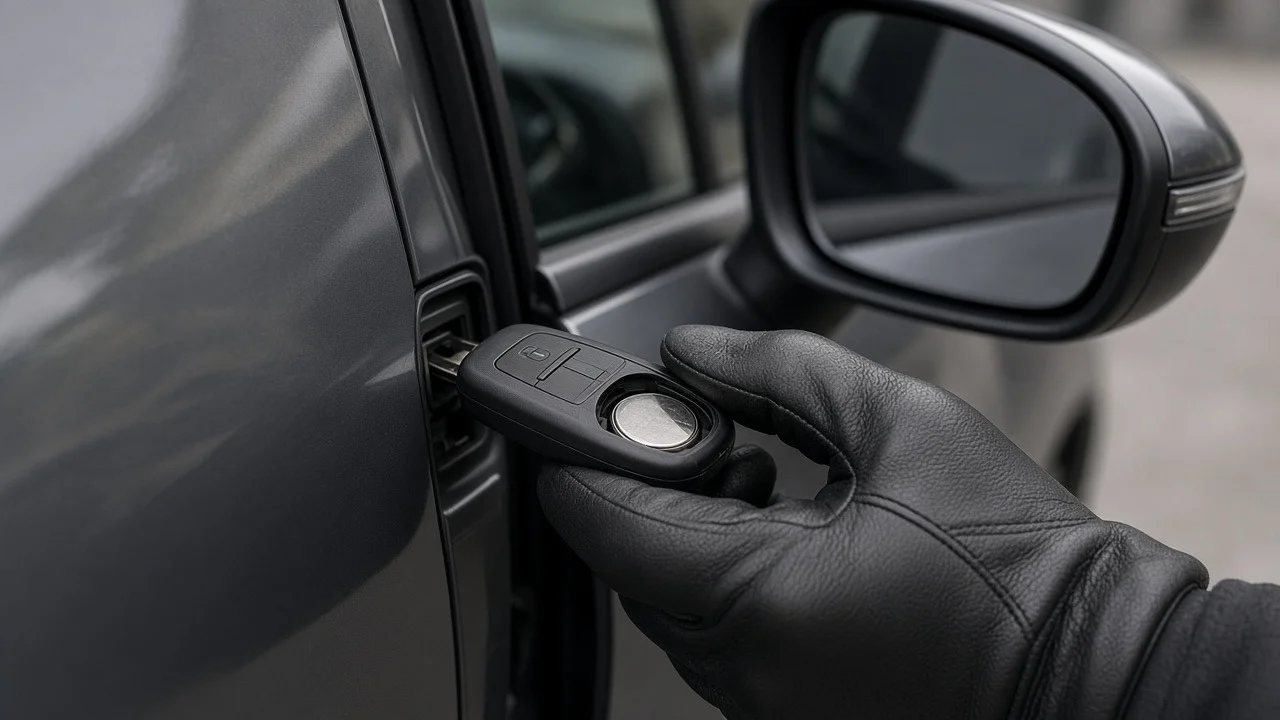
Most key fobs use a lithium coin cell. The code printed on the battery describes its size: in a code like CR2032, the first two digits are the diameter in millimeters and the last two indicate thickness in tenths of a millimeter. Common fob sizes include CR2032, CR2025, CR2016 and CR1632, but the correct one depends on the fob design, not just the brand of vehicle. Different trims or model years of the same vehicle can use different fobs.
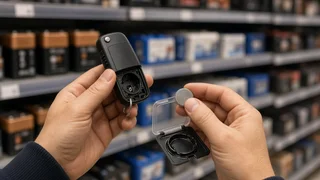
To identify yours, check the old battery, your owner's manual or the store's lookup by vehicle. Avoid substituting a thinner or thicker cell because it seems close; a poor fit can cause intermittent contact or prevent the case from closing properly. Bringing the fob itself is the simplest way to get the right match.
Will the Fob Need Reprogramming?
For many vehicles, the fob keeps its pairing when the battery is removed briefly, so it works immediately after a swap. Some vehicles, however, require a simple re-sync procedure afterward, such as pressing a button sequence or cycling the ignition. Your owner's manual usually describes this if it applies. Full programming, which involves pairing a fob's electronics to the vehicle, is a separate service and generally applies only to new, replacement or non-responsive fobs.
Store Service vs. Doing It Yourself
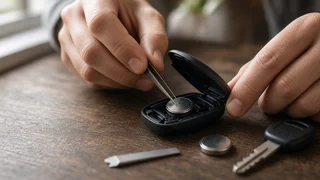
Replacing a fob battery at home is often possible with a small flat tool and the correct coin cell. Having a store do it makes sense in some cases:
The fob case uses hidden clips or screws and you are worried about cracking it. You are unsure which battery size you need. The fob contains a fragile circuit board or a loose transponder chip that could be dislodged. You want the fob tested on the spot so you know the swap solved the problem.
If you replace it yourself, note the battery's orientation before removing it, avoid touching the circuit board contacts with metal tools, and keep the old battery away from children, since coin cells are a serious hazard if swallowed.
Store Service vs. a Dealership
For a simple battery change, a battery retailer is usually a convenient alternative to a dealership service department. The trade-off shifts when you need a new key. Dealerships can program keys for the vehicles they sell, but often at a higher cost and with appointment scheduling. Retail and locksmith-style services may cost less, but compatibility with newer or premium vehicles, especially those with advanced keyless or proximity systems, is not guaranteed. Ask whether a replacement fob is an original-equipment part or an aftermarket equivalent, since that can affect fit, range and longevity.
What to Check Before You Visit
Confirm the location offers the specific service you need, not just battery sales. Have your vehicle's year, make, model and trim ready, as fobs can vary across these. Ask whether there is a charge for installation and what the battery itself costs. For programming, ask whether your vehicle is supported and whether you need to bring the vehicle and all existing keys. Bring proof of ownership if you are requesting a new key, since stores may require it. Ask about any warranty on the battery or replacement fob.
Bottom Line
If your fob is simply losing range, a battery replacement at Batteries Plus or a similar retailer is usually a fast, low-effort fix. If the fob is damaged, lost or no longer communicates with the vehicle at all, you are looking at programming or a replacement fob, and it pays to confirm that the store supports your exact vehicle before you go.