What to Check Before Installing a Car Software Update
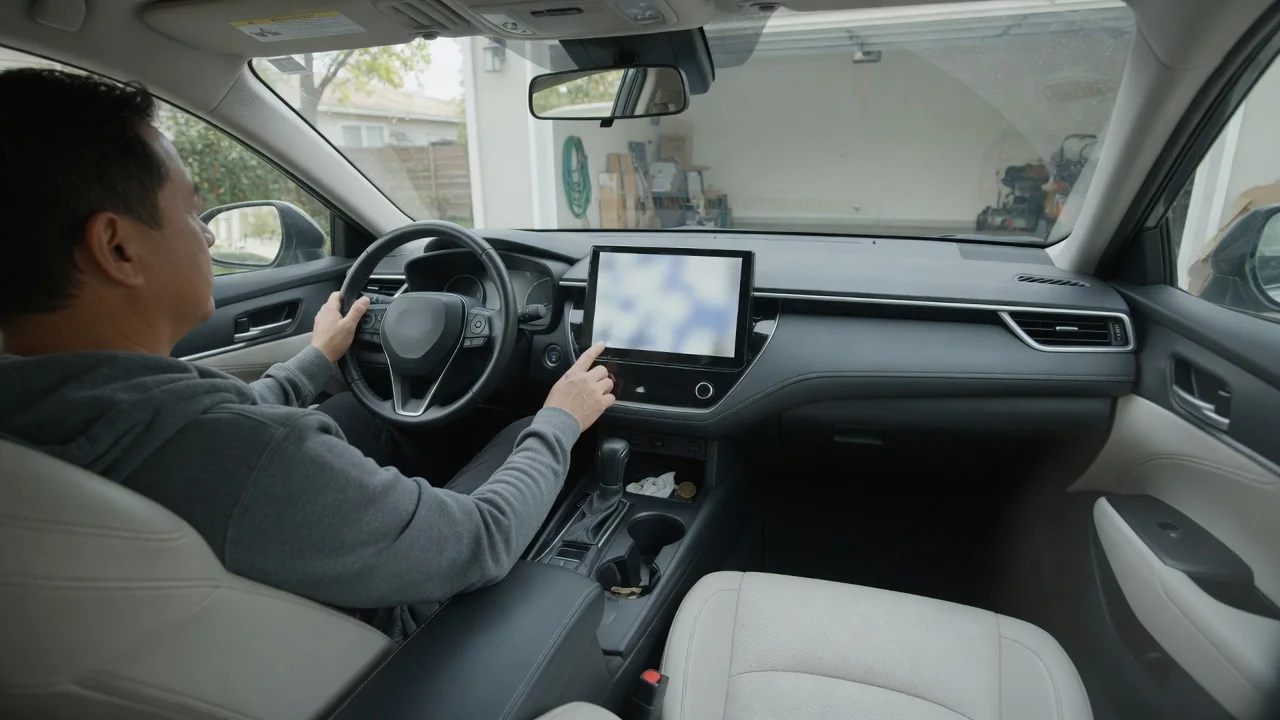
Knowing what to check before installing a car software update can prevent an interrupted installation and a vehicle that will not start when you need it. The essentials come down to three things: enough electrical power, enough uninterrupted time, and a safe, stable place to leave the vehicle parked while the modules reprogram.
Read instructions
The release notes and on-screen prompts are the first thing to read, because they describe conditions that apply to that particular update rather than to updates in general. Many vehicles state whether the car must be in Park, whether the ignition should be on or off, and whether doors need to be closed or locked. Some also say the vehicle cannot be driven, charged, or unlocked remotely until the process ends. Reading these lines before tapping the install button is far easier than trying to recover from a refused or stalled installation.
Power requirements deserve particular attention in those instructions. A combustion vehicle may need a healthy 12-volt battery because the engine is usually off while control modules are rewritten. An electric or hybrid vehicle may ask for a minimum high-voltage state of charge, and some will not begin while plugged in, while others prefer it. These rules differ by manufacturer, model year, and even the specific update package, so the owner's manual and the vehicle's own message are the reliable references rather than advice written for another brand.
Allow time
The estimated duration shown on the screen is a planning figure, not a guarantee. A small infotainment or map revision may finish quickly, while an update that touches several control units can take considerably longer and may run in stages, with screens going dark and restarting along the way. Starting the installation shortly before a commute, a school run, or an airport trip leaves no margin if the process runs past the estimate. Choosing an evening or a day when the car is not needed removes that pressure completely.
Time also matters before the installation begins. The download often happens separately over Wi-Fi or a cellular connection, and a weak signal in a garage or underground lot can stretch that phase out. Once the download is complete, the installation itself usually does not need the connection, but the vehicle does need to stay undisturbed. Opening doors, pressing the start button, or connecting a charger partway through can interrupt some systems, so it helps to tell other drivers in the household that the car is unavailable for a while.
Verify afterward
When the update finishes, the vehicle normally shows a confirmation message and a new software version number in the settings menu. Comparing that number with the version listed in the release notes is the simplest proof that the installation completed. It is also worth switching the ignition on and watching the instrument cluster for warning lights that stay lit after the usual bulb check. A brief startup message is common, but a persistent warning for brakes, steering, restraint, or powertrain systems calls for attention before the car is driven.
A short functional check while still parked covers the rest. Confirm that the vehicle starts or becomes ready to drive, that the shifter engages, and that lights, wipers, windows, climate control, and cameras respond normally. Personal settings such as seat memory, radio presets, paired phones, and driver assistance preferences are sometimes reset, so look through them rather than assuming they carried over. If a diagnostic trouble code appears afterward, treat it as a clue to be investigated on that specific vehicle, not as proof that a component has failed.
Everyday Use and Observations
Parking conditions shape how smoothly an update goes in daily life. A level, legal, and secure spot is best, since the car may be immobile and in some cases cannot be moved until the process ends. A street space with time limits, a tow-away zone, or a spot that blocks another vehicle in a shared driveway can turn a routine update into a problem. For combustion vehicles, never run the engine in a closed garage to support the battery; follow the manufacturer's stated method for maintaining power instead.
Battery condition is the everyday detail most owners overlook. A 12-volt battery that cranks slowly on cold mornings, or a car that has sat unused for weeks, may not hold stable voltage through a long installation with the ignition electronics awake. Short trips with heavy accessory use can leave the battery partially discharged as well. Signs such as dim interior lights, a sluggish starter, or a low-battery message suggest having the battery tested first. Temperature extremes can also affect both battery output and whether the vehicle allows the update to begin.
Limits and Next Steps
Owner-installed updates have limits. Some software can only be loaded at a dealership or authorized service center, particularly when it involves safety recalls, special tools, or modules that require calibration afterward. Aftermarket tuning, non-original control units, or added electronic accessories may also cause an update to be refused or to behave unpredictably, and how a manufacturer handles that varies. An update can change how a feature works or looks, so reading what is being altered helps set expectations about the vehicle's behavior afterward.
If an installation fails, freezes, or leaves the vehicle unable to start, the sensible next step is to stop and follow the on-screen guidance rather than repeatedly cycling the ignition or disconnecting the battery, which can make recovery harder on some systems. Note the exact message, the software version shown, and what the vehicle was doing when it stopped, then contact the manufacturer's support line or a dealer. Roadside assistance may be needed if the car cannot be moved. Keeping that information ready shortens the diagnosis considerably.