What Is Bluetooth Multipoint in a Car?
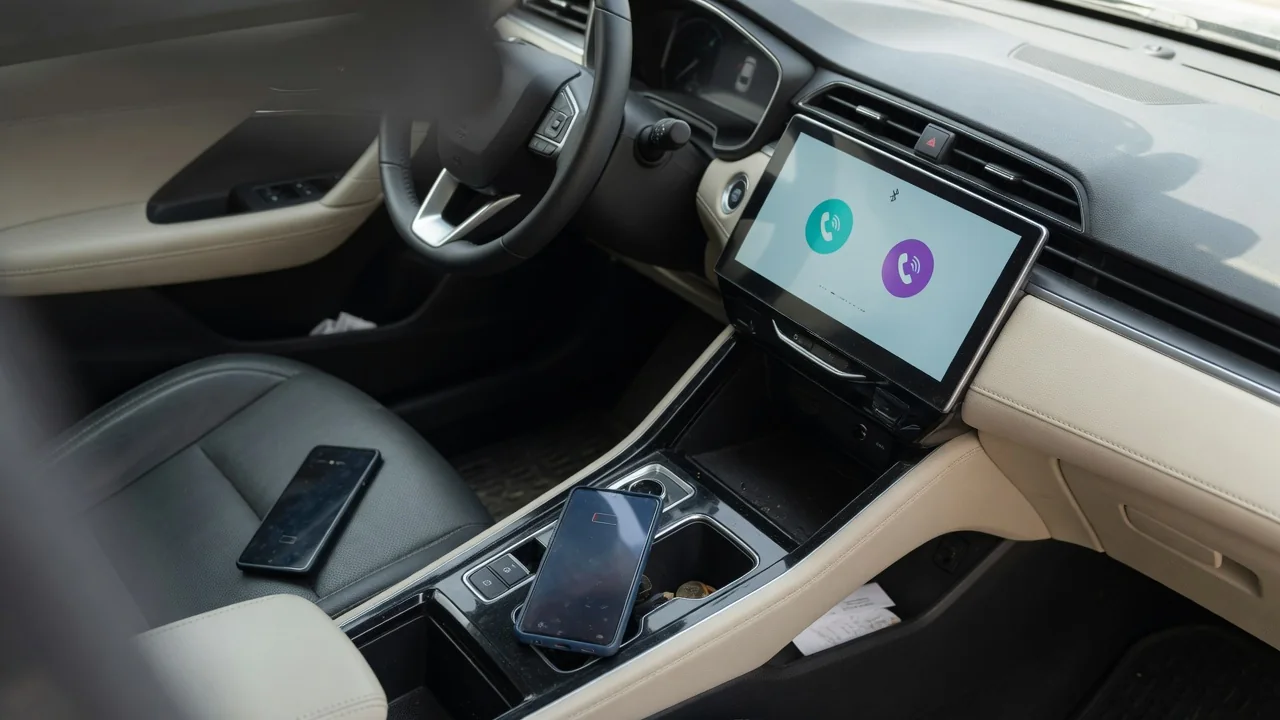
Bluetooth multipoint in a car means the infotainment system can stay connected to more than one device at the same time, usually two phones. Instead of treating every phone the same way, the head unit gives each one a role, such as hands-free calling or music streaming. Knowing what Bluetooth multipoint is in a car explains why one phone can ring through the speakers while another supplies the playlist.
Phone and media priority
Bluetooth separates its jobs into profiles, with one handling hands-free calls and another handling stereo audio streaming. Multipoint lets the head unit run those profiles with different devices at once, and priority settings decide which device wins when both want attention. A common arrangement has the driver's phone assigned to calls while a passenger's phone streams music. When a call arrives, the system typically pauses or mutes the music and routes the conversation through the cabin speakers and the built-in microphone.
Drivers can usually see these roles in the Bluetooth device list, where small phone and music note icons beside each name show what that device is doing. Many systems also let one device be marked as the priority or favorite, which often determines whose contacts, call history, and text messages appear on the screen. The details differ by manufacturer. Some vehicles accept calls from two phones at once, while others restrict the second device to media playback only.
Switching
Switching the media source is the most visible part of multipoint. Depending on the vehicle, the audio stream may move when someone taps a different device on the touchscreen, presses a source button on the steering wheel, or simply starts playback on the other phone. A short silence during the handover is normal, because the head unit has to stop one stream and negotiate the next. Some systems require manual selection and will ignore a second phone that presses play.
Call handling follows its own rules. If both phones are connected for hands-free use and one is already on a call, a second incoming call on the other phone might appear as a notification, be offered as a call to answer, or not reach the car at all. Startup behavior also matters. Most systems reconnect in priority order or to the last devices used, and fall back to the next stored phone when the primary one is not in the cabin.
Compatibility
Multipoint depends mainly on the head unit rather than the phones. Most modern smartphones already support the standard calling and audio profiles, so the vehicle's software decides how many devices can be active together and what each may do. That capability can change with model year, trim level, infotainment generation, and installed software version, so two vehicles from the same brand may behave differently. Aftermarket stereos add another layer of variation, since each unit follows its own design.
Smartphone projection also affects the picture. When a phone runs a projection interface through a cable or a wireless link, the car often hands that phone both calls and media, and a second Bluetooth device may be limited or disconnected for the session. Phone-side settings matter too, because a device that denies permission for contact sharing or media audio may connect only partially. The owner's manual and the infotainment settings menu are the reliable references for a specific vehicle.
Everyday Use and Observations
The feature is most useful when one person carries two phones or two people share a vehicle. Someone with separate work and personal phones can have both ring through the car without re-pairing during the day. A couple on a road trip can leave the driver's phone handling calls and navigation prompts while the passenger chooses the music. In a shared family car, both regular drivers' phones can connect automatically, avoiding the scramble over which one the system grabbed first.
A few signs show multipoint at work. The status bar may display two sets of signal and battery indicators, and an incoming call screen often names the phone that is ringing. The steering wheel voice button usually wakes the assistant on the priority phone rather than the secondary one. Small quirks are common, such as music resuming from the wrong device after a call ends, or a spoken navigation instruction from one phone briefly interrupting audio from the other.
Limits and Next Steps
Multipoint does not mean everything works simultaneously. Vehicles generally play one audio stream at a time and carry one active call at a time, so the second device waits in the background. The number of phones stored in memory is also different from the number that can be connected together, and the stored list is usually much longer. In some vehicles, wireless projection or an onboard hotspot shares radio hardware with Bluetooth, which may contribute to occasional dropouts or slow reconnection.
When behavior seems inconsistent, begin with the vehicle's own settings and confirm which device holds priority and which roles are enabled for each phone. Removing outdated pairings and pairing the phones again with the vehicle parked often clears confused connections. Infotainment software updates, delivered over the air or through a dealer depending on the vehicle, can change multipoint behavior as well. If dropouts persist after that, a dealer or qualified audio technician can evaluate the system with vehicle-specific information.