How Does a Car Know It Is Connected to a Phone?
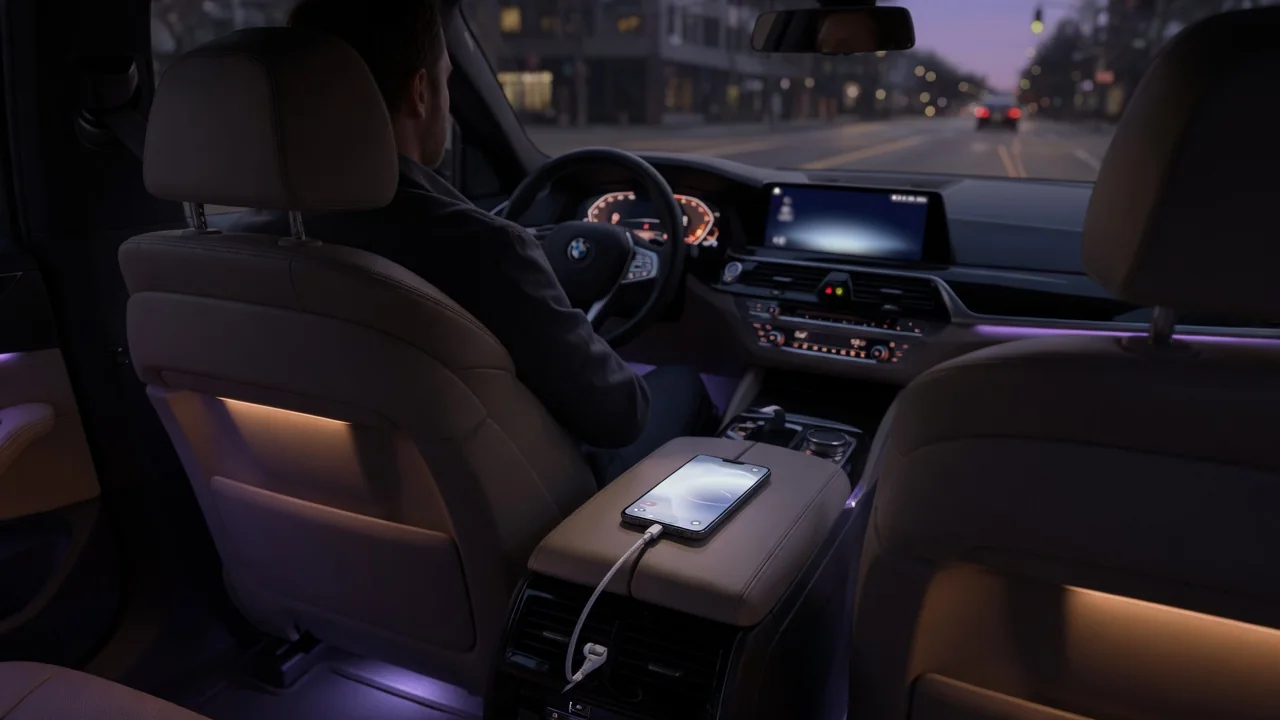
When a dashboard shows a phone icon, a device name or a projected phone interface, the car is not guessing. It relies on three things: a radio link or a physical cable, stored identity information from an earlier pairing, and rules that decide which device to use. These layers explain the phone-to-car connection status you see on screen and why it sometimes differs from what the phone reports. Exact behavior varies by vehicle and software version.
Bluetooth or Cable: How the Link Starts
With Bluetooth, the car's infotainment or telematics unit contains a radio that can search for nearby devices and accept or start connections. A Bluetooth connection is not a single on/off state. After the two devices set up a basic link, they set up separate services called profiles. A hands-free profile carries calls and microphone audio. An audio streaming profile carries music. A remote control profile handles play and skip commands, and other profiles can transfer contacts or messages. The car generally treats a phone as connected when at least one profile is active, and many systems show separate icons or menu entries for each service. That is why a car can show a phone as connected for calls while music still plays from the phone's own speaker.
A USB cable works differently. When a phone is plugged in, the port supplies power. If the cable also carries data lines, the car and phone exchange basic device information in a process called enumeration. The phone reports what kind of device it is and which functions it offers, such as media access, charging only or support for a phone projection system. Unplugging the cable cuts the connection electrically, so the car detects a cable disconnection almost instantly. Wireless phone projection systems commonly combine both methods: a Bluetooth exchange starts the session, and a Wi-Fi link then carries the heavier screen and audio data.
Identity: How the Car Recognizes a Specific Phone
The first time a phone and car pair over Bluetooth, the user confirms the pairing, often by checking that the same numeric code appears on both screens. The two devices then create a shared secret called a link key. Each side stores that key along with the other device's hardware address. On later trips, the user does not need to repeat the process. When the stored address responds and both sides prove they hold the matching key, the car treats the device as a known, trusted phone. The name shown on screen is only a label the owner chose for the phone. Renaming the phone usually changes the label without breaking the pairing, because the address and key stay the same.
Cable connections rely on different identifiers. A USB device reports manufacturer and product codes and, in many cases, a serial number. These let the head unit tell one phone from another and remember settings for each. Projection systems add their own layer: the phone and car typically complete an authentication step before the interface appears, and the car may keep a record of approved phones. Some vehicles also link a recognized phone to a driver profile and adjust preferences such as audio source or favorites when that phone appears. Whether and how this happens depends on the specific system.
Because identity is stored on both sides, the pairing can fall out of sync. If the record is deleted on the phone but not in the car, or the other way around, the link keys no longer match. Reconnection then fails until the pairing is removed on both ends and created again.
Switching Between Phones and Connections
When the car powers up, its software typically tries to reconnect to the paired phones it has stored. It often starts with the most recently used device or one the owner has marked as preferred. Any of those phones that is in range with Bluetooth turned on answers the request, and the car then activates profiles according to its rules. Many systems let only one phone handle calls at a time, while some let a second phone stream audio at the same time. The order of reconnection attempts, the number of phones allowed at once and whether the owner can set priorities all vary by vehicle.
Switching between Bluetooth and cable follows similar logic. When a phone that supports projection is plugged in, the car often moves calls and media to the projection session. It may also drop or pause the separate Bluetooth audio link so the two do not compete for the same sound. Disconnection is detected in two main ways. A cable removal is detected instantly. A wireless link is declared lost only after the radio stops getting expected responses for a set period. During that delay, the status icon may briefly keep showing a connection that no longer works.
Practical Implications and Limits
Because the car tracks each profile separately, troubleshooting should focus on which service is missing rather than whether the phone is connected at all. If calls ring through the car speakers but music does not, the cause is usually an audio setting on the phone or the car's selected source, not a failed pairing. The phone also has a say. Operating system permissions, battery-saving modes and prompts about sharing contacts or allowing projection can limit what the car receives even when the link itself is working.
Cables are a common but often overlooked limit. A charge-only cable has no data lines, so the car sees the phone drawing power but cannot detect it as a device. Projection and media features will not start. Worn connectors can cause brief disconnections that look like random dropouts. Software updates on either the phone or the car can also change behavior, so a phone that worked before may need to be paired again after an update.
Finally, stored pairing information has privacy consequences. A car may keep records of paired devices and, depending on settings, downloaded contacts, call history or messages. Before selling or lending the vehicle, remove the phone from the car's device list and use any reset option the owner's manual describes. This erases the stored pairing so the car no longer recognizes that phone. The owner's manual remains the reliable reference for the exact menus and limits of a given vehicle.