Why Does a Car Have More Than One USB Port?
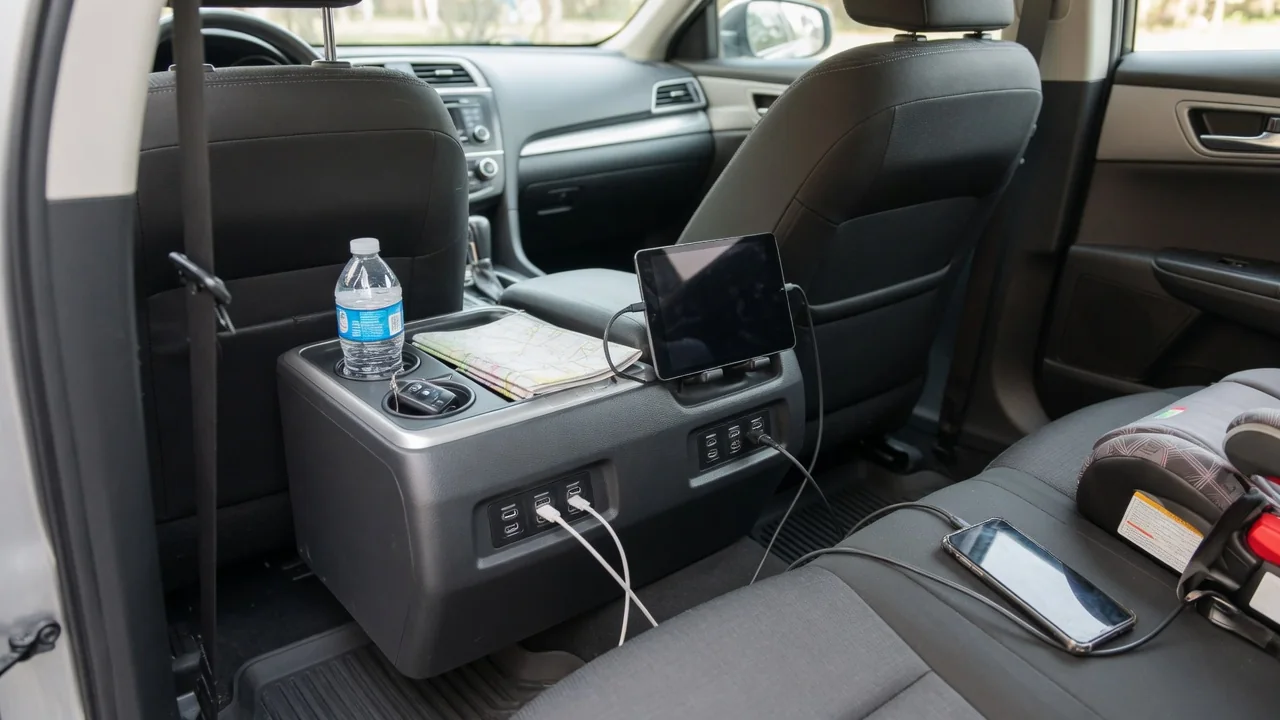
Drivers who count the sockets in a modern cabin often ask why does a car have more than one USB port when a single connection seems enough. The answer is that the ports rarely do the same job. Some talk to the infotainment system and carry data, while others exist only to supply power to passengers' phones, tablets, and accessories.
Port labels
Automakers usually mark each socket to hint at its role, although the markings are small and easy to overlook. A port wired to the head unit may carry a smartphone outline, a media symbol, or the standard USB trident, signaling that it can exchange information with the car. A port meant only for power often shows a lightning bolt or battery icon instead. These symbols may be molded into the trim, printed beside the opening, or shown on a small flip cover.
Labeling is not consistent across brands or even across trim levels of the same model. Some vehicles leave every port unmarked, while others rely on illumination color or position to separate the data connection from the charging outlets. A front console socket near the screen is commonly the data-capable one, and rear seat or cargo area ports are frequently power-only, but that pattern is a tendency rather than a rule. The owner's manual remains the reliable reference for what each icon means in a particular vehicle.
Device connection
A data-capable port contains wiring that links the phone to the infotainment module, allowing the two devices to identify each other and exchange information. This is the connection that supports wired phone projection, music playback from a flash drive, and in some vehicles software or map updates loaded from a storage device. When a phone is plugged in here, the screen typically responds with a prompt, a new source appearing in the media menu, or a projection interface launching automatically.
A charging-only port lacks that communication path to the head unit, so the car has no way of seeing what is plugged in. A phone connected there will show its charging indicator, yet the dashboard display stays unchanged and no projection option appears. This explains a common frustration where a passenger plugs into the nearest socket and wonders why the navigation app will not mirror. The cable matters as well, because some inexpensive cords carry power alone and will block data even at the correct port.
Power limits
Power delivery differs from one socket to another because each is fed by its own circuitry with its own design priorities. A port engineered mainly for communication with the head unit may provide only modest current, enough to hold a phone's battery level steady while it runs navigation and streaming. Dedicated charging ports are often built to supply more, and newer designs using the smaller oval Type-C connector may negotiate higher output with compatible devices. Actual figures depend on the vehicle and should be confirmed in its documentation.
Several practical signs reveal a port's limits. A phone that gains charge slowly, or even loses percentage during heavy use, is probably drawing more than that socket can provide. A tablet or laptop may display a slow charging notice or refuse to charge at all. Ports can also share a common supply, so output may drop when several devices are connected together. Many vehicles cut power to the sockets shortly after the ignition is switched off to protect the battery, though some keep certain outlets live.
Everyday Use and Observations
Daily driving shows why the division of labor makes sense. The driver's phone can occupy the data port for projection and hands-free functions, while a front passenger tops up a second handset from a neighboring charging socket without interrupting the display. Families benefit further when rear seat occupants have their own outlets for tablets or game devices on long trips. Splitting the roles also lets engineers place simple power ports far from the dashboard without running communication wiring through the whole cabin.
Owners can learn their layout with a few minutes of simple observation. Plugging a phone into each socket in turn and watching the center screen reveals which one triggers a connection prompt and which ones only charge. Noting how quickly the battery percentage climbs at each location gives a rough sense of relative output. Mixed connector shapes are common too, with older rectangular Type-A sockets sitting beside newer Type-C ones, so keeping suitable cables in the car prevents awkward discoveries on the road.
Limits and Next Steps
No amount of port swapping overcomes what the vehicle was built to do. A charging-only socket cannot be turned into a data connection through settings, and an older infotainment system without projection software will not gain it simply because a phone is plugged into the correct port. Wireless projection and wireless charging pads, where fitted, work alongside the wired ports rather than replacing them, and they have their own compatibility conditions. Aftermarket adapters for the accessory socket add charging capacity but do not create a link to the head unit.
When a port stops behaving as expected, basic checks come first. Trying a different cable known to carry data, testing another device, and inspecting the opening for lint or debris resolves many complaints. If a socket that previously worked provides no power at all, or the screen no longer recognizes any device, the cause could lie in a fuse, the port module, or software, and that calls for diagnosis by a qualified technician rather than guesswork. The owner's manual and the dealer can confirm exactly how each port is intended to function.