What Is a Vehicle's Media USB Port?
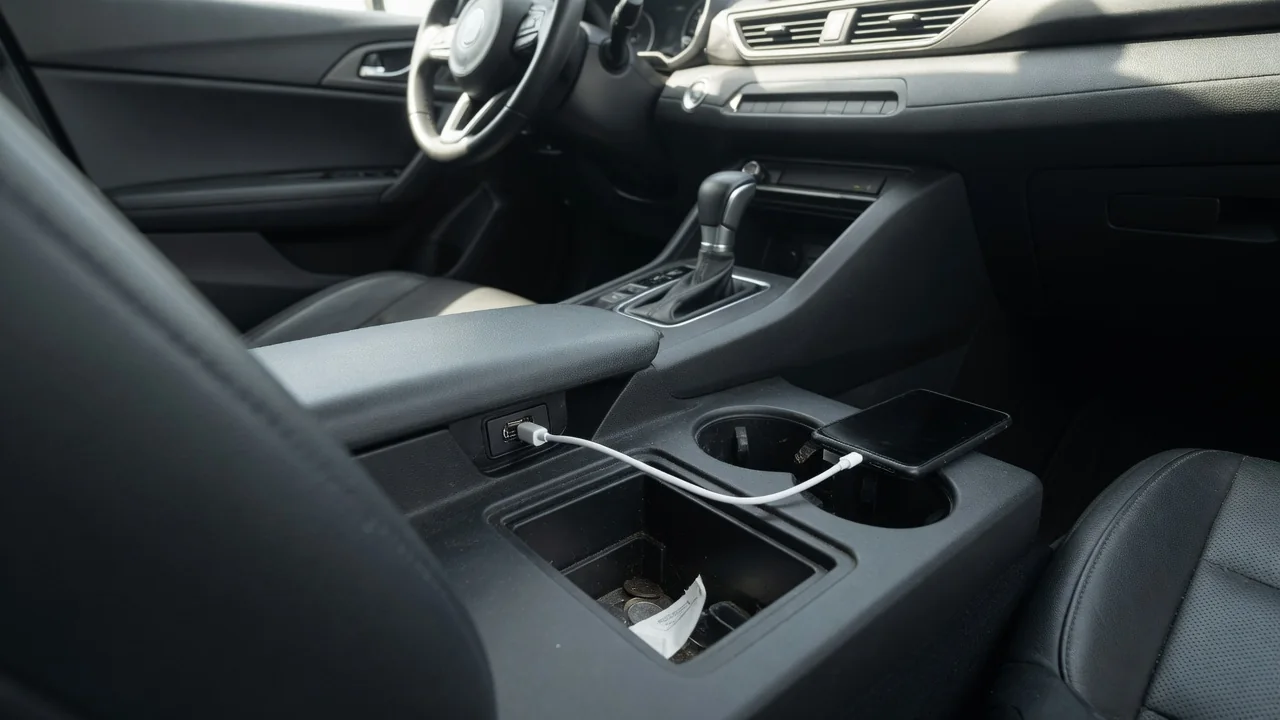
Many drivers wonder what a vehicle's media USB port actually is and why it behaves differently from the other sockets in the cabin. In short, it is the port wired to the infotainment system for data, so it can read music files and link a phone to the screen, while other ports may supply charging power only.
Port labels
Automakers usually mark the data-capable port so it can be told apart from charge-only outlets. Common markings include the standard USB trident symbol, a smartphone outline, a music note, or the word media printed beside the opening. A charge-only port is more often marked with a battery icon or a lightning bolt. Some vehicles surround the media port with a white or illuminated outline, which makes it easier to find at night in a dark console.
Labeling is not standardized across brands, so the same symbol can mean different things in different cabins. One vehicle may place the media port in the front console tray and put charge-only ports in the armrest bin or rear seating area, while another wires every front port for data. When the markings are ambiguous, the owner's manual normally identifies which port communicates with the head unit and which ones deliver power alone.
Supported devices
The media port is built to talk to devices that hold or stream content. A flash drive loaded with audio files is the simplest example, since the head unit reads the folders and shows track names on the display. Smartphones are the more common case, because a wired data link is what allows phone projection systems such as Apple CarPlay and Android Auto to run on vehicles that offer them, alongside ordinary USB audio playback.
Support depends heavily on the infotainment software in a particular vehicle. Some systems accept only certain file formats or drive formatting schemes, and an unsupported drive may simply show an error or nothing at all. Older head units may play audio from a phone yet lack projection entirely. Portable hard drives can draw more current than the port provides. A charge-only port, by contrast, will power nearly anything but will never make the device appear on the screen.
Cable quality
A cable carries data only if it contains the data wires, and not every cable does. Inexpensive charging cables sometimes include just the power conductors, so the phone shows a charging symbol while the infotainment screen never recognizes it. This is one of the most frequent reasons a media port seems broken. Using the cable supplied by the phone manufacturer, or one clearly rated for data transfer, removes that variable quickly.
Wear matters as much as construction. A cable that has been bent sharply near the connector, pinched in a console lid, or exposed to cabin heat for years can develop intermittent breaks in the thin data wires. The usual sign is phone projection that drops when the car hits a bump or the phone is moved. Shorter cables in good condition tend to hold a steadier connection, and lint packed into the phone's own socket can produce the same symptoms.
Everyday Use and Observations
In daily driving, the difference between data and charging shows up on the screen. Plug a phone into the media port and the head unit typically responds within a few seconds, offering a projection prompt, a new audio source, or a device name in the source list. Steering wheel controls can then skip tracks, and song information appears on the display. Plug the same phone into a charge-only port and the only change is the battery icon.
Charging speed is another observable difference. Media ports are often designed around data and may deliver modest current, so a phone running navigation and streaming audio at once can gain charge slowly or merely hold its level. Dedicated charging ports, especially newer USB-C outlets, frequently supply more power. Some drivers therefore use the media port when they want the screen integration and a separate charging port for passengers' devices, though the arrangement varies by vehicle.
Limits and Next Steps
A media port cannot do more than the head unit behind it allows. It will not add phone projection to a system that was never equipped with it, and it may not charge a tablet or laptop at a useful rate. Some vehicles also limit certain functions, such as video playback or on-screen keyboard entry, while the vehicle is moving. Wireless projection, where fitted, can make the wired data link unnecessary for everyday use.
When a device is not recognized, a sensible order of checks starts with the simplest items: confirm the correct port, try a known data cable, and test a second phone or flash drive to see whether the problem follows the device. Restarting the phone and the infotainment system often clears a software hang. If nothing connects to the port at all, or the socket feels loose, a dealer or qualified technician can check the port, its wiring, and available software updates.