What Is a Road-Sign Display in a Car?
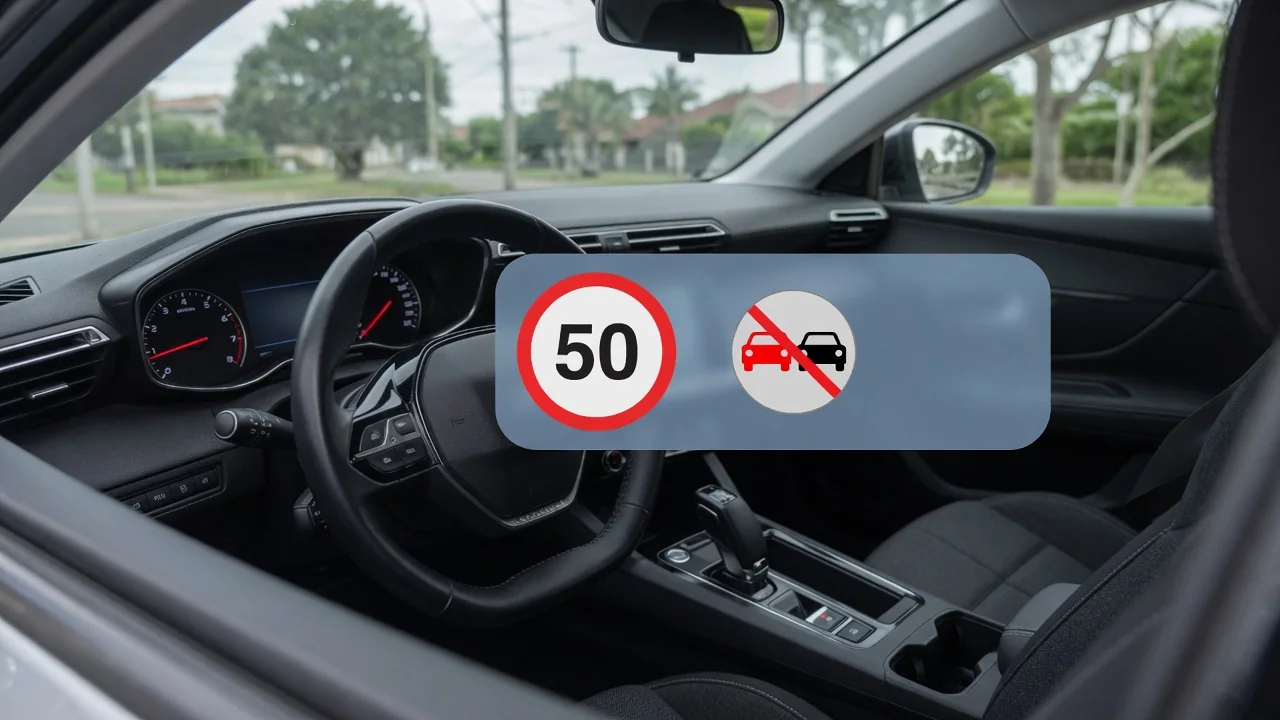
A road sign display in a car is a driver-information feature that shows selected traffic signs, most often the current speed limit, inside the cabin. It works by reading signs with a forward camera, consulting navigation map data, or combining both. Understanding where the information comes from helps drivers judge when the symbol on the screen deserves trust and when it needs a second look.
Inputs
The primary input on most systems is a forward-facing camera, usually mounted near the top of the windshield behind the rearview mirror. Image-processing software scans each video frame for familiar shapes, colors, and numerals, then classifies what it finds as a speed limit, a no-passing zone, or another supported sign type. Because the camera sees the road as the driver does, it can pick up temporary signs in work zones that no stored database would contain, provided the sign is visible and legible.
The second common input is map data from the navigation system, which stores speed limits and other attributes for individual road segments. Positioning from satellite signals tells the car which segment it is on, so a limit can appear even when no sign has passed recently. Many vehicles blend both sources, and some add signals such as wiper activity or a trailer connection to interpret conditional signs. Which inputs a particular model uses, and how it prioritizes them, depends on the manufacturer and the equipment fitted.
Display
The recognized sign usually appears as a small icon that mimics the real thing, placed in the instrument cluster, the head-up display, or the edge of the navigation map. In the United States that typically means a white rectangle with black numerals for a speed limit, while vehicles sold elsewhere show the red-ringed circle used in their markets. Some systems show only the limit, and others stack two or three symbols, such as a passing restriction or a supplementary plate below the main sign.
Many displays also react to how the vehicle is being driven. The icon may flash, change color, or be joined by a chime when the indicated speed exceeds the shown limit, and the threshold for that warning is often adjustable in the settings menu. On some cars the displayed limit can be offered to the cruise control or speed limiter as a suggested set speed. When the system has no confident reading, it may show dashes, a grayed-out symbol, or nothing at all.
Verify actual signs
The symbol on the screen is a reading, not a legal authority, so the posted sign beside the road always takes precedence. Cameras can misclassify what they see: a limit posted for an exit ramp or a parallel frontage road may be picked up from the main lanes, and a speed decal on the back of a truck or bus can be mistaken for a roadside sign. School-zone limits that apply only at certain times or when lights flash are particularly hard for software to interpret correctly.
Map-based readings carry a different kind of error. A stored limit reflects the road as it was when the data was compiled, so a recently changed limit, a new bypass, or a long-running construction zone may not match what the screen reports. A useful habit is to glance at the display just after passing a real sign and note whether the two agree. Repeated disagreement at the same location usually points to outdated map data or an awkwardly placed sign rather than a failing component.
Everyday Use and Observations
In daily driving, the feature is most helpful as a memory aid. On an unfamiliar highway, after a long stretch without a posted sign, or when a truck blocked the view at the critical moment, the icon answers the question of what the limit was. Drivers often notice the display update a moment after passing a sign, which is the camera confirming its reading, or change at an intersection or city boundary, which typically reflects map data taking over.
Patterns become apparent over time. The display tends to be dependable on well-marked interstates in clear daylight and less consistent on rural roads with faded, tilted, or partly hidden signs. Heavy rain, snow, low sun, and a dirty or fogged windshield in front of the camera can all reduce recognition, and some vehicles post a message saying the feature is temporarily unavailable. Variable electronic signs over the lanes are read by some systems and ignored by others, so behavior on managed highways differs from one model to another.
Limits and Next Steps
Every system has a defined list of signs it supports, and anything outside that list simply goes unreported. Regional differences matter too, since a vehicle calibrated for one country's sign designs may struggle after crossing a border, and units may or may not convert automatically. The feature also cannot judge conditions; a posted limit is a maximum for good weather, not a recommendation for ice or fog. The owner's manual describes which signs are recognized and what each icon, color, or warning state means on that vehicle.
If the display stops working or becomes erratic, start with simple checks: a clean windshield in the camera area, no stickers or mounts blocking the view, and the feature still enabled in the settings. Navigation map updates, where offered, can correct stale limits. A persistent warning message, or a problem that begins after a windshield replacement, deserves professional attention, because the camera may need calibration with proper equipment. Any stored fault code should be treated as a starting point for diagnosis and confirmed against vehicle-specific information before parts are replaced.