What Is a Digital Speed Display?
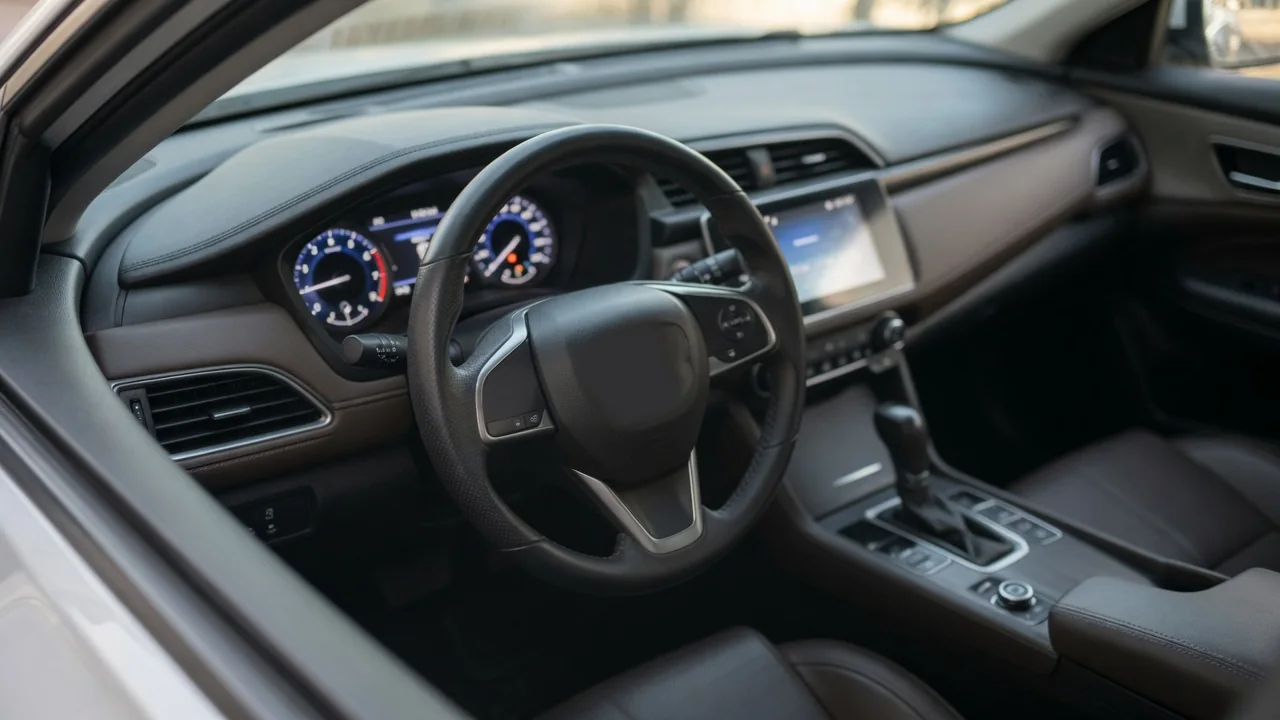
Anyone asking what is a digital speed display is usually looking at a number on the dashboard instead of a sweeping needle. It is a numeric readout of road speed, drawn from the same vehicle data that feeds other instruments. Understanding where that number comes from helps drivers judge how much to trust it and what to do when it behaves oddly.
Speed sensing
A digital speed display does not measure anything by itself. It shows a value calculated elsewhere in the vehicle, usually from sensors that count rotation. Many modern cars use the wheel speed sensors that also serve the anti-lock braking system, while others rely on a sensor reading the transmission output shaft. Each sensor produces pulses as a toothed or magnetic ring passes by, and a control module converts the pulse rate into road speed using an assumed tire circumference.
That calculated figure is then shared across the vehicle's data network, where the instrument cluster picks it up alongside modules handling cruise control, shift timing and stability functions. Drivers cannot see the sensors, but they can notice the result: the number rises as soon as the wheels begin to turn. Which sensor is treated as the primary source, and which module does the math, differs between manufacturers and even between model years, so vehicle-specific service information is the reliable reference.
Display options
The readout can appear in several places. Some vehicles place a large numeral in the center of a fully digital instrument cluster, sometimes replacing the analog dial entirely. Others keep a traditional needle and add a small numeric speed in the trip computer or driver information screen between the gauges. Head-up displays project the same figure onto the windshield or a small transparent panel, keeping it close to the driver's line of sight on the road ahead.
Many clusters let the driver choose what they see. A steering wheel button or settings menu may cycle between a numeric speedometer, fuel economy data, navigation prompts and driver assistance information. Units can often be switched between miles per hour and kilometers per hour, which is useful when crossing a border. Layout themes, color changes with drive mode and the availability of a head-up unit depend heavily on trim level and options, so two versions of the same model may look quite different.
Reading consistency
A number is easier to read precisely than a needle, but it brings its own quirks. The cluster refreshes the figure at set intervals and often smooths the incoming data so the digits do not flicker with every tiny change. During hard acceleration or braking, that filtering can make the display seem to lag a moment behind the car. Where an analog dial is also present, the needle and the number may differ slightly because each is driven by separate display logic.
Comparing the readout with a satellite-based speed from a phone or navigation unit often reveals a small gap. Speedometers are commonly calibrated so they do not read lower than true speed, which means the dashboard number tends to sit a little above the GPS figure. Tire condition also matters: worn tread, low pressure or a different tire size changes the rolling circumference the calculation assumes. A steady, modest difference is normal behavior, while a gap that grows or jumps around deserves closer attention.
Everyday Use and Observations
In daily driving, the appeal of a numeric speedometer is the quick glance. A driver holding a posted limit through a school zone or work area can confirm the exact figure without judging a needle's position between marks. The same displayed value usually appears as the reference when setting cruise control or a speed limiter, and some vehicles pair it with traffic sign recognition, showing the detected limit beside the current speed for easy comparison.
A few observations help drivers get familiar with their own car. The number should climb and fall smoothly, return to zero at a stop and match the set speed on a level road with cruise engaged. Brightness normally follows the instrument lighting, dimming at night with the headlights or an ambient light sensor. Sun glare and polarized sunglasses can wash out certain screens and head-up projections, and how well a display copes with that varies with the screen technology the manufacturer chose.
Limits and Next Steps
The display is only as good as the data behind it. If a speed sensor signal drops out or becomes erratic, the number may freeze, fall to zero while moving or flicker between values. Because the same signal is shared, other symptoms often appear together, such as ABS or traction control warning lights, cruise control that will not engage or unusual transmission shifting. A blank or garbled screen with otherwise normal driving behavior points more toward the cluster or its power supply.
Any stored fault code should be treated as evidence to interpret, not proof that a particular part has failed; wiring, connectors, a damaged tone ring or a module fault can produce similar results. Manufacturer-specific codes need confirmation against information for the exact vehicle. A sensible first step is checking tire pressures and confirming the tires match the specified size. If the reading stays unreliable, a qualified technician can compare live data from each sensor, and driving should be cautious until an accurate speed is restored.