What Is a Car's Voice Command Button?
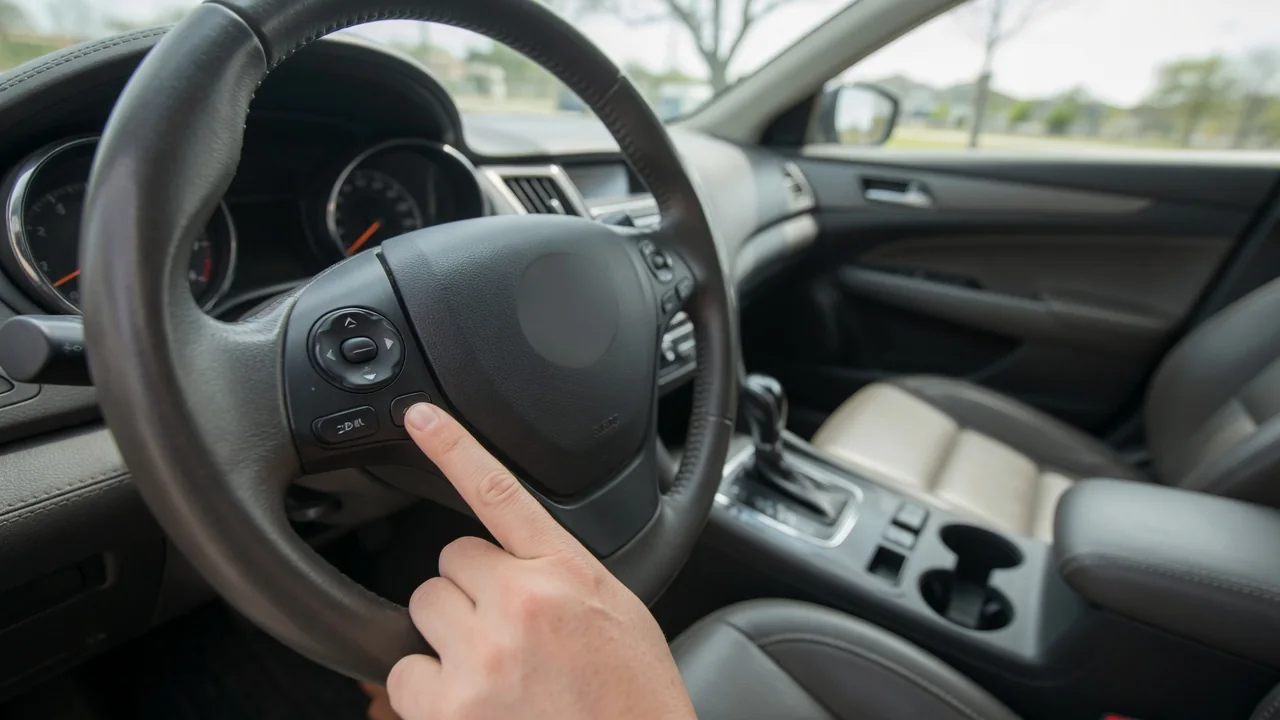
What is a car's voice command button? It is the control, most often mounted on a steering wheel spoke, that tells the infotainment system to start listening. Pressing it opens a spoken control session, so the driver can place calls, set destinations or change audio without reaching for the touchscreen. How it behaves depends on the vehicle and any connected phone.
Microphone
Pressing the button does not record anything by itself; it wakes a cabin microphone that would otherwise ignore conversation. That microphone is commonly placed in the overhead console near the map lights, in the headliner above the driver, or close to the rearview mirror, where it sits roughly in line with the driver's mouth. Some vehicles use more than one microphone element so the system can favor the driver's seat and reject sound arriving from other directions. The owner's manual usually shows the exact location.
Because the microphone sits some distance from the speaker, cabin noise matters. Open windows, a high fan speed, coarse pavement or passengers talking can all blur the words the system receives. Many vehicles lower the fan or mute the audio when the session starts, which is an observable sign the microphone is active. A small grille or slotted opening in the headliner often marks the spot, and keeping it free of obstructions, such as clipped accessories, helps recognition stay consistent.
Available tasks
Once the session is open, the tasks on offer depend on what the vehicle is equipped with. Typical examples include calling a contact from a paired phone, dialing a number, choosing a radio station or media source, and entering a navigation destination where built-in navigation is fitted. Some systems also accept climate requests, such as a cabin temperature change, while others limit speech to phone and audio functions. Trim level, model year and software version all influence the list.
The same button often serves two assistants. In many vehicles a short press starts the built-in system, while a longer press hands the request to a connected phone's assistant through smartphone projection or a Bluetooth link; the exact press pattern varies by manufacturer, so it is worth confirming in the manual. Phone-based assistants can generally handle messages, music apps and map searches using mobile data, whereas the native system controls functions tied to the vehicle itself, such as tuner bands or climate settings.
Feedback
A spoken control session confirms itself in several ways. Most systems play a tone or chime after the button press, and the correct moment to speak is after that sound, not during it. The center display or instrument cluster may show a listening icon, an animated waveform or a list of example phrases. Audio from the radio typically mutes or fades. If none of these cues appear, the press may not have registered or the feature may be unavailable in that state.
After the driver speaks, the system responds with its interpretation. It might repeat the request aloud, display the recognized contact or address, or ask a follow-up question when several matches exist, such as two contacts with similar names. A second tone often signals that it is listening again for the answer. When the phrase is not understood, a prompt usually asks for a repeat or offers suggestions. Reading this feedback before confirming prevents calls or routes to the wrong place.
Everyday Use and Observations
In daily driving, the button is most useful for tasks that would otherwise pull eyes toward the screen. A driver merging onto a highway can press it, wait for the tone and say a contact's name instead of scrolling through a phone book. Speaking at a normal pace and volume, facing forward, generally works better than shouting or pausing between words. Many systems accept a second press to skip the spoken prompt and go straight to listening, which shortens familiar requests.
Drivers also notice patterns over time. Recognition tends to be better with windows closed and worse on rough roads or in heavy rain. Contact names with unusual spellings may need to be spoken the way the system reads them. Ending a session is normally simple: a spoken cancel request, a long press or the hang-up button, depending on the vehicle. The button's symbol, commonly a speaking face profile or a microphone, is the quickest way to identify it on an unfamiliar steering wheel.
Limits and Next Steps
Voice control has boundaries. Built-in systems that rely on fixed command phrases may reject natural sentences, while cloud-connected assistants need a data connection and may stall in areas with weak coverage. Phone-based functions require a paired device with the right permissions granted, and some features are restricted until initial setup is completed. Speaking a request is less demanding than tapping a screen, but it still takes attention, so complicated tasks like long address entry are better handled while parked.
When the button does nothing, a few observations narrow things down before assuming a failed part. Check whether the phone is connected, whether the voice language matches the speaker, and whether other steering wheel buttons still work, since shared behavior points toward different causes than a single dead switch. Software updates sometimes change or restore features. If the system never hears speech despite showing a listening cue, a dealer or qualified technician can test the microphone and related wiring with vehicle-specific information.