Update Garmin Navigation on Linux

The short answer
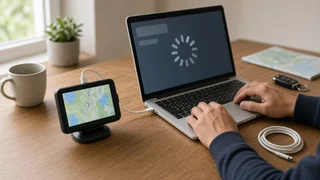
Garmin's official desktop tool for updating maps and software on its portable automotive navigators, Garmin Express, is offered for Windows and macOS, not Linux. There is no native, Garmin-supported way to run a full map update directly from a Linux desktop. Linux users generally have three realistic options: update the device without a computer if the model supports Wi-Fi updates, use a Windows or macOS machine, or run Windows inside a virtual machine on the Linux computer and pass the navigator's USB connection through to it.
What this applies to
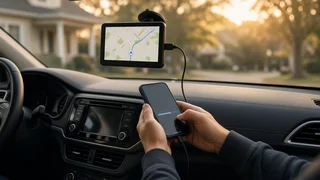
This guidance covers standalone Garmin car navigators, the portable units that mount on the windshield or dashboard. It does not cover in-dash infotainment systems from automakers that use Garmin-supplied navigation software. Those factory systems are usually updated through the vehicle manufacturer's own process, such as a dealer visit, an over-the-air update or a USB drive prepared with the automaker's tools. The method depends on the brand, model year and system, so the vehicle owner's manual or the automaker is the authoritative source.
Your options as a Linux user
Wi-Fi updates on the device: Some newer Garmin car navigators can download map and software updates directly over a Wi-Fi network, with no computer involved. Check the device's settings menu or manual for an update option. Availability varies by model and generation. A Windows or macOS computer: Installing Garmin Express on a borrowed or secondary Windows or Mac computer is the most straightforward supported route for models that require a computer. A Windows virtual machine on Linux: Virtualization software can run Windows on a Linux host. The navigator must be passed through to the virtual machine as a USB device so Garmin Express can detect it. This is not a Garmin-documented setup, so results may vary. Compatibility layers such as Wine: Running Garmin Express through Wine is sometimes attempted, but it is not supported by Garmin and reliable operation cannot be assumed.
Practical cautions before updating
Map updates are often large downloads, so a stable connection and enough free storage on the device matter. Some models use a microSD card for extra map storage. Keep the device connected and powered for the entire update. Interrupting it can leave maps or software in an unusable state. If using a virtual machine, confirm the virtual machine sees the navigator before starting, and avoid letting the Linux host mount or modify the device's storage during the update. Manually copying map files obtained outside Garmin's tools is unsupported and may not work or may violate license terms.
What could not be confirmed
No model-specific evidence was available for this guide. It does not list which Garmin models support Wi-Fi updates, the size of current map downloads, update pricing or whether any particular virtual machine or Wine configuration works with a given device. Check the device's manual or Garmin's support resources for those details before choosing a method.