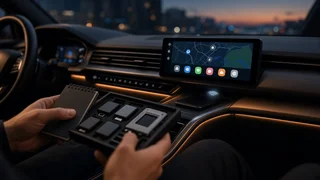
Road Top Wireless CarPlay: A Practical Guide to the Main Options
Road Top (often written Roadtop) is a brand of aftermarket car multimedia equipment. Its products are mainly sold online and are designed to add wireless Apple CarPlay to vehicles that lack it, or to replace an older factory display. If you are looking at Road Top wireless CarPlay, the main decision is which type of product suits your car. A screen that sticks to the dashboard, a replacement head unit and a module that works with your existing factory display are very different purchases. This guide sorts the options into those groups, explains why each one matters, and lists the compatibility points worth confirming before you buy.
What This List Covers and How It Is Ordered
This is a selection of the main product types, not a complete inventory of every model. Listings change often, and the same hardware may be sold under slightly different names or bundled with different accessories. The entries run from least to most invasive installation. Simple plug-in options come first and full integration with the vehicle comes last. No performance ranking is implied, because the right choice depends on your vehicle, your existing screen and how much installation work you will accept.
Road Top Wireless CarPlay Options
1) Portable Wireless CarPlay Screens
A portable CarPlay screen is a self-contained display that mounts on the dashboard or windshield. It is usually powered from a 12V socket or USB port. The iPhone connects to the screen wirelessly, and the screen shows the CarPlay interface. Audio typically reaches the car speakers through an FM transmitter, an AUX cable or the screen's own speaker. This type is relevant because it works in almost any vehicle without touching the factory wiring or dashboard. The trade-offs are less vehicle integration, a visible mount and cables, and audio quality that depends on how the sound reaches the car's system. Steering wheel buttons generally do not control a portable screen.
2) Wireless CarPlay Adapters for Factory Wired CarPlay
Some vehicles already support CarPlay, but only over a USB cable. A wireless CarPlay adapter, often called a dongle, plugs into the car's CarPlay-enabled USB port. It then connects to the iPhone over Bluetooth and Wi-Fi, so the phone no longer needs a cable. This is relevant because it is the least invasive way to go wireless when CarPlay is already present. The factory screen, touch input, knobs and steering wheel controls keep working as before, because the car still thinks it is talking to a wired CarPlay device. The key limitation is that an adapter cannot add CarPlay to a car that never supported it.
3) Vehicle-Specific Replacement Head Units and Screens
A large share of Road Top's range consists of replacement screens built for particular makes and models. These often target European premium vehicles and other cars whose original screens predate CarPlay. These units usually run Android and include wireless CarPlay, and often Android Auto as well. They are designed to fit the original dashboard opening or to sit over the original screen position. They are relevant because they can modernize an older vehicle with a larger display and phone mirroring while keeping a factory-like appearance. Fitment is tied to the exact vehicle, so a unit listed for one model or generation will not necessarily fit another. Installation usually involves removing trim and connecting vehicle-specific harnesses.
4) CarPlay Interface Modules That Keep the Factory Screen
An interface module, sometimes called a retrofit decoder or video interface, is installed behind the dashboard. It feeds a CarPlay picture into the car's original display. The factory screen and menus stay in place, and the driver switches to the CarPlay view using an existing button or a long press. This option suits owners who want CarPlay without changing the look of the interior. Whether it works well depends heavily on the vehicle's original display system. Some setups allow touch input on the factory screen and others rely on the rotary controller or buttons.
5) Supporting Accessories: Harnesses, CAN-Bus Decoders and Camera Inputs
Installation kits often include, or require, wiring harnesses and CAN-bus decoders. Separate camera input cables are also common. A CAN-bus decoder translates signals from the car's data network so the new unit can read steering wheel buttons, vehicle speed, reverse gear and similar information. These parts rarely get attention in a product listing, but they often decide whether the installation feels factory-integrated or improvised. Confirm which of them are included and which must be bought separately.
Comparing the Options at a Glance
Option | Needs existing CarPlay? | Installation effort | Keeps factory screen? | Typical steering wheel control support; Portable wireless screen | No | Minimal | Yes, but adds a second screen | Usually none; Wireless CarPlay adapter | Yes, wired CarPlay | Plug-in | Yes | Retained from factory CarPlay; Vehicle-specific replacement screen | No | Moderate to high | No, replaced or covered | Usually via harness or CAN-bus decoder; Interface module | No | Moderate to high | Yes | Depends on vehicle and module
What to Check Before Choosing
Exact Vehicle Fitment
For head units and interface modules, match the listing to your make, model, model year and generation. Where the listing specifies it, also match the factory screen size or infotainment system version. The same model name can span several platform generations with different connectors and display systems. Some cars also changed infotainment hardware partway through a production run. If a listing asks for a photo of the original screen or connector, or for the vehicle identification details, that is normal for this category.
Software Compatibility and iPhone Requirements
Wireless CarPlay depends on both the phone and the head unit software. Apple added wireless CarPlay support in iOS 9, so any reasonably current iPhone running a supported iOS version can use it. Aftermarket units may still need firmware updates to stay reliable as iOS changes. Before buying, check whether the seller provides firmware updates and explains how to install them. On Android-based units, the CarPlay function is usually provided by a built-in app. How well that app works depends on its version as well as the hardware.
Device Pairing and Connection Settings
Wireless CarPlay pairing normally starts over Bluetooth and then moves to Wi-Fi to carry the CarPlay session. When problems occur, the usual fixes are simple. Make sure Bluetooth, Wi-Fi and CarPlay are enabled on the iPhone and that CarPlay is not restricted in the phone's Screen Time settings. You can also remove and re-add the car in the iPhone's CarPlay settings. On the head unit side, look for options to clear paired devices or choose the wireless connection mode. Interference from other connected devices or a phone hotspot can occasionally disrupt the link.
Steering Wheel Interface and Factory Controls
If you want steering wheel buttons to keep controlling volume, track skipping, calls and Siri, confirm that the product supports your car's steering wheel interface. Replacement units usually achieve this through a CAN-bus decoder or a configurable steering wheel control setting. Some cars use a rotary controller or physical buttons around the screen. In that case, check whether those controls keep working with the new unit or interface module.
Retaining Factory Features
Think about what the original system does beyond media. Common items to preserve include factory reversing cameras, parking sensor displays, climate information shown on the screen, factory amplifiers, and vehicle settings menus. In some vehicles, audio runs through a fiber-optic connection, which affects how sound is routed. A good listing or installation guide explains which of these features carry over and which need an extra adapter.
Audio Path
How the sound reaches the speakers affects the result as much as the screen does. Replacement units and interface modules usually route audio through the car's existing system. Some interface modules need the car's AUX input or a dedicated audio connection. Portable screens rely on FM transmission, AUX or Bluetooth to the car stereo, and FM transmission is the most prone to interference.
Choosing the Right Type for Your Car
Car already has wired CarPlay: a wireless adapter is usually the simplest and least invasive choice. Older car with no CarPlay and you want no installation work: a portable wireless CarPlay screen. Older car with an outdated factory screen and you want a modern display: a vehicle-specific replacement screen, installed with the correct harness and decoder. You want to keep the original screen and interior look: a CarPlay interface module matched to your vehicle's display system. You are unsure about wiring or factory feature retention: consider professional installation, especially for head units and interface modules.
Related but Different Terms
Apple CarPlay is Apple's official phone-projection system, and "wireless CarPlay" means the same system running without a cable. Android Auto is Google's equivalent for Android phones. Many Road Top units support both, but they are separate systems. "Screen mirroring" or "phone mirroring" sometimes appears in aftermarket listings and is not the same as CarPlay, because it simply copies the phone screen rather than running the driver-focused CarPlay interface. Finally, an "Android head unit" means the device runs its own Android operating system. CarPlay is one app on that system, not the whole system.