Wireless CarPlay Adapters in Pakistan: What to Check Before You Buy
A wireless CarPlay adapter can remove the cable from your daily drive, but only if your car already supports wired Apple CarPlay from the factory or through an existing CarPlay-capable head unit. If your car has no CarPlay at all, a plug-in wireless adapter will not add it. In that case you need a replacement head unit or a dedicated interface module instead. That single condition decides most buying questions for drivers in Pakistan, where the market mixes locally assembled cars, imported reconditioned vehicles and aftermarket stereos.
The Short Answer
If your car shows CarPlay when you plug in your iPhone with a cable, a wireless adapter is usually a workable upgrade. If your car never shows CarPlay with a cable, a wireless adapter will not help; look at head unit replacement or a vehicle-specific interface adapter. If you are unsure, test with a good-quality Apple cable first before spending money on any adapter. If your car already offers wireless CarPlay, an adapter adds nothing.
How a Wireless CarPlay Adapter Works
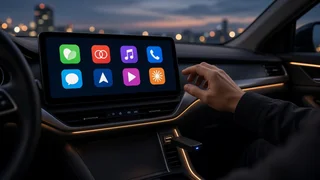
The adapter plugs into the USB port your car uses for CarPlay. To the car, it looks like a wired iPhone. To the phone, it acts as a wireless bridge. Device pairing normally starts over Bluetooth, after which the adapter and iPhone switch to a direct Wi-Fi link that carries the CarPlay screen, audio and touch input. Because the car still believes it is running wired CarPlay, the existing vehicle integration stays in place: the touchscreen, the steering wheel interface buttons for calls and track skipping, the voice button for Siri and the car's microphone usually keep working the way they do with a cable.
After the first setup, most adapters try to reconnect automatically when you start the car. How quickly that happens varies by adapter, phone and car, so expect a short wait before CarPlay appears rather than an instant connection.
Check Your Car First
CarPlay support depends on the exact model year, trim and head unit, not just the model name. Two cars of the same model can differ if one is a higher trim, a newer facelift or a different market version. This matters in Pakistan for a few reasons.
Locally assembled cars: some trims include a CarPlay-capable infotainment screen while lower trims may have a basic stereo without it. Confirm what your specific variant shipped with. Imported reconditioned cars: many Japanese-market vehicles come with head units built for that market. Some support CarPlay, many do not, and menus or radio bands may be set up for Japan. Treat the original head unit's capability as unknown until tested. Aftermarket head units: Android-based screens sold locally often run their own CarPlay apps. Some already include wireless CarPlay; others behave differently from factory systems, and a separate adapter may or may not be recognised. Cars with a factory screen but no CarPlay: these may be candidates for a vehicle-specific interface adapter or module, which is a different, more involved product than a plug-in dongle.
The simplest test is to plug your iPhone into each USB port with a reliable cable. If CarPlay launches, note which port did it, because not every USB port in a car carries data for CarPlay. Some are charge-only.
Plug-In Adapter vs Interface Module vs New Head Unit
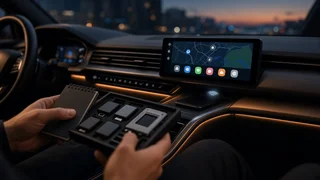
Option | Needs factory wired CarPlay? | Installation | Typical use case; Plug-in wireless adapter | Yes | Plugs into USB port, no wiring | Car already has wired CarPlay and you want to drop the cable; Vehicle-specific interface adapter or module | No, works with certain factory screens | Usually wired behind the dash; often needs a fitter | Car has a factory screen you want to keep but no CarPlay; Replacement head unit with CarPlay | No | Replaces the stereo; may need a fascia kit and wiring harness | Older car, basic stereo, or a Japanese-market unit you want to replace
If you go the interface or head unit route, ask the installer whether steering wheel controls, reversing camera, factory amplifier and any parking sensors displays will keep working. These often need an additional harness or a steering wheel interface module.
What to Check When Choosing an Adapter
Connector Type
Match the adapter to your car's CarPlay port. Older cars typically use USB-A, newer ones may use USB-C. Many adapters include a converter cable, but a direct fit is tidier and avoids a loose connection that can cause dropouts.
Software Compatibility and Firmware Updates
Software compatibility depends on three things working together: the adapter firmware, your iOS version and the car's head unit software. iOS updates occasionally change how CarPlay behaves, so an adapter that receives firmware updates is more likely to keep working over time. Check whether the product has a way to update firmware, usually through a browser page or app reached while connected to the adapter's Wi-Fi, and whether the seller or brand has a track record of releasing updates.
Connection Settings and Wi-Fi Band
Wireless CarPlay uses Wi-Fi, generally on the 5 GHz band, for the screen and audio link. Some adapters let you adjust connection settings such as Wi-Fi channel, auto-connect behaviour or audio routing. These options can help if you notice audio stutters or the connection drops in certain areas. While connected wirelessly to CarPlay, the iPhone's own Wi-Fi is occupied by the adapter, so the phone uses mobile data for internet.
Startup Time and Reconnection
How fast the adapter boots and reconnects affects daily convenience more than almost anything else. Read buyer feedback with care, and if possible test the adapter in your own car before the return window closes. Behaviour can differ between car brands even with the same adapter.
Audio and Call Quality
Wireless transmission adds a small delay. It is rarely noticeable for music or navigation prompts but can appear as a slight lag when tapping the screen or skipping tracks. Call audio usually still goes through the car's microphone and speakers. If calls sound poor, check that the phone is not also connected to the car's standard Bluetooth hands-free profile at the same time, which can cause conflicts.
Heat and Placement
Pakistani summers mean high cabin temperatures, especially in a parked car. Adapters are small electronic devices that can get warm in normal use. Avoid leaving the adapter where direct sunlight hits it through the windscreen, and keep it in a ventilated spot such as a centre console tray rather than wedged tightly behind trim. If the car's USB port is inside a closed armrest, consider a short extension so the adapter is not trapped in a hot enclosed space.
Charging Your Phone
Wireless CarPlay uses more battery than wired CarPlay because the phone is running Wi-Fi, Bluetooth and navigation without charging from the car. On long drives, plan to charge the phone separately through another port, a 12V charger or a wireless charging pad if the car has one.
CarPlay-Only or Multi-Mode
Some adapters handle both Apple CarPlay and Android Auto. These can suit households with mixed phones, but they add switching logic that may affect reconnection. If only iPhones will use the car, a CarPlay-only adapter is a simpler choice. Note that a multi-mode adapter still requires the car to support each system in wired form; it does not add Android Auto to a car that only supports CarPlay, or the reverse.
Buying in Pakistan: Seller and Warranty Checks
Wireless CarPlay adapters in Pakistan are sold through online marketplaces, car accessory shops and electronics markets, alongside imports bought from abroad. Quality varies widely, and unbranded or copied units are common in the accessories market. A few practical checks reduce the risk.
Ask the seller to confirm compatibility for your exact car model, year and trim, and get that confirmation in writing on the order or chat. Prefer sellers who allow testing in your car at the shop or offer a clear return or exchange window. Check what the warranty covers and who honours it: the shop, the importer or nobody once the product leaves the counter. Be cautious of listings that use brand names and product photos inconsistently, which can indicate a copy of another product. Keep the box, cables and receipt until you are satisfied the adapter connects reliably over several days of normal driving. If ordering from abroad, factor in delivery time, customs handling and the practical difficulty of returning a faulty unit.
First-Time Setup Tips
Start the car and make sure wired CarPlay works on the chosen USB port. Plug in the adapter and wait for it to power up; most show an indicator light or an on-screen prompt. On the iPhone, turn on Bluetooth and Wi-Fi, then pair with the adapter from Bluetooth settings or through the CarPlay settings menu, following the adapter's instructions. Accept the prompt to use CarPlay wirelessly. Check the adapter's firmware version and update it if an update is available. Test calls, navigation audio, music and steering wheel buttons before relying on it for a long journey.
Common Problems and Quick Fixes
Problem | Likely cause | What to try; Adapter not detected | Charge-only USB port or loose connection | Use the port that runs wired CarPlay; avoid long or worn extension cables; CarPlay drops during drives | Wi-Fi interference, weak power supply or overheating | Change Wi-Fi channel in adapter settings, reseat the connector, move the adapter to a cooler spot; Audio stutters | Wireless interference or phone running many apps | Close unused apps, update adapter firmware, check connection settings; Slow to connect on startup | Adapter boot time or phone Bluetooth conflicts | Remove old Bluetooth pairings with the car if they compete, update firmware; Stopped working after an iOS update | Software compatibility change | Check for an adapter firmware update; re-pair the phone
Is a Wireless CarPlay Adapter Worth It?
For a car that already runs wired CarPlay, an adapter is a low-effort upgrade that makes short trips more convenient, as long as you accept a short connection delay and higher phone battery use. For a car without CarPlay, the money is better directed toward a suitable head unit or a vehicle-specific interface, ideally fitted by an installer who can confirm steering wheel control and camera integration. Either way, confirm compatibility for your exact vehicle, buy from a seller who lets you test or return the product, and keep the adapter's firmware up to date.