Loadkey Wireless CarPlay: What to Check Before You Buy
If you are looking at a Loadkey wireless CarPlay product, the most important question is what your car already supports. A plug-in wireless CarPlay adapter usually works only in a vehicle that already has factory wired Apple CarPlay through a USB port. The adapter removes the cable. It does not add CarPlay to a car that never had it. If your vehicle lacks wired CarPlay, you need a different product, such as a standalone CarPlay screen, an aftermarket head unit or a vehicle-specific interface module. Products sold under the Loadkey name may include more than one type of device, and listings can change over time. Confirm which kind of product you are viewing before you judge whether it suits your car. The checks below apply to wireless CarPlay products in general, and they will help you read any specific listing critically.
How a Wireless CarPlay Adapter Works
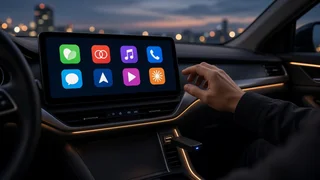
A wireless CarPlay adapter is a small dongle that plugs into the car's CarPlay-capable USB port. To the car, it looks like a wired iPhone. To the iPhone, it looks like a car with built-in wireless CarPlay. Your phone uses Bluetooth for the initial handshake and Wi-Fi to carry the CarPlay video, audio and touch data. The adapter then passes that session to the infotainment system over USB.
Because the car still believes it is running a normal wired CarPlay session, the factory screen, touch input, rotary controller, microphone and steering wheel buttons generally behave as they do with a cable. Results depend on how each vehicle's system handles the adapter.
Step 1: Confirm Your Vehicle Supports Wired CarPlay
Vehicle integration is the deciding factor. CarPlay availability often varies by model year, market, trim level and infotainment package, even within the same model. A base trim might use a different head unit from a higher trim. A mid-cycle update can add or remove support. A vehicle built for another market may behave differently from a US-market car.
Plug your iPhone into the car with a cable and confirm that CarPlay starts on the factory screen. Identify which USB port launches CarPlay. Many cars have several ports, and some only charge. If CarPlay does not start, check your owner's manual or infotainment settings to see whether it must be enabled first. Some manufacturers have tied CarPlay to an option package or activation step. If your car already offers factory wireless CarPlay, an adapter adds little and may only help with a specific connection problem.
If wired CarPlay works reliably in your car, a plug-in adapter is a reasonable option to consider. If it does not, keep reading the section on alternatives before you buy anything.
Step 2: Identify What Type of Product You Are Buying
Wireless CarPlay products are often grouped together in search results even though they solve different problems. Read the product title, description and included items closely.
Product type | What it needs from your car | What it does | Main trade-off; Plug-in wireless adapter (dongle) | Factory wired CarPlay through USB | Converts wired CarPlay to wireless | Cannot add CarPlay to a car without it; Standalone CarPlay screen | A power outlet; audio through FM, AUX or Bluetooth | Provides its own display running CarPlay | Separate screen on the dash; looser integration with car audio and controls; Interface adapter or module | A specific compatible factory head unit | Adds CarPlay to some factory screens that lack it | Vehicle-specific; installation can involve trim removal and wiring; Aftermarket head unit | A dash opening and the correct wiring harness and fascia | Replaces the factory radio with one that includes CarPlay | Highest cost and installation effort; may affect factory features
Some adapters also offer wireless Android Auto in the same unit. If someone else in your household uses an Android phone, check whether the listing clearly states support for both platforms and whether switching between phones is straightforward.
Step 3: Check iPhone and Software Compatibility
Wireless CarPlay depends on both the iPhone and its iOS version. Most iPhones that support current iOS releases can run wireless CarPlay, but the product listing should state the minimum iPhone model and iOS version it supports.
Firmware support matters too. Car makers update infotainment software, and Apple updates iOS. An adapter that works today could run into trouble after either side changes. Look for a product that can receive firmware updates and has a clear process for installing them. Also watch for buyer reports of problems with your specific vehicle make and model. Treat individual reviews as anecdotes, not guarantees.
Step 4: Understand Device Pairing and Connection Settings
Setup for a plug-in adapter typically follows a similar pattern. Exact steps vary by product, so follow the instructions supplied with yours.
Start the car and plug the adapter into the CarPlay-capable USB port. On the iPhone, turn on Bluetooth and Wi-Fi. Pair the phone with the adapter over Bluetooth. It usually appears under its own name rather than the car's name. Accept the CarPlay prompt on the phone when it appears. On later drives, the phone should reconnect automatically after the car starts, as long as Bluetooth and Wi-Fi stay on.
A common source of confusion is the car's own Bluetooth connection. If your iPhone also pairs directly to the car for hands-free calling, the two connections can compete. Some owners find that reconnection works more smoothly after removing the direct phone-to-car Bluetooth pairing and letting the adapter handle everything. The iPhone's CarPlay settings, found under General, also let you remove old car entries that might confuse the connection.
Steering Wheel Interface and Factory Controls
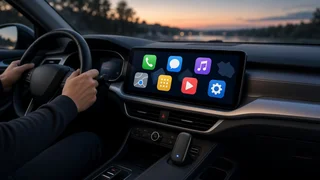
Because a plug-in adapter keeps the factory CarPlay session intact, the steering wheel interface usually behaves as it does with a cable. That generally includes the voice button for Siri, track skip and volume. Touchscreen, rotary knob and touchpad input are handled by the car's own CarPlay implementation.
Standalone screens and some interface modules are different. A standalone screen may not connect to steering wheel controls at all, and audio may run through an FM transmitter or AUX cable instead of directly into the system. Interface modules vary widely by vehicle. If keeping your factory controls matters to you, confirm how the specific product handles them before buying.
Trade-offs of Going Wireless
Removing the cable is convenient, but wireless CarPlay through an adapter brings compromises that are worth knowing in advance.
Startup time: the adapter must boot and connect after the car powers on, so CarPlay may appear later than it does with a cable. Input lag: touch response and audio can lag slightly compared with a wired connection. This is usually most noticeable when you skip tracks or type. Battery drain: wireless CarPlay does not charge the phone, and running Wi-Fi, GPS and streaming at once uses battery. Long trips may still call for a charger or charging pad. Heat: a phone running navigation and streaming wirelessly can get warm, especially in a sunny dash mount. Interference: crowded wireless environments or other in-car devices can occasionally cause dropouts. Audio quality: most listeners will not notice a difference, but some report subtle changes compared with wired playback.
Pre-Purchase Checklist
Your car starts wired CarPlay from a USB port, confirmed with a cable. The product is a plug-in adapter, not a standalone screen or interface module, unless you specifically need one of those. The listing states the supported iPhone models and minimum iOS version. The connector matches your car's port (USB-A or USB-C), or a suitable cable or adapter is included. A firmware update method is described. Any Android Auto support is clearly stated, if you need it. The return policy gives you enough time to test the product in your own vehicle.
When Another Option Makes More Sense
If your car has no factory CarPlay, a plug-in dongle will not help. A standalone CarPlay screen is usually the least invasive alternative and can move between vehicles. An interface module may preserve the factory look on certain head units, but compatibility is narrow and installation is more involved. An aftermarket head unit gives the most complete result in many cars, at the cost of more money and effort. It may also affect factory features such as built-in climate displays or vehicle settings menus. Check that before committing.
If your car already has wired CarPlay and you mainly want to stop plugging in your phone, test the product in your car within the return window. Your own vehicle and iPhone combination is what ultimately decides whether the experience is reliable enough to keep.