Wireless CarPlay for Bikes: What to Check Before You Buy
Yes, you can get wireless CarPlay on a motorcycle, but how depends on the bike. A few touring motorcycles offer Apple CarPlay in their factory infotainment systems, and some of those connect wirelessly. For most other bikes, the practical route is an aftermarket handlebar display built for motorcycles. It pairs with your iPhone wirelessly and sends audio to a Bluetooth helmet headset. If you mean a bicycle, the answer is different: CarPlay was not designed for pedal bikes, and options are limited. That case is covered near the end. Which route fits you depends on three things: whether your bike already has a compatible screen, how you plan to hear audio, and how much wiring you are willing to do. The sections below explain each route and what to check before buying.
Three Ways to Get Wireless CarPlay on a Motorcycle
1) Factory CarPlay on the bike's own display
Some larger touring and cruiser models include Apple CarPlay in the factory infotainment unit. Support varies by manufacturer, model year, trim and market. One model year may offer only wired CarPlay while a later one adds wireless, and a software update may change what an older unit supports. If you are shopping new or used, confirm CarPlay support for the exact model year and trim, not just the model name. Also check whether it connects wirelessly or needs a cable.
Factory systems offer the best vehicle integration. The screen is designed for the dash, power is handled for you, and CarPlay can usually be controlled from the handlebar switchgear. That is the motorcycle equivalent of a car's steering wheel interface. The drawback is that you can only get this by buying a bike that has it.
2) A wireless interface adapter for factory wired CarPlay
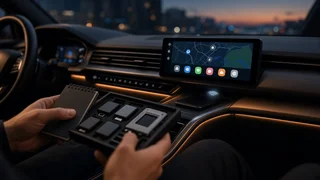
If your bike has factory CarPlay that only works with a cable, a wireless CarPlay adapter may convert it. These small interface adapters plug into the CarPlay USB port. The bike's system treats the adapter as a wired iPhone, while the adapter talks to your phone wirelessly.
Adapters are mostly marketed for cars, and compatibility with motorcycle head units is not guaranteed. Before buying, check whether the seller lists your bike's system as compatible or whether other owners of the same model and year report it working. Then consider where the adapter will sit. A motorcycle USB port is often in a fairing pocket or storage compartment, so the adapter may face heat, vibration and moisture that car-oriented hardware isn't designed for. Expect some added delay when connecting and occasional reconnection quirks.
3) A standalone motorcycle CarPlay display
For bikes without factory CarPlay, the common option is a dedicated motorcycle display. It mounts to the handlebars or a mirror stem and runs CarPlay from a wirelessly connected iPhone. Your phone stays in a pocket or tank bag while the screen shows navigation, music, calls and messages. Audio usually goes to a Bluetooth helmet communicator, either directly from the display or through the phone.
This route works on almost any motorcycle with a suitable mounting point and a power source. The trade-off is limited vehicle integration. A standalone unit typically cannot read the bike's own data or use its handlebar switches, so you rely on the touchscreen, voice control or a separate handlebar remote if the unit supports one.
Comparing the Options
Option | Best for | Main advantage | Main limitation; Factory wireless CarPlay | Buyers choosing a new or used touring bike | Full integration with dash, switchgear and power | Only available on certain models and model years; Wireless adapter on factory wired CarPlay | Owners whose bike already has wired CarPlay | Removes the cable without replacing the screen | Compatibility with motorcycle systems is uncertain; exposure to heat and vibration; Standalone motorcycle display | Most other motorcycles | Works across many bikes; can be moved to a new bike | Separate mounting and wiring; little or no link to bike data or controls
What to Check Before Buying
iPhone and software compatibility
Wireless CarPlay needs an iPhone that supports CarPlay, with Bluetooth and Wi-Fi turned on. Check the iOS version the display or adapter requires, and whether the maker releases firmware updates. iOS updates sometimes change CarPlay behavior, and a unit with no update path can develop issues over time. If someone else who rides the bike uses Android, check whether the unit also supports Android Auto.
How you will hear audio
On a motorcycle, CarPlay is only as useful as your audio setup. Most riders use a Bluetooth helmet communicator. Check how the display handles it: some connect to the headset directly, while others leave the headset paired to the phone. Both can work, but they behave differently with calls, intercom with a passenger or group, and switching between music and navigation prompts. Siri also needs a microphone, which in practice is the helmet headset mic. If you ride without a headset, a factory system with speakers may be the only realistic way to hear CarPlay audio, and wind noise limits how useful that is at speed.
Screen visibility and glove use
A screen that looks fine indoors can wash out in direct sun. Look for a display described as sunlight-readable or high-brightness, and consider anti-glare treatment. Check whether the touchscreen works with riding gloves. If it doesn't, you will depend on voice commands or a handlebar remote, so make sure one is available.
Weather, vibration and heat
Motorcycle displays face rain, pressure washing, dust and constant vibration. Check the stated ingress protection (IP) rating, which describes resistance to dust and water. Also check whether the mount and cable connectors are sealed. Units built for cars or dashboards are not designed for this exposure. Consider heat as well: a display in direct summer sun, or a phone running navigation in a closed pocket or tank bag, can get warm enough to dim or pause.
Power supply
Most standalone units can be wired to the bike's 12-volt electrical system, and some also have an internal battery. Hardwiring to a switched circuit, which is only live with the ignition on, avoids draining the battery when the bike is parked. If you are not comfortable with motorcycle wiring, budget for professional installation. Check whether your bike has an accessory power connection, and whether added wiring could affect your warranty. Battery-only units are simpler, but you will need to remember to charge them.
Mounting and controls
Confirm the mount fits your handlebar diameter, mirror stem or existing mounting system. Make sure the screen won't block gauges or warning lights. Check that it stays clear of the steering lock at full turn and doesn't interfere with the controls. Some units come with a wireless handlebar remote. This is the closest standalone option to a factory steering wheel interface and lets you skip tracks or answer calls without taking a hand off the grip.
Theft and removal
A screen left on a parked bike is easy to steal. Check whether the display detaches quickly from its mount and whether the mount can be locked.
Device Pairing and Connection Settings
Wireless CarPlay usually pairs over Bluetooth first, then runs over Wi-Fi once connected. On the iPhone, saved systems appear under the CarPlay section in General settings. There you can forget a system, allow CarPlay while the phone is locked, and rearrange the app layout. After the first setup, the phone should reconnect automatically when you power on the bike.
Most connection problems on motorcycles come from too many Bluetooth links competing at once: the phone, the display, the helmet headset and sometimes the bike's own system. If audio drops or CarPlay won't start, forget the device on both sides and pair again in the order the display maker recommends. Turning off other nearby Bluetooth devices during setup also helps. Because CarPlay uses the phone's Wi-Fi radio, the phone may not stay connected to other Wi-Fi networks while CarPlay is running.
Legal Considerations
In the US, laws on handheld phone use, mounted screens and in-helmet headsets vary by state. Some states restrict wearing headphones while riding, and that can apply to helmet speakers depending on how the law is written. Check the rules in the states where you ride. Whatever the law, set the destination and playlist before you move, and rely on voice control while riding.
What About Bicycles and E-Bikes?
CarPlay was built for vehicles with an integrated display, and bicycles don't have one. Some motorcycle CarPlay displays could physically mount to a bicycle, but they usually expect a 12-volt supply or a charged internal battery, add weight to the bars, and are designed for motorcycle speeds and vibration. For pedal bikes and most e-bikes, a phone mount with navigation, a dedicated bike computer, or audio through bone-conduction or open-ear headphones is usually more practical. Check local rules on headphone use while cycling.
Choosing Your Next Step
If you are shopping for a new or used touring bike, confirm factory CarPlay support for the exact model year and trim, and check whether it is wired or wireless. If your bike already has wired CarPlay, look for a wireless adapter with reported compatibility for your specific system before buying. If your bike has no CarPlay, choose a motorcycle-specific wireless display and check its weather rating, sunlight readability, glove-friendly controls, power options and helmet headset compatibility. Whichever route you choose, plan your audio setup first. A capable Bluetooth helmet communicator does more for everyday use than any screen feature.