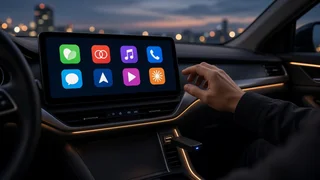
Wireless CarPlay Adapters at MediaMarkt: What to Check Before You Buy
The Short Answer
A wireless CarPlay adapter lets you use CarPlay without plugging in your iPhone, but only if your car or head unit already supports wired Apple CarPlay. The adapter plugs into the USB port the car uses for CarPlay and connects to the phone over Bluetooth and Wi-Fi. It cannot add CarPlay to a vehicle that never had it. If your car has wired CarPlay, an adapter from MediaMarkt or any other retailer is a reasonable next step, provided you check the connector type, the return policy, and any known compatibility issues with your specific vehicle.
MediaMarkt is a European electronics chain. It does not run stores in the United States. US readers can usually find the same type of product at domestic electronics retailers and online marketplaces. If you are in a country where MediaMarkt operates, stock varies by country, store and time, so check the current listing in your market rather than relying on a past selection.
Step One: Confirm Your Car Has Wired CarPlay
This is the condition that decides everything else. A wireless adapter does not create CarPlay. It replaces the cable link to an existing CarPlay system. Before buying, confirm that your vehicle's infotainment system shows the CarPlay interface when you connect your iPhone by cable.
Plug your iPhone into the car's data USB port with a cable. If CarPlay launches on the screen, the car is a candidate for a wireless adapter. If your car already offers wireless CarPlay from the factory, an adapter adds nothing. CarPlay support can differ by model year, trim, market and infotainment package, even within the same model name. Check your own car rather than a general model listing. Some cars have several USB ports, but only one carries CarPlay data. The others may only charge. The adapter must go into the data port. Aftermarket head units with wired CarPlay generally work the same way as factory systems, but behavior can vary by unit and firmware.
If Your Car Has No CarPlay at All
A plug-in wireless dongle will not help. The realistic options are a replacement aftermarket head unit with CarPlay, a vehicle-specific interface adapter (a retrofit module that ties CarPlay into the factory screen), or a standalone dash-mounted CarPlay screen. These are different products with different installation demands. A head unit or retrofit module may need a dash kit, wiring harness, and a steering wheel interface to keep the factory controls working. Many owners have these installed professionally.
What to Check on the Product Listing or Box
Check | Why it matters; USB connector (USB-A or USB-C) | It must match the car's CarPlay port, or come with the right cable or adapter. Look for this first. Stated CarPlay-only or CarPlay plus Android Auto | Dual-mode units suit households with both phone types. They are not needed for an iPhone-only car. Vehicle compatibility notes | Some sellers list known incompatible brands or models. If yours is listed, choose another unit. Firmware update method | Car and iOS updates can break compatibility. Adapters that the maker continues to update tend to age better. Auto-connect behavior | Most adapters are meant to reconnect on their own after the first pairing. Listings sometimes describe this. Return and exchange terms | Compatibility can only be fully confirmed in your car, so a clear return window is worth having. Power requirements | Some car USB ports supply limited power, which can cause dropouts with certain adapters.
Treat any claims about connection speed or startup time on the packaging as the seller's description, not a guarantee. Real-world startup and audio delay depend on the car, the phone and the surroundings.
iPhone and Software Compatibility
Wireless CarPlay needs an iPhone and iOS version that support it. Recent iPhones running current iOS are generally fine. If you use an older phone or postpone iOS updates, check the adapter's stated requirements. Software compatibility runs both ways: an iOS update or a car infotainment update can sometimes change how an adapter behaves. A firmware update for the adapter is usually how makers fix this.
How Device Pairing Usually Works
Exact steps differ between products, so follow the included instructions. The general process looks like this:
Start the car and plug the adapter into the CarPlay USB port. On the iPhone, turn on Bluetooth and Wi-Fi. Wait for the adapter to appear as a Bluetooth device, or as a CarPlay option, and select it. Accept the CarPlay prompts on the phone and, if asked, on the car screen. After the first pairing, the adapter should reconnect when you start the car with the phone nearby.
If the connection is unreliable, look at the connection settings first. In the iPhone's CarPlay settings, you can remove old car entries and pair again. Making sure the phone is not also connecting to the car's own Bluetooth for calls can also help, as can trying a different USB port if the car has more than one data port.
What Stays the Same in the Car
Because the adapter only replaces the cable, the car still runs its own native CarPlay interface. In most cases, vehicle integration features that worked over wired CarPlay keep working. These usually include steering wheel controls, the voice button for Siri, the car's microphone for calls, and the factory screen layout. This is a key difference from retrofit systems, which may need a separate steering wheel interface to keep those controls.
Trade-offs to Expect
Startup is usually slower than a cable connection, because the adapter has to boot and connect each time the car starts. Some users notice a small audio delay or occasional dropouts, especially in areas with heavy Wi-Fi interference. Wireless CarPlay uses more phone battery, and the phone no longer charges through the cable. A wireless charging pad or separate charger can offset this. A very small number of vehicle and adapter combinations simply do not get along. This is why the return policy matters.
Choosing Your Next Step
If your car shows CarPlay over a cable, buy an adapter that matches its USB port, comes from a maker that offers firmware updates, and is sold with a return window you can use. You might buy it from MediaMarkt in a European market or from a local retailer in the US. Test it in your car within that window, including a cold start, a phone call and steering wheel controls. If your car has no CarPlay at all, skip the dongle and compare aftermarket head units or vehicle-specific interface modules instead.