How to Find and Use EV DC Fast Charging Stations
Finding a DC fast charging station no longer needs to be a guessing game when you understand how the networks, connector standards, and vehicle charging limits interact. Direct current charging bypasses the car’s onboard charger, delivering high charging power directly to the battery. Whether you are planning a long trip or simply need a quick top-up, knowing how to search, confirm vehicle compatibility, and start a session will save time and prevent frustration.
Direct answer
To find an EV DC fast charging station, start with the vehicle’s navigation system or a charging app, then filter for direct current connectors that match the car. Once at the station, authenticate through the network app, RFID card, or contactless reader, connect the appropriate cable, and monitor the initial power delivery. Charging power can drop sharply as the battery approaches a high state of charge, so a short session often recovers more range per minute than waiting for a full battery.
Access to fast charging depends on the charging protocol and connector standard the vehicle supports. In the United States, many current EVs use the Combined Charging System connector, while older or certain manufacturer models rely on proprietary connectors or adapters. The station must also have sufficient supply capacity to deliver the requested rate. The practical answer is to locate a compatible unit, confirm network access, and accept that the vehicle’s battery state and thermal controls will govern the actual charging speed.
Identification and location
Station listings usually display icons, connector labels, and rated charging power, but the markings are not universal. A unit labeled with a high kilowatt figure can still deliver less energy if the vehicle requests a lower rate or if shared cabinets divide supply capacity between two cables. When scanning an app, look for the exact connector standard shown in the vehicle settings or charge port, not just the nearest station. A location that appears compatible may require a different network account.
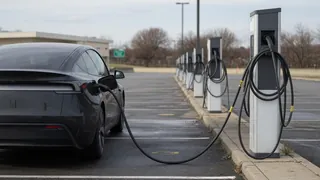
Recognizing the hardware includes checking for a liquid-cooled cable assembly, a large cabinet near the dispenser, and clear screen prompts indicating direct current delivery. Some plugs look similar but serve alternating current charging, which is much slower. If uncertainty remains, comparing the plug face shape and locking notch against the charge port helps prevent a wasted trip. Network maps also distinguish fast charging sites by filtering out Level 2 destination chargers and showing only plugs with direct current protocols.
How to proceed
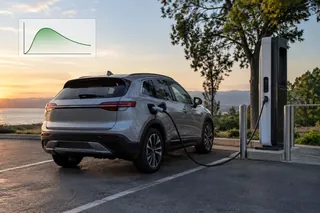
Begin by planning the stop around the vehicle’s charge curve rather than a full battery. Many cars charge fastest between roughly ten and sixty percent state of charge, then taper the rate to protect cells. When arriving, park so the charge port aligns comfortably with the cable, turn off the vehicle if required by the network, and activate the unit before plugging in. Some stations require the app or card to authorize first, while others wait for the connector before starting payment.
After connecting, confirm the screen shows an active kilowatt delivery and listen for cooling fans or pump operation. If no power flows, check the latch, the network app status, and whether the station reports a fault or shared-power limit. End the session through the app or station screen before unplugging so billing stops correctly. Use the station’s estimated completion only as a guide, because energy consumption, outside temperature, and battery management can move the predicted time during the charge.