How to Download GPS Maps for Your Car Navigation System
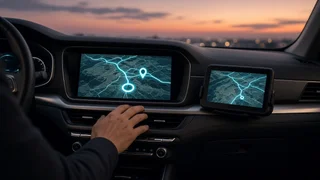
Downloading maps for a car navigation system means getting current navigation data onto whatever device actually does the routing. That device might be the factory infotainment unit, a portable GPS mounted on the windshield, or a smartphone connected through the dashboard. The method, cost and effort differ a lot between these three, so the first step is working out which one you have.
The Short Answer
For a built-in system, map updates come from the automaker or its navigation supplier. They arrive over the air, by USB drive or SD card from the owner portal, or through a dealer visit. For a portable GPS unit, you use the device maker's desktop software or the device's own Wi-Fi update feature. For phone-based navigation through Apple CarPlay or Android Auto, the maps live on the phone. They update with the app, and many apps also let you save offline map areas.
One qualification matters for factory systems. Availability, price and update method depend on the brand, model year, infotainment generation, trim and market. Two vehicles from the same automaker can use completely different update processes. The owner's manual, the automaker's owner website or app, and the dealer service department are the authoritative places to confirm what applies to your vehicle.
Three Types of Car Navigation and How Their Maps Update
System type | Where map data is stored | Typical update methods | Main dependency; Factory built-in navigation | Head unit internal storage or a removable SD card | Over-the-air download, USB or SD card from the automaker portal, dealer installation | Vehicle compatibility and the head unit's software version; Portable GPS device | Device internal memory or a microSD card | Manufacturer desktop application over USB, or built-in Wi-Fi updates | Device model support and available storage; Phone navigation via CarPlay or Android Auto | The smartphone | App store updates, streamed map data, optional offline downloads | Phone storage, cellular connectivity and app support
Updating Factory Built-In Navigation
Factory systems store navigation data locally, so routing still works without a cellular signal. The trade-off is that the maps age until someone installs an update. Road changes, new developments and changed points of interest won't appear until the stored data is replaced.
Over-the-air updates
Many newer vehicles have embedded connectivity, meaning a built-in cellular modem or the ability to join a Wi-Fi network. These vehicles can download map updates in the background, often in sections covering a region. Some systems install updates automatically. Others ask for confirmation on the screen. Over-the-air map support may require an active connected-services plan, and it is not offered on every model that has a modem.
USB or SD card updates
Many vehicles use a computer-based process. You register the vehicle on the automaker's navigation update portal, usually by VIN. You then download the update with the supplied software, copy it to a USB drive or the vehicle's navigation SD card, and install it in the car. Map packages can be large, so the portal normally lists the minimum drive size and the required format. The download itself can take a long time on a slower home connection.
• Find your vehicle's current map and software version in the navigation or system information menu. • Look up your vehicle on the automaker's owner site or app and check whether a newer map release exists. • Download the update with the official tool and prepare the USB drive or SD card exactly as instructed. • Start the vehicle, insert the media and follow the on-screen prompts. • Keep the vehicle powered for the whole installation, and leave the media in until the system confirms completion.
If an installation asks you to keep the engine running, do it outdoors or in a well-ventilated space, never in an enclosed garage. Interrupting power partway through an update can leave the system in an error state that may need dealer attention.
Dealer installation
Some vehicles, especially older ones, only accept map updates through dealer service tools. Dealers can also handle cases where the map update depends on a separate head unit software update. A service visit is the practical route if you'd rather not manage the download yourself.
Cost and support windows
Automakers handle pricing differently. Some include map updates for a set period after purchase. Others sell individual updates or subscriptions. Some older infotainment generations eventually stop receiving new map releases altogether. Because these terms vary by brand and model year, check the current policy for your specific vehicle rather than assuming one applies.
Updating a Portable GPS Device
Standalone GPS units from navigation brands are typically updated in one of two ways. The first is a free desktop application that connects to the device over USB. The second, on newer units, is Wi-Fi updating directly from the device. Some models come with ongoing map updates, while others need a paid update. Older units can run short of internal storage for current maps. A microSD card may help on devices that support one, or the software may let you install only the regions you need.
Manufacturers eventually stop releasing maps for older models. When that happens, a phone app or a newer device is usually the more practical option.
Downloading Offline Maps for Phone Navigation
With phone integration through Apple CarPlay or Android Auto, the car's screen shows the phone's navigation app. The vehicle's own map database is not involved. These apps normally stream current map data over cellular service, so they stay up to date without any manual step.
The weak point is coverage. In remote areas, mountains or anywhere with poor cell service, streamed maps may fail to load. Several popular navigation apps let you download a defined map area to the phone ahead of time. Saving the region you'll travel through before a road trip lets turn-by-turn directions continue offline. Live traffic and search results may be limited until you reconnect. Offline areas use phone storage and may expire or need refreshing periodically, depending on the app.
Map Data vs. GPS Reception
Updating maps and receiving GPS are separate functions. GPS reception, meaning the signal from satellites that fixes your position, works without cellular service and without new map data. Map data is what the system uses to place that position on a road and plan a route. Updated maps won't fix a vehicle that loses its position in parking structures or tunnels. Likewise, a strong GPS signal won't show a road that is missing from outdated maps.
Compatibility Checks Before You Download
• Vehicle compatibility: confirm the update matches your exact model, model year and infotainment generation, ideally through a VIN-based lookup. • Software version: some map releases require a minimum head unit software version, which may need to be installed first. • Region: make sure the package covers your market; for US vehicles, that normally means a North America map set. • Storage and media: check required USB drive or SD card capacity and formatting, or available space on a portable device or phone. • Connectivity: over-the-air updates may require an active connected-services plan or a Wi-Fi connection the vehicle can join.
Avoid Unofficial Map Downloads
Unofficial map files and modified update packages circulate online, often promoted as free alternatives. They carry real risks. A mismatched or tampered file can fail to install, cause errors, or leave the head unit unusable. It may also affect warranty coverage. Downloads from unknown sources can contain malware as well. Stick to the automaker, the device manufacturer or the official app store.
Which Option Makes Sense
If your vehicle supports over-the-air map updates, keeping that feature active is the least effort. If it uses USB or SD card updates, the official portal is usually the most direct route, with the dealer as a fallback. If factory updates have ended or seem poor value, phone navigation through CarPlay or Android Auto gives you continuously updated maps. Saved offline areas cover drives through weak-signal regions. For portable GPS units, run the manufacturer's update tool and replace the device once map support ends.