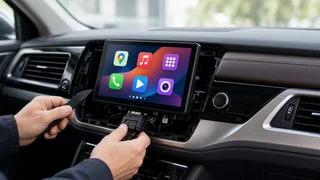
Choosing a Kenwood Receiver with Apple CarPlay
The short answer
Kenwood sells a wide range of aftermarket head units that support Apple CarPlay, from basic wired models to premium units with wireless connection and larger screens. For most drivers with a compatible iPhone and a car that accepts an aftermarket radio, a Kenwood CarPlay receiver is a practical upgrade. Whether a particular unit is the right choice depends less on the receiver itself and more on three conditions: the size and shape of your dash opening, whether you want CarPlay to work wirelessly, and which factory features your car routes through the original radio. If your vehicle integrates climate controls, vehicle settings or a premium amplified sound system into the stock head unit, the parts needed to keep those features can matter as much as the receiver you pick.
How Kenwood's CarPlay lineup is organized
Kenwood generally groups its multimedia receivers into families. Mechless digital media receivers play from USB, Bluetooth and phone projection but have no disc slot, which keeps the chassis shallower and easier to fit. DVD-capable receivers add a disc mechanism for owners who still use CDs or DVDs. The eXcelon line sits at the upper end and typically focuses on higher-grade audio processing, better displays and more connectivity options. Exact model names, screen sizes and features change from one model year to the next, so compare the current specifications of the specific units on your shortlist rather than relying on the series name alone.
Wired or wireless CarPlay
Wired CarPlay runs over a USB cable. It is usually found on less expensive units, charges your phone while connected and tends to be very stable. Wireless CarPlay connects automatically once the phone has been paired, which is convenient for short trips and for households where several drivers share the car. The trade-offs are that wireless connection drains the phone battery faster unless you also use a charging pad or cable, and that it can be more sensitive to interference or software updates. If most of your driving is long commutes where you would plug in anyway, wired CarPlay may be all you need. If you make many short trips, wireless is worth paying for.
Many Kenwood CarPlay receivers also support Android Auto. That matters if anyone else who drives the car uses an Android phone, or if you may switch phones during the time you own the vehicle.
What to check before you buy
Dash opening and physical fit
Aftermarket radios follow standard opening sizes. A single-DIN opening is about 2 inches tall and a double-DIN opening is about 4 inches tall, both roughly 7 inches wide. Most Kenwood CarPlay receivers are double-DIN units with a touchscreen built into the faceplate. Kenwood has also offered units with a large screen that floats in front of a single-DIN chassis, which can bring a big display to cars with smaller openings. Check that a floating screen will not block air vents, hazard switches or climate controls in your specific vehicle, and that the chassis depth fits behind the dash. Fit can differ between trims and model years of the same car, so confirm compatibility using your exact year, make, model and trim.
Installation parts
Few cars accept an aftermarket receiver without adapters. A typical installation may require:
A dash kit that fills gaps and matches the shape of your dash; A wiring harness adapter so the receiver connects to the factory plug without cutting wires; An antenna adapter if the car uses a non-standard antenna connector; A steering wheel control interface if you want to keep the buttons on the wheel; A data interface module for cars with factory amplifiers, chimes, cameras or vehicle settings tied to the radio; A USB extension or relocation adapter if you want the phone connection in a console or glovebox
Budget for these parts when comparing prices. A cheaper receiver can end up costing more overall if your vehicle needs an advanced integration module, and the parts list varies widely by vehicle.
Keeping factory features
Many Kenwood receivers are designed to work with iDatalink Maestro, an interface that can retain steering wheel controls and, in supported vehicles, display information such as gauges, tire pressure, climate settings or parking sensors on the receiver screen. Support depends on both the receiver model and the vehicle, so check that the specific combination is listed as compatible. In some cars, climate controls or vehicle settings live inside the factory radio, and replacing it without the correct module can leave you unable to adjust them. If your car has a branded premium sound system with a separate factory amplifier, confirm that the integration solution handles it, or plan to bypass or replace that amplifier.
Phone and software compatibility
CarPlay depends on both the iPhone and the receiver firmware. Make sure your phone's iOS version supports the CarPlay features you want, and check whether the receiver can receive firmware updates, which can fix connection issues and keep the unit compatible with future iOS releases. Siri voice control relies on the external microphone supplied with most units, so plan a mounting spot near the driver, such as the headliner or steering column, rather than leaving it tucked behind the dash.
Screen quality
Since you will look at CarPlay maps and controls constantly, the display deserves attention. A capacitive touchscreen responds to light touches and swipes much like a phone, while older resistive screens need firmer presses. Higher resolution makes map text sharper, and anti-glare treatment helps in convertibles or cars with steep windshields. Larger screens are easier to read but take more dash space and may not suit every interior.
Audio features and system expansion
If you only plan to replace the radio, the built-in amplifier will power factory speakers. When comparing power figures, look at continuous (RMS) ratings rather than peak numbers, and compare units using the same type of rating. If you plan to add amplifiers or a subwoofer later, check the number of preamp outputs and their rated voltage, since more outputs and higher voltage give more flexibility and a cleaner signal to external amps. Higher-tier units typically add more detailed equalizers, time alignment and support for high-resolution audio files, which matter mainly if you are building a complete audio system.
Cameras and extra inputs
Most CarPlay receivers include a rear camera input, and some offer additional camera inputs for front or side views. If your car already has a factory backup camera, confirm whether it can connect directly or needs a separate retention adapter. Other features to look for depending on your needs include HD Radio reception, satellite radio readiness, dual phone Bluetooth connection and compatibility with specific dash cameras or navigation add-ons.
Total cost and where you buy
The total cost includes the receiver, the installation parts and labor if you are not doing the work yourself. Installation complexity ranges from straightforward in older vehicles to involved in newer ones with integrated electronics, so ask for a quote that lists every part and labor item. When you compare offers, make sure they cover the same items and note whether a price is an advertised listing or what you actually pay after shipping and tax. Buying from an authorized retailer generally matters for warranty coverage, so check whether the seller is authorized before choosing a lower-priced listing.
Matching the receiver to your priorities
Priority | What to favor | Main trade-off; Lowest cost, simple setup | Wired CarPlay, mechless chassis, standard screen | Must plug in the phone each drive; Convenience on short trips | Wireless CarPlay with auto-connect | Higher price, more phone battery drain; Small dash opening | Floating-screen design on a single-DIN chassis | Screen may block vents or controls in some cars; Keeping factory features | Receiver supporting a vehicle-specific integration module | Extra module cost and more complex installation; Building an audio system | Upper-tier unit with more preamp outputs and advanced tuning | Higher price for features unused with factory speakers; Still using discs | DVD-capable model | Deeper chassis and fewer slim options
If you are weighing Kenwood against other brands, compare units at a similar tier on the same criteria: wireless support, screen type and size, vehicle integration options, preamp outputs and update support. JVC receivers come from the same parent company and often share platforms, so similar features may appear in both lineups at different price points. Rankings based on power figures or screen specifications are only meaningful when the units are compared using the same rating method and the same model year.
A sensible next step
Start with your vehicle: identify the dash opening size and list the factory features tied to the current radio, such as steering wheel controls, a backup camera, a premium amplifier or climate controls. Use a fit guide or an installer to confirm which receivers and installation parts work for your exact year, model and trim. Then decide whether wireless CarPlay is worth the extra cost for how you drive, and narrow the shortlist by screen quality and audio expansion needs. Pricing the receiver together with the parts and installation will show the real cost of each option and help you pick the one that fits both your car and your budget.