Using Dash Cam Evidence When Another Car Reverses Into Yours
The Short Answer
If another car reversed into yours and your dash cam recorded it, that footage can be strong evidence of what happened, especially in the common dispute where the other driver says you rolled forward into them. A clear video showing your car stationary, or moving slowly and predictably, while the other vehicle backs into it can settle the question of fault quickly. The footage helps most when it is preserved in its original form right away, clearly shows the movement of both vehicles, and is given to your insurer and, where relevant, the police. It does not guarantee a particular outcome. Fault rules, insurance practices and how courts treat video differ from state to state, and the video can also show things about your own driving that affect the result.
Why Backing Collisions Are So Often Disputed
Reversing collisions tend to happen at low speed in parking lots, driveways, drive-thrus, traffic queues and at stop lights on hills. Damage is usually minor, there are rarely independent witnesses, and the physical evidence is ambiguous. A dent on your front bumper and a dent on the other car's rear bumper look the same whether they backed into you or you drove into them. Without other evidence, the incident can come down to one driver's word against the other's.
In most US states, a driver who is backing up is generally expected to make sure the way is clear before and while moving. That general principle tends to favor the driver who was hit. But many backing collisions are not that simple: both cars may have been moving, one driver may have pulled in behind a car that was already reversing, or a car may have stopped in an unusual position. In those situations, fault can be shared, and how shared fault affects a claim depends on whether the state uses a comparative or contributory negligence system. Video is valuable precisely because it can show these details rather than leaving them to memory.
What Dash Cam Footage Can and Cannot Show
A forward-facing dash cam is well placed for the classic scenario: you are stopped behind another car, and it backs into your front end. The video can show the gap between the cars, the other vehicle's reverse lights coming on, the other car moving toward you, and the moment of contact. If your camera records audio, it may also capture your horn, which can help show you tried to warn the other driver.
The footage has limits. A wide-angle lens can make distances look larger or smaller than they are, so the closing distance may not be obvious at a glance. A front camera mounted high on the windshield may not see the very front of your own bumper, and your hood can hide the exact contact point. Video also does not directly prove whether your foot was on the brake; it shows motion relative to the surroundings, so a fixed reference point in the frame, such as a parking space line, curb or sign, is often what demonstrates that your car stayed still.
Some dash cams store GPS speed data alongside the video. When available, a speed reading at or near zero during the impact can support the claim that your car was stationary. How accurate that reading is at very low speeds varies between devices, so treat it as supporting information rather than proof on its own.
Camera setup | Most useful for | Common limitation; Front-facing only | Another car backing into your front end while you wait behind it | Cannot see impacts to the sides or rear of your car; Front and rear (dual-channel) | Your own reversing situations and cars backing into your rear | Rear camera quality and field of view vary by system; Interior or cabin camera | Showing what you were doing, such as having hands on the wheel | Adds little about the other vehicle's movement; Parking mode enabled | Being hit while your car is parked and unattended | Depends on power supply and on motion or impact detection triggering the recording
What to Do at the Scene
Dash cam footage works best alongside the ordinary steps you would take after any collision. Your first priorities are safety and the information you are legally required to exchange, which varies by state.
Check for injuries and move to a safe position if the cars can be moved and local rules allow it. Leave the dash cam running, or press its emergency or event button so the clip is locked against overwriting. Exchange names, contact details, driver's license information, insurance details and plate numbers with the other driver. Photograph both vehicles, the damage, the plates and the positions of the cars before they are moved, if that is safe. Note the location, time and any witnesses, and ask witnesses for their contact details. Follow your state's rules on reporting the collision to police, particularly if there are injuries or significant damage. Stay calm and avoid arguing about fault at the scene; let the footage speak later.
It is usually reasonable to tell the other driver, and any responding officer, that you have dash cam footage. Some drivers find that this alone discourages a false account. You do not need to play the video on the spot, and handing over your camera or memory card at the scene is generally not a good idea, because you want to keep control of the original file.
Preserving the Footage Properly
Most dash cams use loop recording, meaning they continuously overwrite the oldest footage when the memory card fills up. If the clip is not protected, it can be lost within the next drive or two. Many cameras automatically lock a clip when their built-in impact sensor, often called a G-sensor, detects a jolt, but a gentle reversing bump may not be strong enough to trigger it. Locking the clip manually, or stopping recording and removing the card once you are parked safely, removes that risk.
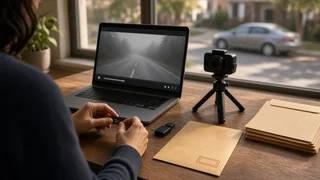
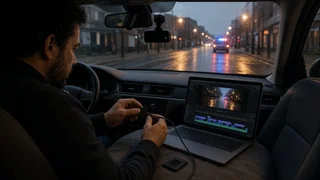
Lock the event clip with the camera's button or app as soon as you can. Copy the original file to at least two places, such as a computer and a cloud storage account or external drive. Keep the original file unedited, at its original resolution, with its file name and embedded data intact. Save the clips from a few minutes before and after the impact, not just the moment of contact, so the lead-up is visible. If you want a shortened or zoomed version for convenience, make it as a separate copy and keep the original alongside it. Keep the memory card itself until the claim is resolved, if practical.
Preserving the untouched original matters because an insurer, attorney or court may want to confirm that the video has not been altered. The file's embedded date, time and GPS data, if your camera records it, help establish when and where the incident happened. If your camera's clock was set incorrectly, say so when you submit the footage rather than leaving it to be discovered.
Sharing the Video With Your Insurer and the Police
When you report the collision to your insurer, mention that you have dash cam video and ask how they want to receive it. Insurers commonly accept uploads through a claims portal or app, or through a file-sharing method the adjuster specifies. If you are filing a claim with the other driver's insurer, the same applies; offering the footage early can shorten a dispute about which car was moving.
If police responded or a report was filed, you can ask whether the officer or department wants a copy. Practices vary between agencies, and some may not collect video for minor property-damage collisions. Whatever you send, provide a copy rather than your only original.
If the collision involves injuries, a disputed claim or a denial of liability, an attorney can advise on how to present the footage and whether to share it before formal proceedings. That decision depends on the specific facts and the law in your state.
Legal Points to Keep in Mind
Recording video from your own vehicle on public roads is generally lawful in the US, since there is typically no expectation of privacy in what is visible from a public street. States do regulate where a device may be mounted on the windshield, so a camera placement that obstructs the driver's view could be an issue separate from the collision itself.
Audio is a different matter. Some states require the consent of everyone being recorded for private conversations, while others require only one party's consent. If your camera recorded audio inside your car with passengers present, or captured a conversation with the other driver, the audio portion may be treated differently from the video depending on where you were. Sharing a version without audio is one option if you are unsure, but keep the original file intact.
In court, video is generally usable as evidence if someone can establish that it accurately shows what happened and has not been tampered with, which is another reason to keep the original file unchanged. Most backing collisions never reach court, though; the footage usually does its work during the insurance claim.
When the Footage Might Work Against You
A dash cam records everything, not only the other driver's mistake. If the video shows you creeping forward, stopping very close to a car that was clearly preparing to reverse, using your phone, or pulling into a space behind a vehicle that already had its reverse lights on, that may affect how fault is divided. Deleting or withholding footage once a claim or lawsuit is likely can create serious problems of its own, so the honest approach is to preserve it regardless and let an adjuster or attorney assess it.
If Your Car Was Parked When It Was Hit
When another driver backs into your parked car and leaves, parking mode footage may be the only record. Whether you have it depends on how the camera is powered, typically through a hardwired connection to the vehicle's electrical system or a separate battery pack, and on whether its motion or impact detection triggered a recording. Many hardwiring kits include a low-voltage cutoff to protect the car's battery, which can end recording during long parking periods.
In a hit-and-run, the key details are the other vehicle's plate, make, model and color. Even if the plate is not readable, the footage can still establish the time of the incident and the type of vehicle, which may help police, property managers with their own cameras, or your insurer. Most states require reporting a hit-and-run to police, and an uninsured motorist or collision coverage claim may depend on that report.
Common Problems With Reversing Collision Footage
Unreadable plates: at a distance, at night or in glare, even higher-resolution cameras may not capture a sharp plate image. Photograph the plate yourself at the scene. Car out of frame: in tight parking situations, the other vehicle may be partly outside the camera's view. Photos of the final positions help fill the gap. Overwritten clip: an unlocked file can be lost to loop recording. Protect it as soon as possible. Wrong date or time: an incorrectly set clock does not make the footage useless, but it should be explained up front. Corrupted file: sudden power loss can damage the last file written. Keep the card as is and avoid recording over it if the clip appears damaged.
Bottom Line
Dash cam video is often the most direct way to show that another car reversed into yours rather than the other way around. Its value depends on what the camera could see, how quickly you protected the original file, and what it reveals about both drivers. Lock the clip, keep untouched copies, exchange information and take photos at the scene, then give the footage to your insurer. If fault is contested or anyone was hurt, getting advice specific to your state is the next sensible step.