Why Should a Rental Car's Phone Pairing Be Removed?
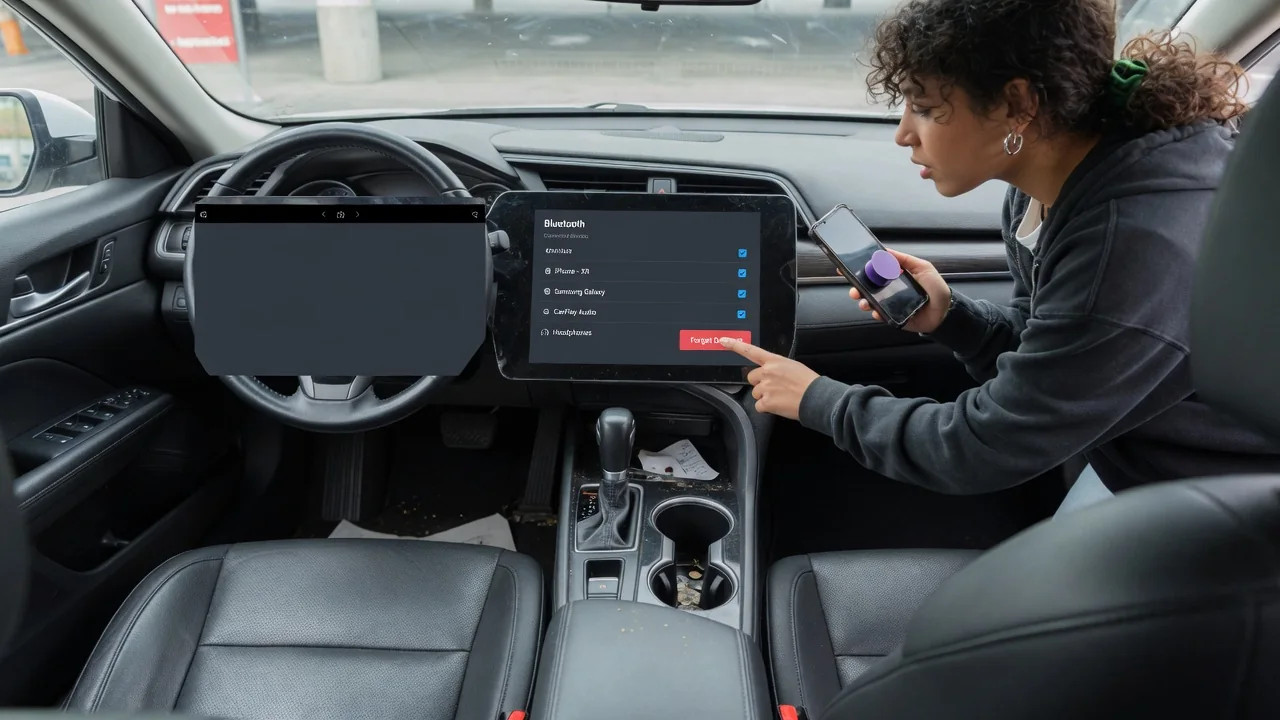
Pairing a phone with a rental car makes hands-free calling and audio easy, but the connection rarely ends when you hand back the keys. Many infotainment systems keep a record of the phone and some of the data it shared, and the next driver may be able to see it. Removing the pairing before you return the car is a simple step that limits rental car Bluetooth privacy risks and leaves the system clean for whoever drives it next.
Contacts and calls
When a phone connects over Bluetooth for hands-free use, the car usually asks for permission to access its phonebook and call history. The phone uses standard Bluetooth profiles to send contact names, numbers and recent calls to the head unit so they can appear on the dashboard screen and work with voice commands. Some systems also request access to text messages so they can read incoming messages aloud or show notifications. Depending on the vehicle, this information may be displayed only while the phone is connected, or it may be copied into the unit's own memory and remain available after the phone is gone.
That second case is the main reason to remove a rental car's phone pairing. If contacts and call logs persist, a later renter scrolling through the phone menu could see names, numbers, call times and the people you dial most often. Even a short list of recent calls can reveal who you work with, where you stayed or which businesses you contacted during the trip. Because rental cars pass through many hands, data left behind is exposed to a far wider group of strangers than it would be in a privately owned car.
Saved devices
Separate from contacts, the infotainment system keeps a list of paired devices. Each entry typically shows the phone's Bluetooth name, which by default often includes the owner's first name or full name, along with the security keys that let the two devices reconnect automatically. That list is visible to anyone who opens the Bluetooth or phone settings, so a device named after you effectively labels the car with your identity.
A stored pairing also has practical side effects. While the entry exists, the car may try to reconnect whenever your phone is within range, for example if you walk past it in the return lot or happen to rent the same vehicle again later. Many head units can hold only a limited number of devices, and how they handle a full list varies; some replace older entries, while others require manual deletion. Relying on the system to overwrite your phone on its own is therefore not a dependable way to remove it.
The connection is recorded on both sides. Your phone keeps the car in its own list of known Bluetooth devices, and if you used a cable or wireless phone projection, the phone may also remember the vehicle for that feature. Leaving those entries in place is less of a privacy concern than data stored in the car, but it can trigger unexpected connection attempts and clutters the device list.
Cleanup
The basic cleanup takes a few minutes and is best done before you park the car for the last time, while the ignition or accessory power is on. Open the infotainment settings, find the Bluetooth, phone or connected devices menu, select your phone and choose the option to delete, remove or forget it. Menu names and locations differ between systems, so the owner's manual or the on-screen help is the reliable guide for a specific vehicle. After deleting, check whether the phonebook and recent calls screens are empty; on some systems contacts are removed together with the device, while on others they must be cleared separately.
Next, look for any phone projection or smartphone integration list and remove your phone there too, since it may be stored independently of the Bluetooth list. Some systems offer an option to erase personal data or restore settings, which can clear stored devices, contacts and other entries at once; use it only if it is clearly intended for drivers and does not affect settings the rental company needs. Finally, open the Bluetooth settings on your phone and forget the car, so neither device keeps the other's pairing information.
Prevention reduces how much cleanup is needed. When the car asks to sync contacts or messages during pairing, you can usually decline and still use hands-free calling and audio, and most phone operating systems let you limit contact and notification sharing for each connected device. Giving the phone a generic Bluetooth name that does not include your own name is another simple measure that reduces what any saved entry reveals.
Practical implications and limits
Deleting a device through the menu removes what a casual user can see, but it is not proof that every trace is gone from the unit's internal storage. Head unit software differs widely, and drivers have no practical way to confirm how data is erased at the memory level. The realistic goal is to keep your information out of easy view of the next renter, not to guarantee forensic deletion.
Rental companies may clear infotainment systems between rentals, but practices vary and are rarely visible to customers, so it is safer not to count on it. If you forget to remove the pairing, contacting the rental location to ask whether the car's personal data can be cleared is a reasonable step, although the outcome is outside your control. Renaming your phone afterward generally does not change entries already saved in the car, because the stored record reflects the name used at the time of pairing.
None of this means avoiding Bluetooth in a rental. Hands-free calling and voice-guided audio help keep attention on the road, especially in an unfamiliar vehicle and area. Treating the pairing as temporary, sharing only what you need and removing it at the end of the trip lets you keep those benefits while limiting what stays behind.