What to Consider Before Using a Dash Camera
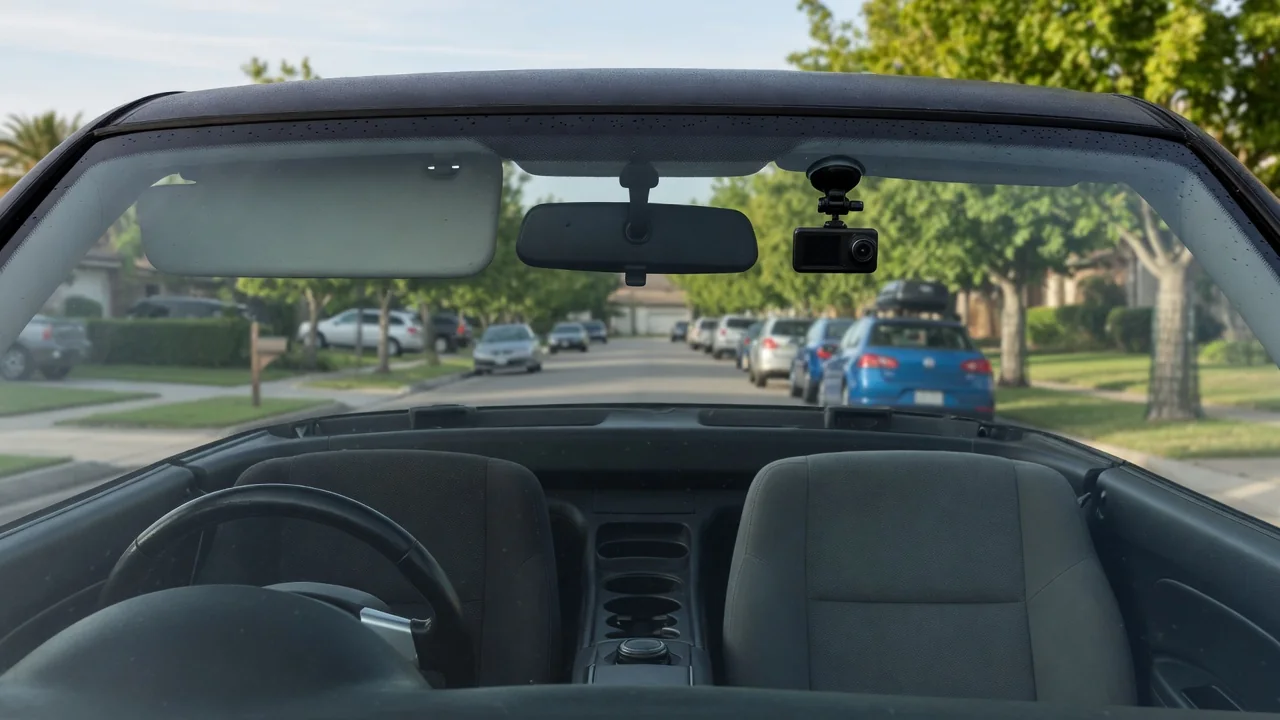
Knowing what to consider before using a dash camera saves frustration later. The device itself is simple, but how it is mounted, where it draws power, what it records and how it stores footage all shape whether the video is actually there when you want it. A little planning around your specific vehicle makes the difference.
Mounting
Most dash cameras attach to the windshield with either a suction cup or an adhesive pad. Suction mounts are easy to reposition and move between vehicles, but they can loosen as cabin temperatures swing between a cold morning and a sun-baked afternoon. Adhesive mounts hold more firmly and vibrate less, yet they are harder to relocate once pressed in place. Cleaning the glass thoroughly beforehand and letting the adhesive settle before hanging the camera's weight on it helps either type stay put.
Placement matters as much as the mount. A position high on the glass behind the rearview mirror usually keeps the camera out of the driver's line of sight while giving the lens a centered view of the road. Check that the lens sits within the area swept by the wipers, or rain and grime will blur the footage. Vehicles differ here: tinted sun bands, dotted ceramic borders and the housings for rain sensors or driver-assistance cameras near the mirror can limit where a mount will stick or see clearly.
Power source
The simplest power source is the 12-volt accessory socket. The camera plugs in, starts recording when the socket goes live and stops when it shuts off. What varies between vehicles is the socket's behavior: some cut power when the ignition is switched off, while others stay live with the car parked. A socket that stays on can keep the camera running for hours and slowly draw down the battery, so it is worth watching whether the camera's indicator light goes out after you lock up.
Hardwiring to the fuse box hides the cable and frees the socket, and it is usually what enables a parking mode that records while the vehicle sits. Kits made for this often include a low-voltage cutoff intended to stop the camera before the battery drops too far. Fuse layouts and circuit behavior differ widely, and cables tucked along the windshield pillar can run near side curtain airbags, so the owner's manual or a professional installer is the sensible guide if you are not confident with vehicle wiring.
Privacy settings
A dash camera can capture more than the road ahead. Many record cabin audio by default, which means conversations, phone calls and anything said by passengers end up in the files. Most units let you switch the microphone off in the menu, and some offer a quick button for it. Models with a second lens facing the interior record occupants directly, which is worth thinking about if you carry friends, coworkers or paying passengers who may not expect to be filmed.
Other settings determine what information is attached to the video. A camera with GPS may stamp speed and location onto each clip, and many allow that overlay to be turned off while still keeping date and time. Cameras with Wi-Fi or cloud features can upload or share footage through a phone app, so it pays to set a strong password and review what is sent automatically. Rules about recording differ from place to place, so check the requirements where you drive rather than assuming the defaults suit you.
Everyday Use and Observations
In daily driving, the camera records in a continuous loop, saving short clips to a memory card and overwriting the oldest once the card fills. A built-in motion sensor typically locks a clip when it detects a sharp jolt, protecting it from being erased. If that sensitivity is set too high, potholes and speed bumps can trigger it constantly, and the locked files gradually crowd the card. Lowering the setting and clearing protected clips now and then keeps the loop working as intended.
A few habits reveal problems early. Glance at the recording indicator when you start the car, and listen for any warning chime that signals a card error. Play back a clip occasionally to confirm that the image is sharp, the date and time are correct and license plates are readable in both daylight and darkness. Glare from the dashboard reflecting in the windshield, a slightly tilted horizon or a lens fogged by a dirty patch of glass are easy to spot on playback and easy to correct.
Limits and Next Steps
A dash camera has real limits. It only sees what falls inside its field of view, so events at the sides or rear go unrecorded unless additional cameras cover them. Night footage, heavy rain and headlight glare can leave details such as plate numbers unreadable even at high resolution. Memory cards also wear out under constant rewriting, and a failing card may stop saving without obvious warning, which is why cards rated for continuous recording and periodic formatting in the camera are commonly recommended.
Heat is another constraint. A camera sitting against the windshield in direct sun endures high temperatures, and units that rely on an internal lithium battery can be more sensitive to it than those built around a capacitor. Before buying or installing, look over your own vehicle: how the accessory socket behaves with the ignition off, what sits behind the mirror and how cables could be routed. When footage matters, copy it to a phone or computer promptly, before the loop records over it.