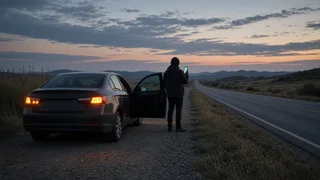
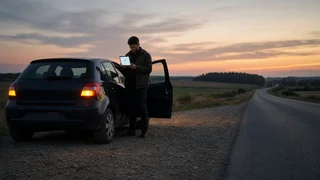
Street number for my current location

The direct answer
This guide cannot see where you are, so it cannot give you a street number. Your phone, and in some cases your vehicle, can. The fastest method is usually to open a map app, let it locate you, and tap your position marker to see the nearest address. On highways and rural roads there is often no street number at all. In that case, a mile marker, exit, cross street or set of coordinates will help responders more than a house number.
If you are in danger, in a live traffic lane or someone is hurt, call 911 before looking up an address. Turn on your hazard lights and move away from traffic if you can do so safely. A dispatcher can ask you questions to narrow down where you are. Some wireless calls also give the dispatcher an approximate location, but that location is not always precise, so be ready to describe where you are.
Find the nearest address with your phone
1) Turn on location services. GPS (Global Positioning System) works best with a clear view of the sky. 2) Open your map app and tap the button that centers the map on your current location. 3) Tap or long-press your location marker, or drop a pin on it. Most map apps then show the closest street address or the name of the road. 4) Treat the result as approximate. The app may show the nearest building it knows about, which may be across the road or a few properties away. 5) If the app shows coordinates (latitude and longitude), write them down or copy them. Coordinates still work when there is no street address nearby. 6) Use the app's share-location feature to send your position to a family member or roadside provider if the app offers it.
If your signal is weak, give the phone a moment to refine its position. Check the street name on the map against a road sign you can actually see before you pass it on.
When there is no street number: highways and rural roads
Interstates, state highways and many rural roads have no house numbers along most of their length. Responders locate you there by road, direction and distance markers, so gather as many of the following details as you can see safely from the vehicle or the shoulder.
Road name or number, such as the interstate or highway designation. Direction of travel, for example northbound or westbound. Many highway signs show this alongside the route number. The nearest mile marker, the small numbered signs along the shoulder. Note whether you passed it or are approaching it. The last exit you passed or the next one ahead, by number or name. The nearest cross street, intersection or overpass. Visible landmarks, such as a business, bridge, rest area or distinctive building. Which side of the road you are on and whether you are on the shoulder, in a lane or in a median.
On residential or commercial streets, a nearby mailbox, building entrance or storefront often shows a number. Combine it with the street name from the closest sign. If the buildings on your side are numbered in sequence, note the two numbers you are between.
Using your vehicle's built-in systems
Some vehicles have factory navigation or a connected-services system that can show your current position or send it to an assistance center. Some also have a dedicated assistance or SOS button. Whether these features exist, what they display and whether they need an active subscription depend on the make, model year, trim and market. Check your owner's manual or the system's on-screen menus for your specific vehicle. Do not assume the feature is present or active.
What to tell roadside assistance or a dispatcher
Your location: street address if one exists, otherwise road, direction, mile marker, exit or coordinates. Whether you and any passengers are safe and out of traffic. The vehicle's make, model and color, so responders can spot it. A short description of the problem, such as a flat tire, no-start, overheating or a warning light. A phone number where you can be reached, and how much battery your phone has left.
Limits of this guidance
No source data was available for this topic, so this guide gives no figures for location accuracy, response times or service coverage. How precise a phone or vehicle position is depends on the device, the signal and the surroundings. Cross-check what an app shows against signs you can see. When in doubt, give responders several independent reference points rather than relying on one address.