How to Use Pontiac Grand Prix Steering Wheel Radio Controls
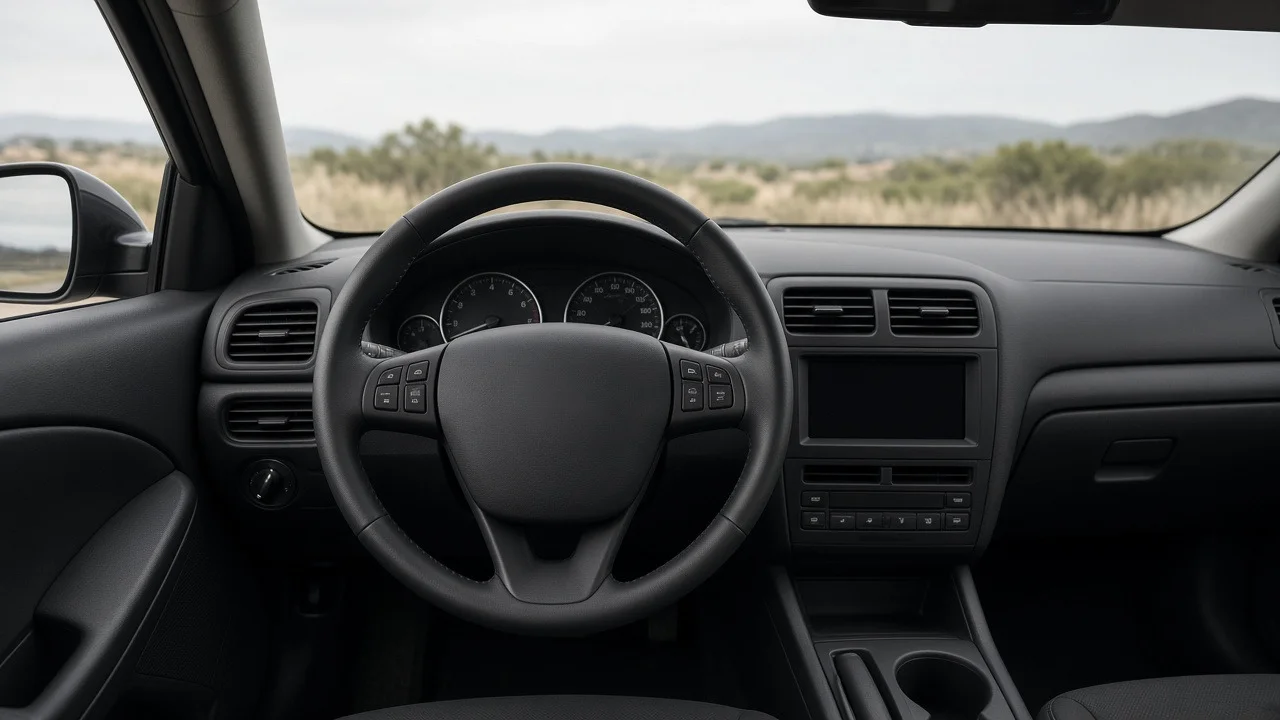
Pontiac Grand Prix steering wheel radio controls let the driver change volume, skip stations or tracks, and switch audio sources without reaching for the head unit. Not every Grand Prix has them. Availability depends on model year, generation and trim, and the exact button layout and functions changed over the car's production run. This guide explains what the controls generally do, how to tell whether your car has them, how they connect to the radio, and what to check if they stop responding.
The Short Answer
If your Grand Prix has audio buttons on the steering wheel spokes, they are remote inputs to the factory radio. You press them the same way you would press buttons on the dash unit, and the radio carries out the command. They usually cover the most common tasks: volume up and down, seek or next track, changing the audio source or band, and sometimes mute or preset selection. They work only with a radio that can understand their signals. That means the original factory unit or an aftermarket stereo connected through a compatible steering wheel control interface.
Which Grand Prix Models Have Them
Steering wheel audio controls were generally tied to higher trims and optional equipment packages rather than fitted to every car. They are more commonly found on later front-wheel-drive Grand Prix generations, particularly the late-1990s through 2008 cars, and on the sportier or better-equipped trims within those years. Base models and some earlier cars often did without them.
Window stickers, option codes and dealer descriptions can be misleading, especially on used cars that have had steering wheel or radio replacements. Looking at the car is the most reliable way to check. Buttons with audio symbols on the left or right spoke, or on both, mean the feature is fitted. A smooth spoke cover with no buttons means it is not. Also note whether the radio is original. A replaced head unit can leave working wheel buttons with nothing to talk to.
What the Buttons Typically Do
The labels and grouping vary between generations and between radio options, so read the symbols on your own wheel. The functions below are the ones GM steering wheel audio controls of this era usually provided:
Volume up and volume down: raises or lowers the radio volume, usually as a rocker switch or a pair of buttons marked with plus and minus symbols. Seek or next: on the radio, moves to the next strong station. With a CD or other media source, it skips to the next track. On some setups a long press scans or fast-forwards. Source, mode or band: steps through available sources such as AM, FM, CD and, where fitted, satellite radio or an auxiliary input. Preset or favorite: on some systems, cycles through stored radio presets instead of seeking. Mute: on some systems, silences audio without changing the volume setting. Non-audio buttons: some steering wheels in the same family also carry cruise control switches or, on certain years, buttons related to OnStar or the driver information display. These are separate functions, not radio controls.
Using the Controls Day to Day
The controls are designed to be used by feel, with your thumbs on the spokes. Learn the layout while parked so you don't need to look down while driving. A few practical points:
The radio must be on for the buttons to do anything. On most setups the wheel buttons cannot power the radio up from fully off. Some systems may turn audio back on from a muted or paused state. Seek behavior depends on the active source. If seek seems to do nothing, check whether you are on a media source with only one track or on a band with weak reception. Source or mode only cycles through sources the radio actually has. A CD-only unit will not show satellite radio even if the button is labeled for it on other versions. To change bass, treble, balance or other audio settings, you will generally still need the head unit. The wheel controls handle frequent adjustments, not setup.
How the Controls Connect to the Radio
Understanding the signal path helps with both troubleshooting and stereo upgrades. The buttons sit on a switch assembly mounted in the steering wheel. Because the wheel rotates, the wires cannot run straight into the column. Instead they pass through a component usually called the clock spring, or steering wheel coil assembly. This is a flat ribbon cable wound inside a housing behind the wheel that keeps electrical contact through the full steering range. The same clock spring typically carries the driver airbag circuit and the horn connection.
From the column, the signal goes to the radio. Depending on the year, GM systems of this period either sent button presses as changing resistance on a dedicated wire, read by the radio, or passed them through the vehicle's serial data network. This difference matters most when fitting an aftermarket stereo, because the adapter has to match the method your car uses.
When the Steering Wheel Radio Controls Stop Working
The pattern of the failure usually points to the cause. Work from the simplest explanations toward the more involved ones:
All buttons dead, radio works normally: suspect the clock spring, a disconnected connector behind the wheel or at the column, or a radio that no longer recognizes the inputs, for example after a head unit swap. Buttons dead and the horn also fails, or an airbag warning light is on: this strongly suggests a worn or broken clock spring, since it carries all three circuits. Have it diagnosed promptly, because the airbag circuit is affected. Only one or two buttons fail: a worn switch or contact in the button assembly is more likely than a wiring fault. Buttons act intermittently, or work only with the wheel turned to certain positions: typical of a clock spring ribbon that is starting to crack. Wrong function triggers, such as volume acting like seek: on resistance-based systems, a dirty switch or poor connection can shift the signal so the radio misreads it. On an aftermarket setup, the interface may need reprogramming. Controls stopped working right after a battery disconnect or radio replacement: confirm the radio is the correct type for the car and that any interface module is configured for the Grand Prix.
Clock Spring and Steering Wheel Work: Safety First
Replacing the switches or the clock spring means removing the driver airbag module and often the steering wheel itself. This is not a casual job. An airbag can deploy with enough force to cause serious injury if it is handled incorrectly. The usual approach is to disconnect the battery and wait the required time for the airbag system's reserve energy to dissipate before unplugging anything. Follow the factory service procedure for your model year, including the correct fastener specification for the steering wheel retaining nut and airbag mounting points. If you are not comfortable with airbag systems, have a qualified shop do the work.
The clock spring must also be centered when it is reinstalled. If it is installed off-center, the ribbon can run out of travel and tear when the wheel is turned to full lock, killing the radio buttons, the horn and the airbag circuit all at once. This also matters after steering or suspension work. If a wheel alignment, tie rod replacement or other steering repair leaves the steering wheel noticeably off-center, the fix belongs in the alignment, not in repositioning the wheel on its splines. Moving the wheel without correctly re-centering the clock spring risks damaging it.
Keeping Wheel Controls With an Aftermarket Stereo
Many Grand Prix owners replace the factory radio and want to keep the steering wheel buttons. This is usually possible but not automatic. An aftermarket head unit cannot read the Grand Prix's button signals directly. You generally need a steering wheel control interface module that translates the car's signals into the format the new stereo expects. Some installation harnesses for GM vehicles include this function. Others need a separate module.
Confirm the new stereo supports steering wheel control input. Most mainstream aftermarket units do, through a dedicated wire or a remote input. Choose an interface listed as compatible with your Grand Prix's model year and factory audio system, since the signaling method varies. If the car has a factory amplified or premium audio system, expect the harness requirements to differ from a base system. After installation, many interfaces need a programming or button-learning step. Follow the module's setup instructions before assuming a fault.
Retrofitting Controls to a Car That Didn't Have Them
Adding steering wheel audio controls to a Grand Prix that was built without them is more involved than it looks. Beyond the buttons themselves, it may require a different steering wheel or spoke trim, a clock spring with the extra circuits, additional wiring to the radio and a radio that accepts the inputs. Parts from other trims or years may not be a direct fit. For most owners, a modern aftermarket stereo with its own remote, or a phone-based control solution, is simpler. If you do attempt a retrofit, the airbag precautions above apply in full.
Bottom Line
On a Grand Prix that has them, the steering wheel radio controls are simple to use: volume, seek, source and sometimes mute or presets, all within thumb reach. Whether your car has them depends on its year and trim, so check the wheel itself. If they stop working, the clock spring, the button assembly and radio compatibility are the main suspects. Any repair that involves the airbag module should be done carefully, by the factory procedure, or handed to a professional.