JVC In-Dash Receivers with Built-In Bluetooth: What to Check Before You Buy
The Short Answer
Many JVC in-dash car stereos include Bluetooth in the receiver itself, so you can make hands-free calls and stream audio from your phone without a separate adapter. Not every JVC model has it, though, and the feature set differs from one unit to the next. Before buying, confirm three things: the receiver you are considering lists built-in Bluetooth, it physically fits your dashboard, and your car's steering wheel controls and factory audio system can be connected with the right adapters. That last point often decides how smooth the upgrade feels in daily use.
What Built-In Bluetooth Usually Covers
Bluetooth in a car stereo is really a group of separate functions, each defined by a Bluetooth profile, which is a standard that describes one type of task. A receiver can support some profiles and not others, so a listing that only says "Bluetooth" doesn't tell you everything.
Hands-free calling: lets you answer, end and place calls through the car speakers using a microphone connected to the receiver. Audio streaming: plays music, podcasts and navigation prompts from your phone wirelessly. Playback control: lets the receiver's buttons, and sometimes the steering wheel buttons, skip tracks and pause. Track and phonebook information: on units that support it, shows song titles or lets you browse contacts and call history on the stereo display. Voice assistant access: some receivers include a button that triggers your phone's voice assistant for hands-free commands.
If calling and streaming are all you need, most Bluetooth-equipped JVC units will cover you. If you want two phones connected at once, contact browsing on the screen, or voice assistant access, check that the specific model lists those features.
Single-DIN or Double-DIN
In-dash receivers come in two standard sizes. A single-DIN unit is the shorter, traditional rectangular stereo. A double-DIN unit is twice as tall and usually has a larger touchscreen. JVC offers Bluetooth-equipped models in both sizes. Your dashboard opening, and whether a dash kit can adapt it, decides which size you can use. Larger touchscreen units are also where you are more likely to find smartphone mirroring systems such as Apple CarPlay or Android Auto. Those systems are separate from basic Bluetooth, and wireless versions are not available on every screen model.
Call Audio Quality Depends on the Microphone
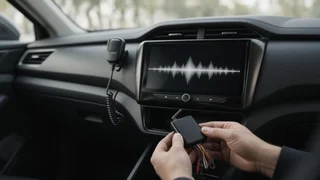
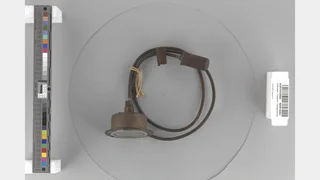
For hands-free calling, the microphone matters more than most buyers expect. Receivers with built-in Bluetooth usually connect to an external microphone that you mount near the driver, often on the headliner, the A-pillar or the steering column. Placement affects how clearly callers hear you. A microphone close to your mouth and away from air vents, open windows and road noise tends to work best.
Check whether the microphone comes in the box and how long its cable is. Plan the cable route before installing the receiver, because it is much easier to run the wire through the trim while the dashboard is already open.
Steering Wheel Controls and Interface Adapters
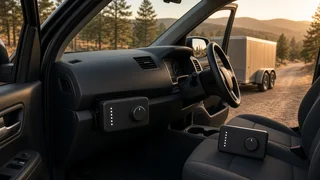
If your car has buttons on the steering wheel for volume, track skipping or answering calls, those buttons won't work with an aftermarket receiver on their own. You usually need a steering wheel interface. This is a small adapter module that translates your car's control signals into commands the JVC receiver understands. Many JVC receivers have an input wire for this kind of adapter, but you should confirm that the model you choose supports steering wheel control input.
Adapter compatibility is tied to your vehicle's make, model, model year and sometimes trim level. Two cars that look identical can use different wiring or data systems depending on the year or whether they came with a premium audio package. When you shop for an interface adapter, match it to your exact vehicle details and confirm it lists JVC as a supported brand. Losing the ability to answer a call from the wheel is one of the most common disappointments after a stereo swap.
Vehicle Integration Beyond Bluetooth
Fitting a new receiver into a modern car can involve more than plugging in the stereo. Before buying, look at what else your vehicle needs:
Dash kit: trim that fills the gap between the receiver and your dashboard opening. Wiring harness adapter: connects the receiver to your car's factory plug so you don't have to cut original wires. Antenna adapter: some vehicles use a connector that doesn't match a standard aftermarket antenna input. Factory amplifier or premium audio: cars with a branded factory sound system may need a specific integration module to keep the speakers working correctly. Data-bus vehicles: in some newer cars, the stereo is tied into systems such as warning chimes, climate displays, parking sensors or vehicle settings menus. Replacing it may require an integration interface that preserves those functions.
If your car shows climate information or vehicle settings on the factory stereo screen, find out how an aftermarket receiver will affect that before you commit. In some vehicles, keeping those functions requires a specialized module. In others, they can't be fully retained.
Phone and Software Compatibility
Bluetooth is a shared standard, so most current phones will pair with a Bluetooth-equipped JVC receiver for calls and music. Software compatibility can still affect advanced features. Phonebook transfer, message readout and track information depend on how your phone and the receiver handle the relevant profiles, and phone operating system updates occasionally change that behavior.
Some receivers can take firmware updates, which are software updates for the stereo itself, to improve compatibility or fix connection issues. If you keep a stereo for many years while replacing phones regularly, update support is worth checking before you buy.
Pairing and Connection Settings
Device pairing on a JVC receiver generally follows the usual Bluetooth routine. You put the receiver into pairing mode from its menu, select it from your phone's Bluetooth list, and confirm a code if prompted. After the first pairing, the receiver normally reconnects automatically when you start the car.
Look through the connection settings once you're paired. Depending on the model, you may be able to set auto-answer, choose which phone gets priority when two are paired, adjust microphone gain, or turn auto-connect on or off. If calls sound faint or echo to the other person, adjusting microphone level and moving the microphone are the usual first steps. Deleting the pairing on both the phone and the receiver and pairing again often fixes reconnection problems.
Checklist Before You Buy
Confirm the exact JVC model lists built-in Bluetooth, and check for the specific features you want, such as dual-phone connection or voice assistant access. Check whether your dash takes a single-DIN or double-DIN unit, or what dash kit is needed. Make sure a hands-free microphone is included and plan where it will mount. If you want to keep steering wheel buttons, confirm the receiver supports a steering wheel interface and buy an adapter matched to your vehicle's year, model and trim. Identify whether your car has a factory amplifier, premium audio system or functions built into the stereo that need an integration module. If you want CarPlay or Android Auto, choose a screen model that lists it, and check whether it's wired or wireless. Decide whether you'll install the receiver yourself or pay for installation, especially for vehicles with complex factory integration.
Choosing Your Next Step
If your car is older, with a standard stereo opening and no factory amplifier, a Bluetooth-equipped JVC receiver plus the correct dash kit and harness is usually a straightforward upgrade. If your car is newer, has a premium factory sound system, or uses the stereo screen for vehicle settings, start by researching the integration hardware for your exact model year and trim. Then choose a JVC receiver that works with that hardware. Doing it in that order keeps the hands-free calling, steering wheel controls and existing vehicle features working the way you expect.