How to Change a Key Fob Battery
The Short Answer
On most vehicles, you can change a key fob battery yourself in a few minutes. Open the fob's plastic case, note how the old battery sits, swap in a new battery of the same type with the same orientation, close the case, and test the buttons. A key fob is the handheld remote that locks and unlocks the vehicle and, on keyless or push-button-start models, lets the car detect that the key is nearby.
Two conditions change this answer. First, fob designs vary widely by manufacturer, model and model year, so the opening method and battery type depend on your specific key. Second, while many fobs work right after a battery swap, some vehicles need the remote to be resynchronized afterward. Your owner's manual is the authoritative source for both points on your vehicle.
Before You Start
Confirm the battery is the likely problem. Common signs include a shorter remote range, buttons that only work on repeated presses, or a low key battery warning on the dashboard. If the fob stopped working suddenly after being dropped or getting wet, the fault may be damage rather than a weak battery.
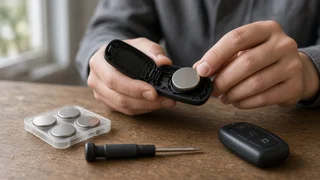
Identify the correct replacement battery. Most fobs use a flat lithium coin cell, and the type code is printed on the face of the battery itself, for example a code such as CR2032 or CR2025. The code identifies the size and chemistry, so match it exactly. The owner's manual usually lists the battery type as well. If you cannot see the code until the fob is open, open it first and buy the replacement before removing the old cell.
What You Need
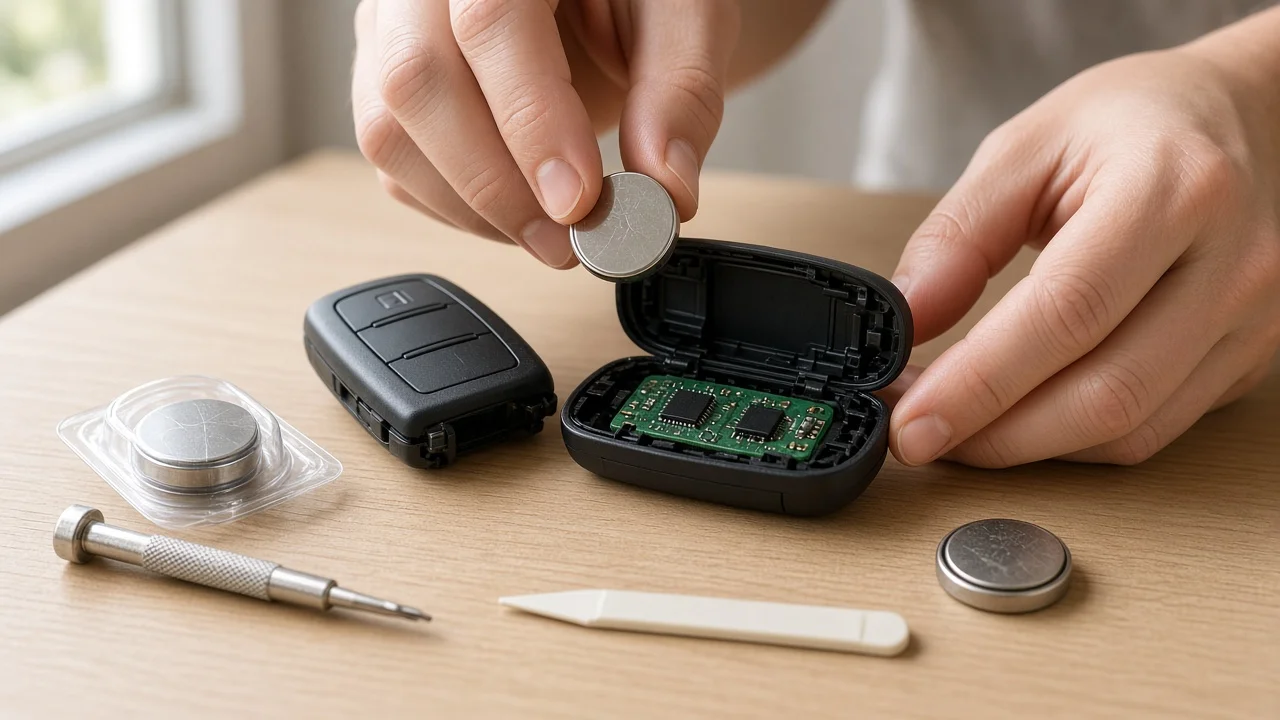
A new battery matching the code on the old one; A small flat-blade screwdriver, a plastic pry tool or a coin, depending on the fob design; A small Phillips or Torx screwdriver if your fob case is held together with a screw; A clean, well-lit work surface; Your owner's manual, for the vehicle-specific procedure
Step-by-Step: Replacing the Battery
Step 1: Remove the mechanical key, if there is one. Many fobs hide a physical backup key blade inside the case, released by a small slide or button. Removing it often exposes the slot or seam used to open the case. Keep the blade somewhere safe.
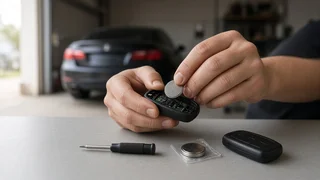
Step 2: Open the case. Look for a notch along the seam where the two halves meet, a small screw, or a battery cover on the back. Insert your tool into the notch and twist gently rather than levering hard. A plastic tool or a screwdriver wrapped in tape reduces the chance of scratching the case. Stop if the case resists firm, gentle pressure: forcing it can crack the housing or break internal clips. Check the manual for the correct opening point instead.
Step 3: Note the battery orientation. Before removing anything, look at which side of the battery faces up, usually marked with a plus sign. Taking a photo is an easy way to record it.
Step 4: Remove the old battery. Slide or lift it out of its holder, using a plastic tool where possible. Avoid touching or bending the metal contacts or the circuit board. If you see corrosion, liquid damage, or a loose or broken component on the board, stop: a battery change will not fix it, and the fob may need professional repair or replacement.
Step 5: Install the new battery. Insert it with the same side facing up as the old one. Try to handle it by the edges, since skin oils on the flat faces can interfere with contact. Make sure it sits fully in the holder.
Step 6: Reassemble the fob. If there is a rubber seal or gasket around the edge, make sure it is seated properly so the case keeps its moisture protection. Align the two halves and press them together until they snap closed all the way around, refit any screw, and reinsert the mechanical key.
Check That It Works
Stand near the vehicle and test each button: lock, unlock, trunk or tailgate release, and any panic or remote-start function your fob has. On a vehicle with push-button start, also confirm the car recognizes the key and starts normally. The low key battery warning, if your vehicle has one, should clear, though on some vehicles this happens only after a drive cycle.
If the fob still does not respond, open it again and check that the battery is the correct type, installed the right way up, and seated firmly against the contacts. If everything looks correct, consult the owner's manual for a resynchronization procedure; some vehicles need one after the battery is changed.
When to Get Professional Help
Contact a dealer or qualified automotive locksmith if the fob still fails after a correct battery change and any resync steps in the manual, if the circuit board or case is damaged, or if your fob is a sealed design that the manufacturer does not intend owners to open. Programming a new or replacement key to the vehicle generally requires dealer or locksmith equipment and is a separate job from a battery change.
Safety and Disposal
Lithium coin cells are a serious hazard if swallowed, particularly for young children and pets, because they can cause severe internal injury. Keep new and used batteries out of reach, and seek emergency medical help immediately if a battery may have been swallowed. Dispose of the old battery through a battery recycling or collection point rather than leaving it loose; covering the terminals with tape before disposal helps prevent short circuits.
If the Fob Dies Before You Can Replace the Battery
Many vehicles provide a backup way in and a backup way to start. The mechanical key blade can usually unlock the driver's door, sometimes behind a removable cap on the handle. Many push-button-start vehicles have a designated spot, such as near the start button, the steering column or a console pocket, where holding a fob with a dead battery still lets the car recognize it. The exact location varies by vehicle and is shown in the owner's manual.
What This Guide Cannot Confirm
No vehicle-specific evidence was available for this guide, so it does not state battery types, opening methods, resync procedures or backup start locations for any particular make, model or model year. It also does not give battery life expectancies or prices. Use the owner's manual for your vehicle, or ask a dealer, to confirm these details before you begin.