Dual Bluetooth Car Stereo: How Two-Phone Connection Works and How to Choose One
The short answer
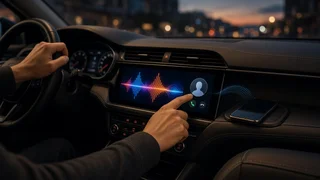
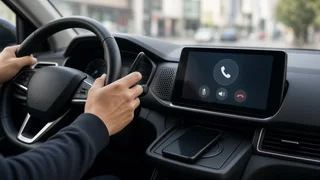
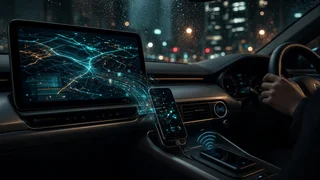
A dual Bluetooth car stereo is a head unit (the main audio and control unit in the dashboard) that can stay connected to two phones at the same time. In most designs, both phones can make and receive hands-free calls through the car's speakers and microphone. Music streaming usually comes from one phone at a time, and you switch between them. Many stereos can remember several phones but connect to only one at a time. Those units are not dual-connection stereos, even when the packaging mentions multiple paired devices.
The main condition that changes this answer is the stereo's feature set. Two-phone behavior is not standardized across brands. Some units allow calls on both phones but streaming from only one. Others let you choose one phone for calls and the other for audio. Wireless Apple CarPlay and Android Auto generally run from a single phone at a time, even on stereos that support two Bluetooth phones. Always check the specific unit's stated two-phone behavior before you buy.
Key terms that explain how it works
Bluetooth splits jobs into profiles, which are standard sets of rules for specific tasks. A stereo can support a profile on one phone and handle it differently on a second phone. That is why two-phone features vary so much between units.
Hands-Free Profile (HFP): carries phone calls, including call audio, the microphone, and answer and reject commands. Advanced Audio Distribution Profile (A2DP): carries stereo music and other media audio. Audio/Video Remote Control Profile (AVRCP): sends play, pause and skip commands, and often track information, between the stereo and the phone. Phone Book Access Profile (PBAP): lets the stereo display the phone's contacts and call history. Pairing: the one-time process where the phone and stereo exchange credentials and remember each other. Connection: an active link to a paired phone. A stereo may store many pairings but connect to only one or two phones at once. Multipoint or dual-phone connection: the ability to keep two phones actively connected at the same time.
How a two-phone setup typically behaves
Situation | Common behavior on dual-connection stereos | What varies by model; Incoming call on either phone | The stereo rings and shows which phone is receiving the call | Whether caller ID and contacts load for both phones; Outgoing call | You choose which phone to dial from, or a primary phone is used by default | How you select the phone, and whether voice dialing works on both; Music streaming | One phone plays at a time, and you switch sources manually | Whether switching is one touch or requires reconnecting; Call during music | Music pauses or mutes for the call, then resumes | Whether music resumes from the same phone automatically; Wireless CarPlay or Android Auto | Usually one phone runs the projection interface | Whether a second phone can stay connected for calls only
Who benefits from a dual Bluetooth stereo
Drivers who carry a personal phone and a work phone and need hands-free calling on both. Couples or families who share a vehicle and want both phones connected without re-pairing each trip. Rideshare or delivery drivers who keep a dedicated app phone alongside a personal phone. Anyone who wants one phone for navigation or calls and another for music.
If only one person uses the car with one phone, a dual-connection feature adds little. A stereo with reliable single-phone Bluetooth, or with CarPlay or Android Auto support, may be the better use of your budget.
What to check before buying
Explicit two-phone support: look for wording such as dual phone connection, two-phone simultaneous connection or multipoint. A phrase such as stores multiple devices alone does not confirm simultaneous connection. What each phone can do: confirm whether both phones get calls, whether both can stream, and how switching works. CarPlay or Android Auto interaction: if you use either system, check whether a second phone can stay connected for calls while projection runs. Physical fit: head units come in single-DIN (about 2 inches tall) and double-DIN (about 4 inches tall) sizes, and floating-screen designs also exist. Your dash opening determines which size fits. Vehicle integration: most installs need a vehicle-specific wiring harness adapter and dash kit. Keeping steering-wheel controls usually requires a compatible interface module. Microphone: an external microphone mounted near the driver usually gives clearer call audio than a microphone built into the faceplate. Check whether one is included. Factory features: some vehicles route amplifiers, chimes, cameras or climate displays through the factory radio. Replacing the radio may require extra adapters to keep these working, or it may not be practical.
Setting up two phones step by step
Menu names differ between brands, but the general process is similar on most units. The owner's guide for your stereo gives the exact menu path.
1) With the vehicle parked, turn on Bluetooth on the first phone and open the stereo's Bluetooth or Phone menu. 2) Select the option to add or pair a device, choose the stereo's name on the phone, and confirm the matching code on both screens. 3) Allow contact and call-history access on the phone if you want caller names and the phone book on the stereo. 4) Repeat the same steps with the second phone. Keep the first phone nearby with Bluetooth on so the stereo can hold both connections. 5) In the stereo's device list, confirm that both phones show as connected, not just paired. 6) If the unit offers it, set a primary or priority phone for outgoing calls and automatic reconnection. 7) If the unit lets you assign roles, choose which phone handles calls and which handles audio.
Verifying that both phones work
Call each phone from another number and confirm the stereo rings and shows the correct line. Place an outgoing call from each phone through the stereo and ask the other person whether your voice sounds clear. Stream music from the first phone, then switch the source to the second phone and confirm playback and track controls work. While music plays, take a call and confirm the music pauses and resumes afterward. Turn the car off and back on with both phones nearby, then confirm both reconnect automatically.
Common problems and fixes
Only one phone connects at a time: confirm the stereo actually supports simultaneous connection. If it does, check whether a setting limits it to one active device. The second phone knocks the first one off: delete both pairings on the stereo and on each phone, then pair them again one after the other. Music plays from the wrong phone: change the audio source on the stereo, or turn off media audio for that stereo in the phone's Bluetooth settings while leaving call audio on. Contacts missing on one phone: recheck contact-sharing permission on that phone and allow time for the phone book to sync. Poor call quality: check microphone placement and routing, and lower cabin noise sources such as fan speed. Issues after a phone update: update the stereo's firmware if the maker offers updates, then re-pair.
A note on hands-free use
Phone-use rules for drivers differ by state in the US. A dual Bluetooth stereo can make hands-free calling easier, but it does not by itself guarantee that every way of using a phone is allowed where you drive. Check your state's current rules, and do pairing and settings changes only while parked.