Can I View My Car Title Online?
The Short Answer
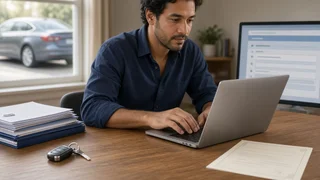
Sometimes, but usually not in the way people expect. In the United States, car titles are issued and recorded by individual state motor vehicle agencies, so online access depends entirely on the state that issued yours. Many states let owners check title status or record details online, and some issue electronic titles that exist only as a state database record. Few let you pull up an image of a paper title the way you would view a bank statement. If your title is paper, the official ownership document is the physical certificate, and anything you see online is a record about it, not a substitute for it.
Two other factors change the answer: whether the vehicle has a loan on it, and whether you want to see the official state record or just the vehicle's title history. Each is covered below.
What a Car Title Is and Where It Lives
A certificate of title is the state's legal record of who owns a vehicle. It typically lists the vehicle identification number (VIN), year, make and model, the owner's name, any lienholder, and any title brand. A title brand is a notation such as salvage, rebuilt or flood that records a significant event in the vehicle's history.
The state agency, often called the DMV, BMV, MVD or a similar name depending on the state, keeps the authoritative record in its database. The paper certificate is the document that record produces. When people ask whether they can view their title online, they usually mean one of three things: checking that the state record is correct, confirming who holds the title, or getting proof of ownership without the paper in hand.
Paper Titles vs. Electronic Titles
Some states issue electronic titles, sometimes called e-titles or part of an electronic lien and title (ELT) system. With an electronic title, no paper certificate is printed while the record stays electronic. Ownership and lien information exist only in the state database. In states that offer this, owners may be able to view the title record through an online account, and a paper title is printed only when it is needed, for example after a loan is paid off or when the owner requests one.
Other states still rely mainly on paper titles. There, online tools are usually limited to status checks, duplicate title requests or address updates rather than viewing the certificate itself. Whether your state offers e-titles, and for which situations, varies, so the state agency's own online services are the place to confirm what applies to you.
Title type | What exists | What you can typically see online; Paper title | A printed certificate plus the state record | Status or record details in some states; not usually an image of the certificate; Electronic title | A state database record only | The title record through a state online account, where offered; Lienholder-held (paper or electronic) | Title held by the lender until the loan is paid | Usually status or lien information; the lender controls release
If You Have a Car Loan
When a vehicle is financed, the lender is listed as the lienholder and often holds the title, either as a paper certificate or as an electronic record. In that case you generally cannot get the title in hand until the loan is satisfied. Once it is paid off, the lender releases the lien, and depending on the state the title is mailed to you, released electronically, or printed on request.
If you want to know where your title is during a loan, your lender can usually tell you whether it holds a paper title or an electronic lien, and some state systems show lien status online.
What You Can Usually Do Online
Online services differ from state to state, but these are the functions most commonly available:
Check title status, such as whether a title has been issued, is in process or has been mailed; View the title record for an electronic title through a registered owner account; Request a duplicate or replacement title if the original is lost, stolen or damaged; Confirm whether a lien is recorded or has been released; Update a mailing address so a title or replacement reaches you; Start or complete parts of a title transfer, in states that support it
To use these services you will usually need identifying details such as the VIN, title number or license plate number, along with personal identification. Driver and vehicle records are protected under federal and state privacy rules, so expect identity verification before seeing owner-specific information.
Official Records vs. Vehicle History Reports
There is a difference between viewing your title record and checking a vehicle's title history. The National Motor Vehicle Title Information System (NMVTIS) is a federal database that collects title and brand information from states, insurers and salvage-related businesses. Approved data providers sell reports drawn from it, and commercial vehicle history services combine title data with other sources.
These reports can show whether a VIN has carried brands like salvage or flood, and which states have titled it, which is useful when buying a used car. They do not show the current owner's name, and they are not proof of ownership. Only the state title record and certificate serve that purpose.
When You Still Need the Physical Title
For a paper-title vehicle, an online record does not replace the certificate. You will generally need the physical title, signed as required, to sell the car privately, transfer it to a new owner, or move it to another state. Registration documents are separate from the title and do not prove ownership on their own.
If you cannot find your paper title, the usual path is to request a duplicate from the state that issued it, which many states allow online, by mail or in person. Expect a fee and processing time that vary by state. If the vehicle has an electronic title, you may be able to request a printed copy instead.
How to Find Out What Your State Offers
Identify the state that issued your title; that is the state whose records apply, even if you have since moved; Go to that state motor vehicle agency's official online services and look for title status, e-title or duplicate title options; Have your VIN, title number or plate number and your ID ready; If the car is financed, ask your lender whether it holds a paper title or an electronic lien; If you need a history check rather than your own record, use an NMVTIS-based or other vehicle history report
Bottom Line
You can often check your car title's status, and in states with electronic titles you may be able to view the title record itself through an online account. With a paper title, the certificate remains the legal document, and online tools mainly help you confirm details or order a replacement. Start with the agency of the state that issued the title, and check with your lender if the vehicle is still financed.