Wireless CarPlay Projects on GitHub: What They Are and How They Differ
Searching GitHub for wireless CarPlay turns up a mix of repositories: software that talks to commercial CarPlay dongles, front-end apps for do-it-yourself infotainment builds, experimental bridges that try to make a wired CarPlay head unit work wirelessly, and protocol research notes. None of them is a single, finished product that adds wireless Apple CarPlay to any car. Most depend on licensed hardware somewhere in the chain, and results vary with the vehicle, the head unit, the adapter and the iPhone software version. This guide explains what these projects are, how they differ from each other and from off-the-shelf adapters, and how to judge whether one suits your goal.
The Short Answer
Open-source wireless CarPlay projects are hobbyist and developer tools, not plug-and-play upgrades. Apple controls CarPlay through its licensing program, and a genuine CarPlay session requires Apple's authentication, which is normally handled by a licensed authentication chip inside approved hardware. Because of that, most usable GitHub projects do not replace that hardware. Instead, they sit around it: they drive an existing interface adapter, display its video output on a custom screen, or add features such as steering wheel controls. Projects that claim to do everything in software alone are usually experimental, incomplete or dependent on components that are hard to source.
If you simply want wireless CarPlay in a car whose factory system supports only wired CarPlay, a commercial wireless adapter is the practical route. GitHub projects make sense when you want to build or customize something: a Raspberry Pi head unit, a custom dashboard display, or a learning project around vehicle integration.
How Wireless CarPlay Works in General
Understanding the basic connection flow explains why open-source projects are structured the way they are. Wireless CarPlay uses Bluetooth for initial device pairing and discovery, then moves the actual session, including video, audio and touch input, over a Wi-Fi link between the iPhone and the head unit or adapter. The receiving device must authenticate itself to the iPhone before the session starts. Wired CarPlay carries the same kind of session over USB instead of Wi-Fi.
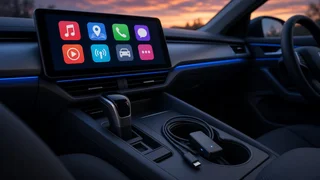
A wireless CarPlay adapter, often called a dongle, plugs into the USB port of a car that already supports wired CarPlay. To the car, it presents itself as an iPhone over USB; to the phone, it presents itself as a wireless CarPlay receiver. It relays traffic between the two. The authentication step on each side is the part that open-source code cannot simply recreate.
Main Types of Wireless CarPlay Projects on GitHub
Adapter Control and Receiver Software
The most practical category is software that communicates with a commercial CarPlay or Android Auto dongle over USB and receives its video and audio stream. The dongle handles pairing, the wireless link and authentication, while the open-source code decodes the stream, shows it on a screen and sends touch input back. These projects are often written in JavaScript, Python or similar languages and are used to build custom head units on single-board computers or laptops. Their software compatibility depends heavily on which adapter models and firmware versions the author tested, so a dongle that works for one person may not work for another.
DIY Head Unit Front Ends
Some repositories are full infotainment interfaces for homemade car computers. They may combine CarPlay through an adapter with media playback, vehicle data readouts, camera feeds and settings menus. Here, CarPlay is one feature among many. These projects tend to involve more hardware work: a display, power management that handles ignition on and off safely, audio output to the car's amplifier, and mounting.
Wired-to-Wireless Bridge Experiments
A smaller group of projects tries to turn generic hardware, such as a single-board computer with Wi-Fi and Bluetooth, into a wired-to-wireless CarPlay bridge, essentially an open-source version of a commercial dongle. The idea is appealing, but the authentication requirement on both the car side and the phone side makes this difficult. Such projects are often proofs of concept, may require hardware salvaged from licensed devices, and may stop working after iOS or head unit updates. Readers should treat them as research rather than a dependable solution. Note that the Android Auto ecosystem has more mature open-source wireless bridge projects; some search results mix the two, so check which platform a repository actually targets.
Protocol Research and Documentation
Some repositories contain notes, packet captures or partial implementations describing how CarPlay or Apple's accessory protocols behave. These are useful for developers and security researchers, but they are not something a typical driver can install.
Steering Wheel and Vehicle Integration Add-ons
Another set of projects focuses on integration rather than CarPlay itself. A steering wheel interface project might read button presses from the car's wiring or data bus and translate them into commands for a DIY head unit, so that track skip, volume or voice control buttons work with CarPlay running through an adapter. How this is done depends on the vehicle: some cars use simple resistive button circuits, while many newer ones send controls over a CAN bus or a similar network. Code written for one make, model and model year rarely transfers directly to another.
How These Projects Compare
Project type | What it does | Licensed hardware still needed | Typical user; Adapter control software | Displays and controls a commercial dongle's CarPlay stream on a custom screen | Yes, the dongle | DIY head unit builders; DIY head unit front end | Full infotainment interface with CarPlay as one module | Usually, via an adapter | Hobbyists comfortable with wiring and Linux; Wired-to-wireless bridge | Attempts to replace a commercial wireless dongle | Often yes, or not reliably possible without it | Developers and tinkerers; Protocol research | Documents or partially implements the protocol | Not applicable | Developers and researchers; Steering wheel and vehicle integration | Connects car controls or data to a custom system | Depends on setup | Builders customizing a specific vehicle; Commercial wireless adapter (for comparison) | Adds wireless CarPlay to cars with factory wired CarPlay | Built in | Most drivers
What to Check Before Using a Repository
• Platform: confirm the project targets Apple CarPlay, not only Android Auto. • Required hardware: look for a clear list of supported adapters, boards, displays and firmware versions. • Activity: recent commits, responses to issues and open pull requests suggest the project still works with current iOS releases. • Open issues: read reported problems about connection settings, audio dropouts, pairing failures and specific vehicles. • License: check the open-source license if you plan to modify, share or sell anything based on the code. • Setup complexity: note whether installation needs compiling code, editing configuration files or flashing an operating system image. • Vehicle integration scope: check whether power handling, audio routing and steering wheel controls are covered or left to you.
Practical Limitations and Risks
Several limits apply across almost all of these projects. Compatibility can change without warning when Apple updates iOS or an adapter maker updates firmware. Video latency, audio quality and touch responsiveness depend on the computer, display and adapter used, so experiences reported by others may not match yours. Wiring a custom unit into a car carries electrical risks if power, grounding and fusing are done poorly, and modifying factory systems may affect warranty coverage depending on the manufacturer and the nature of the change. Projects are maintained by volunteers, and support can end at any time.
It is also worth considering driver distraction. A homemade interface may not follow the same design constraints that Apple and automakers apply to factory and certified systems, so mounting position, screen brightness and control layout deserve careful thought.
Which Route Fits Your Goal
• Your car has factory wired CarPlay and you want it wireless: a commercial wireless adapter is the simplest option. • Your car has no CarPlay and you want a factory-like result: an aftermarket head unit with built-in wireless CarPlay is usually more reliable than a DIY build. • You want a custom dashboard or a learning project: adapter control software or a DIY head unit front end on GitHub is the realistic starting point. • You want to understand or extend the protocol: protocol research and bridge experiments are the relevant repositories, with the expectation that they may be incomplete.
Bottom Line
Wireless CarPlay projects on GitHub are building blocks for developers and hobbyists rather than ready-made car upgrades. The useful ones generally work alongside a licensed adapter, adding custom displays, interfaces or steering wheel integration around it. Pure software replacements for licensed hardware remain experimental. Choose a project by matching its supported hardware, activity level and vehicle integration scope to what you actually want to build, and use a commercial adapter or head unit if your goal is simply dependable wireless CarPlay.