Does Wireless CarPlay Use Bluetooth or Wi-Fi?
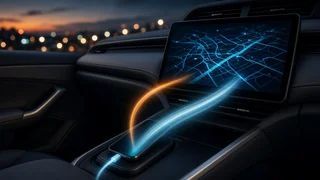
Wireless Apple CarPlay uses both Bluetooth and Wi-Fi, but for different jobs. Bluetooth handles discovery and the initial handshake between your iPhone and the car. Once that link is established, a direct Wi-Fi connection between the phone and the head unit carries the actual CarPlay session, including the screen interface, navigation, music and other app data. Bluetooth alone does not have enough bandwidth to run CarPlay's full interface, which is why both radios need to be switched on.
The Short Answer
Bluetooth: used to find the car, pair the iPhone and set up the connection. Wi-Fi: used for the CarPlay session itself, streaming the interface, audio and app data between phone and head unit. Both must be enabled on the iPhone for wireless CarPlay to start and stay connected. Wired CarPlay uses neither for the main session; it runs over a USB cable instead.
How the Connection Works Step by Step
When you first set up wireless CarPlay, the car and iPhone exchange information over Bluetooth. This step identifies the two devices to each other and passes along the credentials needed to create a private Wi-Fi link. The phone then joins a Wi-Fi connection hosted by the car's infotainment unit. This is a direct, local link between the two devices, not an internet connection, and it typically operates in the 5 GHz band, which offers the higher throughput needed for smooth screen updates and audio.
After the first pairing, the process usually repeats automatically each time you start the car with your iPhone nearby: Bluetooth recognizes the known device, and the Wi-Fi session is brought up in the background. Depending on the vehicle's implementation, Bluetooth may remain connected alongside Wi-Fi during the session for certain control functions, but the heavy data traffic travels over Wi-Fi.
Why Bluetooth Alone Is Not Enough
Standard Bluetooth connections in cars were designed mainly for hands-free calling and audio streaming. CarPlay does much more than play audio: the iPhone renders the entire CarPlay interface and sends it to the car's display as a continuous video-like stream, while also receiving touch, knob and steering-wheel inputs in return. That workload needs more bandwidth and lower latency than typical Bluetooth links provide, so Apple's design relies on Wi-Fi for the session and keeps Bluetooth for the lightweight setup role.
Wireless CarPlay vs. Bluetooth Audio vs. Wired CarPlay
Connection type | What carries the data | What you get; Bluetooth only (no CarPlay) | Bluetooth | Calls and audio streaming; the car's own interface controls playback; Wireless CarPlay | Bluetooth for setup, Wi-Fi for the session | Full CarPlay interface on the car screen without a cable; Wired CarPlay | USB cable | Full CarPlay interface, with the phone typically charging through the cable
A common point of confusion is seeing your iPhone listed as a Bluetooth device in the car and assuming that is how CarPlay runs. Being paired over Bluetooth is only part of the picture; if Wi-Fi is turned off on the phone, wireless CarPlay generally will not launch, even though basic Bluetooth calling and audio may still work.
It Is Not the Car's Wi-Fi Hotspot
Some vehicles offer an onboard Wi-Fi hotspot powered by a built-in cellular modem and a data plan. Wireless CarPlay does not depend on that service. The Wi-Fi link CarPlay uses is a local connection between the phone and the head unit, and the internet data for apps such as maps or streaming music comes from the iPhone's own cellular connection. You do not need an active vehicle data subscription for wireless CarPlay to work.
Practical Effects for Drivers
Keep both Bluetooth and Wi-Fi turned on in iPhone settings; turning off Wi-Fi is one of the most common reasons wireless CarPlay fails to connect. While the phone is linked to the car over Wi-Fi, apps continue to get internet access through cellular data. Wireless operation does not charge the phone, and running Wi-Fi, GPS and streaming together can drain the battery faster on long drives; a charging pad or cable helps if the car supports it. Audio and screen responsiveness can occasionally lag slightly compared with a wired connection, and interference in crowded radio environments may affect stability.
Which Cars Support Wireless CarPlay
Support varies by manufacturer, model, model year, trim and infotainment system. Some vehicles offer only wired CarPlay, some offer wireless only on certain trims or screen sizes, and some gained wireless capability through a later model-year update or a software update from the manufacturer. The only reliable way to know is to check the specific vehicle's infotainment specifications or the CarPlay settings in the car itself.
For cars that support only wired CarPlay, aftermarket wireless adapters are available. These plug into the car's USB port and present themselves to the car as a wired iPhone, while connecting to the phone using the same Bluetooth-then-Wi-Fi method. Performance and reliability depend on the adapter and the vehicle, so results can differ from built-in wireless CarPlay.
If Wireless CarPlay Will Not Connect
Confirm that Bluetooth and Wi-Fi are both enabled on the iPhone and that Airplane Mode is off. Make sure CarPlay is not restricted in the iPhone's Screen Time settings. In the iPhone's CarPlay settings, remove the car and set it up again if the connection had worked before. Check that the car's infotainment system has wireless CarPlay enabled and, if the manufacturer offers updates, that the software is current. Restart both the phone and the infotainment system.
Bottom Line
Wireless CarPlay is not a Bluetooth-only or Wi-Fi-only feature. Bluetooth introduces the phone to the car and starts the connection, and Wi-Fi does the heavy lifting for the entire CarPlay experience. Keeping both radios on is the key requirement, and whether your car offers wireless CarPlay at all depends on its specific model year, trim and infotainment hardware.