What Is a Car's Wi-Fi Update Connection?
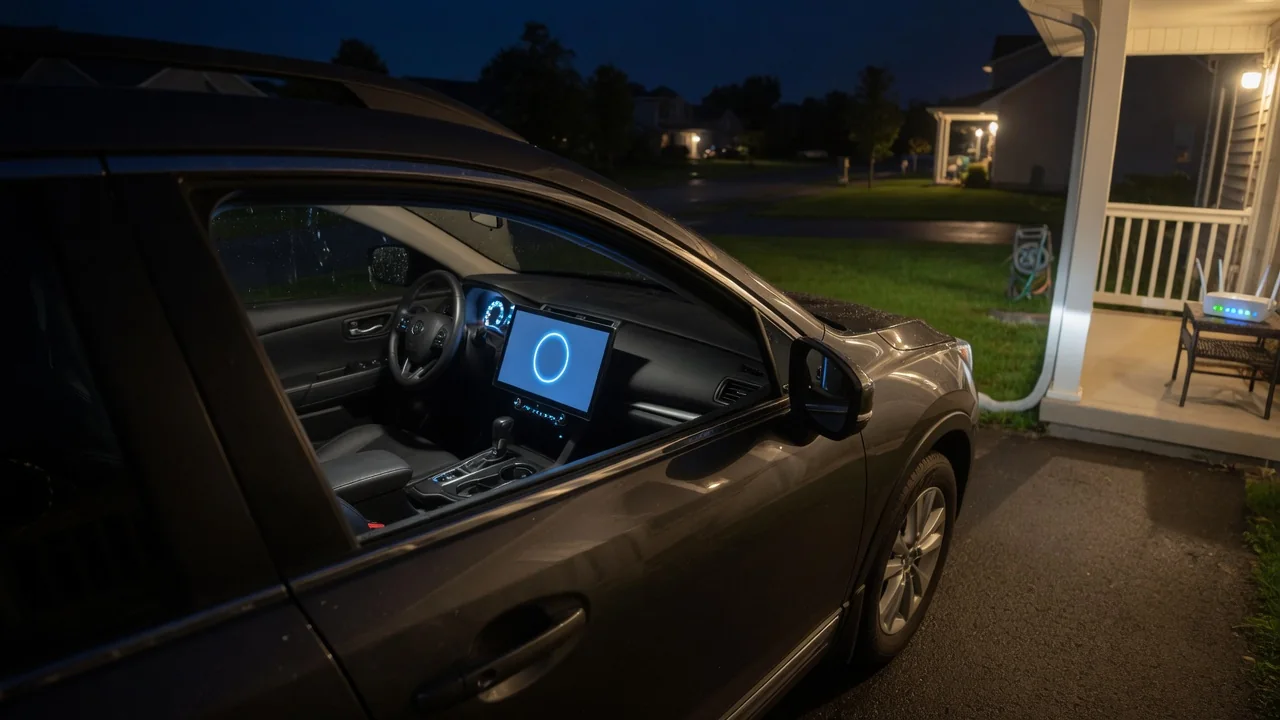
A car's Wi-Fi update connection is the link a connected vehicle uses to download software from its manufacturer over a wireless local network, such as a home router or a phone hotspot. This can be an alternative to the car's built-in cellular modem or a dealer visit. Understanding the connection explains what happens during a vehicle Wi-Fi software update: where the files come from, how they are installed, and how to confirm the result.
Download Network: How the Car Reaches the Update Server
In vehicles that support it, the infotainment or telematics unit includes a Wi-Fi radio that can join a nearby network much as a laptop or phone does. The owner typically selects a network from a settings menu and enters its password, and the car remembers it for later sessions. Once connected, the vehicle can contact the manufacturer's update servers through that network's internet connection. Many connected cars also have an embedded cellular modem, and the two paths often coexist. Cellular may handle small updates, notifications, or remote services, while Wi-Fi is offered or required for larger downloads. The manufacturer decides how a given vehicle divides that work, and the split can vary between brands, models, and software versions.
Wi-Fi is attractive for software updates for practical reasons. Update packages for infotainment systems, navigation maps, or vehicle control modules can be large. Moving them over a home broadband connection avoids using up a cellular data allowance that the manufacturer or owner may be paying for. A stable home network can also be faster and more consistent than mobile coverage in a garage or parking structure. Some vehicles download in the background whenever they are parked within range of a known network. Others wait for the owner to start the download or accept a prompt.
Security is a central part of this stage. Manufacturers generally use encrypted connections between the car and their servers and digitally sign update packages. Signing lets the vehicle check that a file came from an authorized source and was not altered in transit. The Wi-Fi network is therefore only a transport: the car does not trust the content simply because it arrived over a familiar connection. Owners should still use networks they control. Public networks or networks that require a browser login page may not work with a vehicle at all.
Installation: What Happens After the Download
Downloading and installing are usually separate steps. After the package arrives and passes its integrity checks, the car stores it until conditions allow installation. Depending on the vehicle and the type of update, installation may begin automatically, at a time the owner schedules, or only after the owner confirms a prompt on the center screen or in a companion app. Before it starts, the system typically displays release notes or an estimated duration.
Updates that affect driving-related modules commonly require the car to be parked, sometimes in a specific gear position, switched off, or locked. The vehicle may not be drivable until the process finishes. Manufacturers often require conditions such as adequate battery charge, because a power interruption while software is being written could leave a module in an incomplete state. Infotainment-only updates may install while the system remains partly available, sometimes followed by a restart of the screen. Some architectures write the new software to a separate memory area while the old version keeps running, then switch over at the next restart. That approach allows a fallback to the previous version if something goes wrong. Whether a particular car uses this method is a design choice that the owner's manual or manufacturer can confirm.
During installation the Wi-Fi connection is often no longer needed, because the files are already stored locally. Moving the car out of range after the download completes does not necessarily interrupt the process, although the exact behavior depends on the vehicle.
Verification: Confirming the Update Installed Correctly
Verification happens on two levels. Internally, the vehicle checks that each updated module accepted the new software. It often does this by validating checksums or signatures and confirming that the module reports the expected version after restarting. If a check fails, the system may retry or revert to the previous version where that capability exists. It may also display a message advising the owner to contact a dealer.
For the owner, verification is simpler. Most connected vehicles show a completion message on the center display or in the companion app. The current software version is usually listed in a settings or system information menu. Comparing that version with the one in the update notice or release notes confirms that the update applied. It is also reasonable to check that features mentioned in the notes behave as described and that no new warning lights have appeared. The car may report a failed installation, or a warning may persist after a normal restart. In either case, the safest step is to follow the on-screen guidance or contact an authorized service center rather than repeatedly retrying the update.
Practical Implications and Limits
Not every car with a Wi-Fi feature uses it for updates. In some vehicles the onboard Wi-Fi is only a hotspot that shares the car's cellular data with passengers' devices. Joining an outside network to download software is a different function. The owner's manual or the vehicle's settings menu is the reliable way to tell which capabilities a specific car has; a Wi-Fi icon alone does not answer the question.
Range and placement matter in everyday use. A router inside the house may provide a weak signal in a detached garage or driveway, and the vehicle body can reduce reception further. If downloads stall, owners can try parking closer to the router or adding an extender that covers the parking area. Temporarily sharing a phone hotspot is another option, keeping in mind any data limits on the phone plan. Networks that use enterprise-style logins or browser sign-in pages are generally poor candidates.
A Wi-Fi update connection also does not replace every other update path. Some modules, recalls, or repairs may still require a dealer visit with diagnostic equipment. Certain updates may be delivered only over cellular or only during service. Availability can also depend on region, connected-service status, or vehicle configuration. It is best to treat the Wi-Fi connection as one convenient channel, not a guarantee that the car will always run the latest software.