Vehicle Head-Up Display: What It Is, How It Works and How It Differs from Other Displays
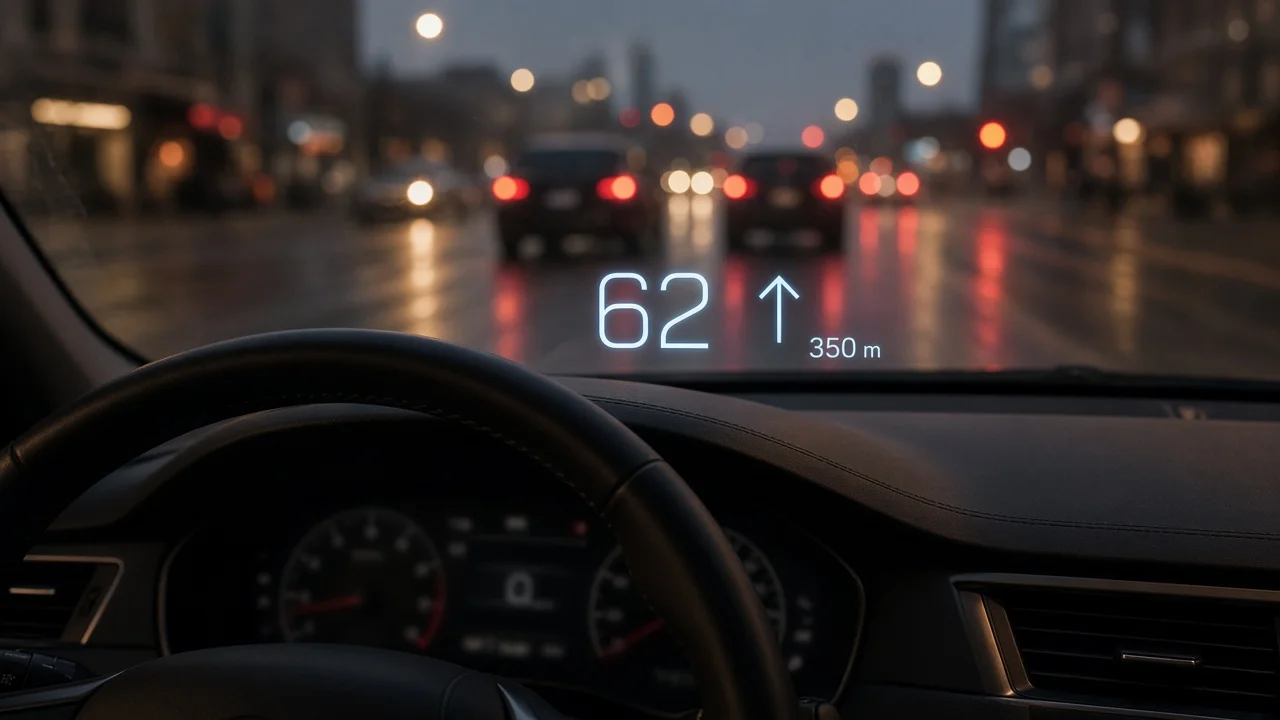
A vehicle head-up display, usually shortened to HUD, projects key driving information into the driver's forward line of sight so it appears to float ahead of the car, near the road. The goal is to cut how often and how long the driver looks down at the instrument cluster or center screen. What a particular HUD shows, how large and bright the image is, and how much you can customize it depend on the manufacturer, model, model year and trim. Two cars that both list a head-up display can offer very different experiences.
The short answer
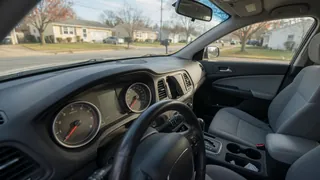
A head-up display is a secondary display. It repeats a selected subset of information, typically speed and navigation prompts, in a place you can read without lowering your eyes. It does not replace the instrument cluster. The cluster remains the main home for gauges, warning indicators and detailed display messages, and the owner manual remains the authority on what each symbol means for your vehicle.
How a head-up display works
A small display unit, usually mounted inside the dashboard just ahead of the cluster, produces an image. Mirrors and optics enlarge it and reflect it toward the driver. The optics are set so your eyes focus at a point some distance beyond the glass instead of on the glass itself. This is why the image appears to sit out over the hood and why reading it takes less refocusing than looking at a dashboard screen.
Factory systems generally use one of two reflecting surfaces:
Windshield-projection HUD: the image reflects off the windshield itself. This usually calls for a windshield made for HUD use, with a specially shaped interlayer that prevents a doubled or ghosted image. Combiner HUD: a small transparent panel rises from the top of the dashboard and serves as the reflecting surface. It does not depend on a special windshield, but the image area is usually smaller and the panel is a visible piece of hardware.
Augmented reality head-up displays
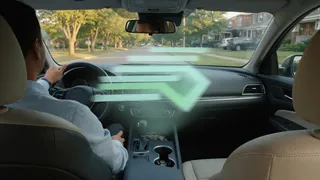
Some newer vehicles offer an augmented reality (AR) HUD. A conventional HUD shows symbols in a fixed window. An AR system tries to place graphics so they line up with the real scene, for example an arrow that appears to lie on the lane you need to turn into, or a marker on a vehicle being followed by adaptive cruise control. These systems need a larger projection area, more processing and input from cameras and other sensors. Their behavior and usefulness vary considerably between manufacturers, so it is worth trying one in person instead of judging from a feature list.
What a head-up display typically shows
Content differs by vehicle and often by selected display mode. Commonly offered items include:
Current vehicle speed; Turn-by-turn navigation prompts from the built-in system, and in some vehicles from a connected phone; Posted speed limit, where the car supports traffic sign recognition or map-based limits; Cruise control and adaptive cruise control operating status; Driver-assistance alerts, such as forward collision or lane departure warnings; Tachometer or gear position, often in sport or performance modes; Incoming call or media information on some systems
Many systems let the driver choose which items appear, so a minimal speed-only layout is often possible. Some critical alerts may still appear on the HUD regardless of these settings, depending on how the manufacturer designed the system.
Head-up display versus instrument cluster
Aspect | Head-up display | Instrument cluster; Location | Projected into the forward view | Behind the steering wheel, below the windshield line; Role | Quick-glance subset of information | Primary source of gauges, warnings and messages; Warning indicators | Selected alerts on some systems | Full set of warning indicators and telltales; Detailed display messages | Usually limited or none | Fuller text messages and menus; Customization | Content, height and brightness often adjustable | Layout options vary by vehicle; Visibility limits | Can be affected by polarized sunglasses and strong sunlight | Generally readable in most lighting
In practice the two work together. If a warning appears on the HUD, the instrument cluster usually holds the more complete message, and the owner manual explains what action is required.
Factory versus aftermarket head-up displays
Aftermarket units are sold for vehicles that did not come with a HUD. They generally fall into a few groups:
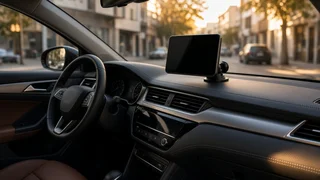
Units that plug into the OBD-II diagnostic port and read data such as speed and engine RPM from the vehicle; GPS-based units that calculate speed from satellite position without connecting to vehicle data; Phone-based setups that reflect a smartphone app's screen off a film or small reflector panel
Aftermarket options can add basic information to an older car, but they differ from integrated systems in important ways. They usually sit on top of the dashboard rather than inside it. The image may look less sharp or appear closer to the glass. Reflective films can leave marks or affect the view through the windshield. Data available through the OBD-II port varies by vehicle, and a unit left plugged in may draw small amounts of power with the engine off. Mounting anything on the windshield or dashboard should also take into account local rules about obstructing the driver's view and the airbag deployment zone.
Adjusting a head-up display
Most factory systems include settings, usually in the vehicle settings menu or through dedicated controls, for:
Image height, so the display sits correctly for your seating position; Brightness, often with automatic adjustment based on ambient light; Content selection and layout; On some systems, image rotation or tilt correction; Turning the HUD off entirely
Set your seat and mirrors first, then adjust HUD height. Some vehicles link HUD position to driver memory settings, so each stored driver profile can keep its own position.
Common issues and what to check
Many apparent HUD faults turn out to be settings or conditions rather than hardware failures. Before assuming a defect, a simple diagnostic check of the following usually helps:
Image not visible: confirm the HUD is switched on in the settings menu and that its height has not been moved out of your sight line. Image disappears with sunglasses: polarized lenses can make a windshield-projected image dim or invisible. Try non-polarized lenses to confirm the cause. Image too dim or too bright: check whether automatic brightness is active and whether the ambient light sensor on the dashboard is covered. Doubled or ghosted image: this can follow a windshield replacement with glass not made for HUD use. Obstructed image: items placed on the dashboard, or a dirty or covered projector opening, can block or distort the display.
If the HUD shows an error, stops working after these checks, or other displays also behave abnormally, follow the owner manual and have the vehicle inspected by a qualified technician or dealer.
Windshield replacement on HUD-equipped vehicles
For vehicles with a windshield-projection HUD, the replacement glass matters. A standard windshield without the HUD interlayer can produce a blurred or double image. When arranging a replacement, tell the glass shop that the car has a head-up display and confirm the replacement is specified for it. Many modern vehicles also have cameras mounted at the windshield for driver-assistance features, and these may need recalibration after glass replacement. Requirements vary by vehicle.
Is a head-up display worth having?
This is a matter of preference and driving habits rather than a clear-cut answer. Drivers who rely heavily on navigation, drive frequently at highway speeds, or want to check speed without looking down often find a HUD worthwhile. Others find any extra image in the field of view distracting, wear polarized sunglasses most of the time, or are satisfied with a well-placed instrument cluster.
When comparing vehicles, keep in mind that HUDs are often bundled into higher trims or option packages, and the feature can change between model years or generations of the same model. A test drive in different light conditions, including with the sunglasses you normally wear, is the most reliable way to judge whether a particular head-up display suits you. Check the image size, how it lines up with your seating position, how much the content can be customized, and whether it remains readable in bright sunlight.