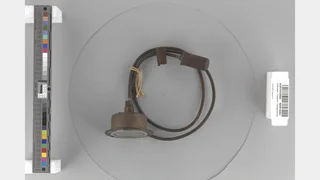
Set up Tunai Firefly steering wheel controls

Setting up the Tunai Firefly steering wheel controls turns a compact Bluetooth receiver into a more integrated in-car audio upgrade. The Firefly is designed to add wireless music and hands-free calling to vehicles that lack modern connectivity, while retaining as much factory control as possible. The steering wheel control question usually appears when an owner has connected the unit and found that volume, track, or voice buttons either do not respond or behave inconsistently. This guide explains what can be reasonably understood from the setup process and how to approach the available control options without assuming a single vehicle behavior.
Essential answer
The Tunai Firefly is generally a Bluetooth adapter that connects through a vehicle's factory auxiliary input or USB port, not a full replacement head unit with a dedicated steering wheel interface. Because of that design, its steering wheel control support is indirect. Some vehicles may pass certain commands through the USB or auxiliary path, but many factory steering wheel buttons continue to operate the factory radio rather than the external Firefly source. Owners should treat the Firefly primarily as an audio input and hands-free device, while expecting steering wheel buttons to have limited or vehicle-dependent control over playback on the adapter.
When the steering wheel buttons do affect the Firefly, the behavior often depends on how the vehicle routes media commands. A car that recognizes the Bluetooth receiver as an attached media source may allow track forward, track back, or pause commands. However, this is not a universal result. The term is best understood as a setup topic rather than a guaranteed feature: the Firefly may work with existing controls in some vehicles, but confirming the behavior requires observing the specific radio and phone connection. In many cases, the most reliable controls remain the phone or the small multifunction button on the adapter itself.