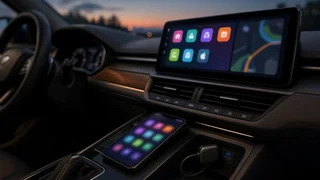
Hieha steering wheel controls
Selecting Hieha steering wheel controls starts with one practical question: will the switch assembly communicate properly with the vehicle and the head unit? A control pod is useful only when the steering wheel interface, connection settings, and software compatibility match the rest of the cabin electronics. This guide explains what to check before purchase, how device pairing and vehicle integration fit into installation, and why an interface adapter often decides whether the buttons actually work. The focus is concrete compatibility reasoning, not marketing claims, so a buyer can evaluate the product against the vehicle’s existing wiring and the receiver’s input support.
The direct answer
Treat Hieha steering wheel controls as a vehicle-specific accessory rather than a universal plug-and-play part. The direct answer is that they can work when the controller assembly matches the vehicle wiring, the head unit accepts resistive or data-based key commands, and an appropriate steering wheel interface is installed. If any of those conditions is missing, the buttons may light up but produce no command. Confirm the connector style, the receiver’s key input type, and whether the vehicle uses a clock-spring circuit or CAN data before assuming compatibility.
A separate interface adapter is often the missing piece. Many aftermarket radios read only a specific resistance ladder or data signal, while factory switch pods deliver different values. The adapter translates those inputs into commands the stereo understands. Connection settings inside the radio may also need to be changed from factory mode to universal key mode. Without that configuration step, good hardware can appear dead. Check that the Hieha controller includes wiring notes, and do not drill or splice until the signal path is verified.