How to Reset Chevy Sonic Oil Life

After an oil change on a Chevrolet Sonic, the oil life monitor must be reset to 100 percent by hand. The car will not do it automatically. The Sonic uses GM's Oil Life System, which estimates remaining oil life from engine operating conditions rather than mileage alone. If it is not reset, it will keep counting down from the old oil's figure and may call for a change too early. GM vehicles of the Sonic's era (sold in North America for the 2012 through 2020 model years) generally offer two reset methods: a menu reset through the Driver Information Center (DIC), and a reset sequence using the accelerator pedal. Which method works, and where the controls are, depends on the model year and how the instrument cluster is equipped. The owner's manual for your specific year is the authoritative reference.
Method 1: Reset through the Driver Information Center
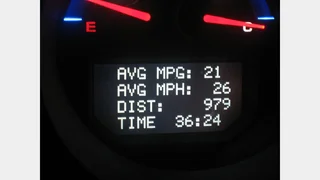
The Driver Information Center is the message display in the instrument cluster. It shows trip data, vehicle information and remaining oil life. On Sonics equipped with a DIC, this is usually the most direct way to reset.
1) Turn the ignition on. The engine can be off or running, as long as the vehicle is parked. 2) Use the DIC controls to scroll to the Remaining Oil Life display. 3) While that display is showing, press and hold the select or SET/CLR button. 4) Release the button when the reading changes to 100 percent.
The location of the DIC controls varies by model year. Some Sonics are commonly described as having the buttons on the turn-signal lever, while later versions use steering-wheel controls. This guide does not verify the exact button layout for each year, so check your owner's manual if the controls do not match the steps above.
Method 2: Reset with the accelerator pedal
Many GM vehicles of this period also accept a pedal-based reset. It is useful if the DIC menu is unavailable or the cluster lacks a full oil life display.
1) With the vehicle parked, turn the ignition to the on position without starting the engine. 2) Fully press the accelerator pedal and release it slowly. Do this three times within about five seconds. 3) Watch the oil life indicator or change-oil light. If it flashes and then goes out, the system has reset. 4) Turn the ignition off, then restart the vehicle to confirm the light stays off.
If the change-oil light comes back on at restart, the reset did not register. Turn the ignition off and repeat the sequence, paying attention to timing and fully pressing the pedal each time.
Confirming the reset and avoiding common mistakes
After either method, check the Remaining Oil Life reading (where your cluster shows one). It should read 100 percent, and no change-oil message should appear at startup.
Reset the monitor only after the oil and filter have actually been changed. Resetting does nothing to the oil itself, and resetting early hides a real service need. If the monitor is reset by accident, note the current mileage and track the interval manually until the next oil change.
What this guide does not cover
No year-by-year documentation was available for this guide. It does not confirm which Sonic model years support each method, or the exact control names and locations by trim. If neither method works on your vehicle, the owner's manual or a Chevrolet dealer can confirm the correct procedure for your model year.