What Is an Over-the-Air Update in a Car
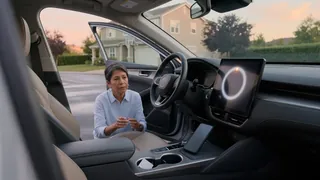
An over the air update in a car is a wireless method for changing the software that controls many vehicle functions. Instead of visiting a dealership for a service appointment, a driver receives an update package through a cellular or Wi-Fi connection. The vehicle verifies the download, checks system compatibility, and installs the revised software version. This process can refine infotainment behavior, improve driver-assist operation, or address glitches. Understanding what an over the air update in-car means helps owners recognize why a screen prompt or background download is appearing and what the vehicle is doing.
Meaning
In an automotive context, the term describes a wireless software delivery method rather than a mechanical repair. The car receives data that changes how an electronic module behaves, without removing hardware or connecting a shop computer. A new software version may adjust touchscreen responses, navigation logic, battery management, or powertrain coordination. The update package is downloaded, validated, and applied to the appropriate controller. These changes often happen silently or appear as a message on the instrument cluster or center display.
An over the air update car process is distinct from updating a phone app because the vehicle has multiple networked control units. The system must ensure that the new code matches the installed hardware and does not disrupt safety-related functions. The phrase covers everything from small map or media fixes to substantial module updates. For an owner, the practical significance is convenience: the car can receive refinements while parked at home or during normal use, reducing the need for a dealership visit.
How it works
The vehicle first establishes a download connection through an embedded cellular modem or a saved Wi-Fi network. The manufacturer sends an update package sized for the target modules, and the car checks that the file is complete and unaltered. It then evaluates installation state and vehicle power before proceeding. Large updates may require the battery to hold a minimum charge or the ignition to be in a specific position. Small background packages can transfer while driving, but installation usually waits for a safe, stationary condition.
During installation, the relevant controllers are reprogrammed in a controlled sequence. The system checks system compatibility against the new software version and may reboot individual modules. Some updates bring visible changes right away; others only improve internal logic. If vehicle power becomes unstable, the process should pause or roll back to a stable state. After completion, the car records the new software and can notify the driver. This entire sequence is designed to prevent a partial update from leaving a module unresponsive.
Key differences
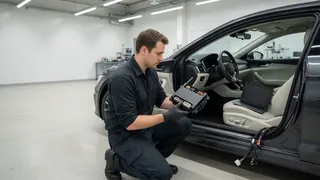
The main distinction is between wireless updates and traditional dealership programming. A dealership technician uses a wired scan tool to load software into a specific module, often as part of a recall or repair. An over the air update car delivery can target the same software, but it occurs through the vehicle’s own network connection. The owner may receive the update automatically, approve a scheduled installation, or trigger a manual check from the settings menu. Both methods aim for the same result: bringing a module to a newer software version.
Another meaningful difference involves the level of owner involvement and timing. Map updates previously required cartridges or USB drives, while today a navigation database may arrive in segments over weeks. Safety-critical module changes can still occur wirelessly, but they are more strictly managed than entertainment updates. The vehicle may require a strong network, time, and a stable battery. These differences explain why some changes appear as quick background fixes, while others ask the driver to keep the car parked for an extended period.
Understanding a problem
If an update fails, the driver may see a message that installation did not complete. Common explanations include a weak download connection, a low 12-volt battery, or an interruption while the vehicle was in use. The failed file is not automatically proof of a faulty module. Before assuming a hardware problem, check whether the car has network signal, whether the ignition recommendation was followed, and whether another attempt is available. Some vehicles retain the previous software version when an update is cancelled, so the car may continue to operate normally.
A vehicle that becomes unresponsive after an update needs a cautious response. The condition could indicate an interrupted write, a compatibility issue, or a separate electrical fault that happened to occur at the same time. Because manufacturer-dependent procedures vary, specific recovery steps should come from the owner’s manual or manufacturer support. The useful first observations are the warnings shown, whether the screens respond, and whether the vehicle starts. Those findings help separate a recoverable software interruption from a condition that requires immediate professional diagnosis.