How to Update a Garmin nüvi 2555LMT: Maps, Software and What to Expect
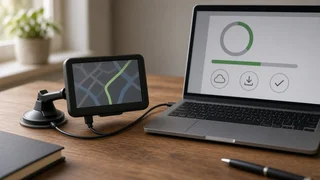
To update a Garmin nüvi 2555LMT, connect it to a Windows or Mac computer with a USB data cable and use Garmin Express, Garmin's free desktop program for managing its devices. Garmin Express checks the unit, then downloads and installs any available map data and device software. The "LMT" in the model name means the unit was sold with lifetime maps and traffic, so map updates normally carry no extra charge. The main qualification is age. The nüvi 2555LMT is an older portable navigator, and Garmin has stopped map support for some legacy devices. Garmin Express is the reliable way to see what your specific unit can still receive.
What an Update Covers on the nüvi 2555LMT
A Garmin nuvi 2555LMT update can involve two different things. Each one affects how the navigator behaves on the road.
Update type | What it changes | How it is delivered; Map data | Roads, addresses, points of interest, speed limits and other route information stored on the device | Downloaded through Garmin Express; can be large and slow to install; Device software (firmware) | The operating software: bug fixes, compatibility and behavior | Downloaded through Garmin Express; usually much smaller than a map update; Traffic | Live traffic data used to adjust routes | Received while driving through the traffic receiver built into the vehicle power cable, not through a computer update
Traffic is the part owners most often confuse with updates. Traffic information reaches the unit over the air while it is powered by its traffic-enabled vehicle power cable. A computer update does not change it. If traffic stops working, check that cable before reinstalling maps.
What "Lifetime Maps" Means in Practice
Lifetime map coverage on a Garmin navigator is tied to the individual device, not to the owner. It lasts for the useful life of that unit, or for as long as Garmin supports map updates for the model. You cannot move it to a different navigator. It also does not guarantee updates forever on aging hardware. Once Garmin ends map support for a model, the maps already installed keep working, but they gradually go out of date as roads and businesses change.
What You Need Before Starting
A Windows or Mac computer with Garmin Express installed; A USB cable that carries data, not a charge-only cable; A stable, reasonably fast internet connection, because full map downloads are large; Enough free space on the computer for temporary download files; Time: a full map install can take a long while, and the device should stay connected throughout; Optionally, a microSD card if the unit's internal memory turns out to be too small for the full map
Step-by-Step: Updating with Garmin Express
1) Install and open Garmin Express on your computer. 2) Turn on the nüvi 2555LMT and connect it to the computer with the USB cable. The screen should show that it is connected to a computer. 3) In Garmin Express, add the device if it is not already listed. You may be asked to sign in or create a Garmin account so the lifetime map entitlement can be linked to the unit. 4) Let Garmin Express check for updates. It will list available map and software updates separately. 5) Install software updates first if offered. Then start the map update. 6) Keep the device connected and the computer awake until Garmin Express reports that the installation is complete. Do not unplug the unit partway through. 7) Safely eject the device, disconnect it, and power it on to confirm the new map version in the device settings, usually under the map or about information.
Before a large update, it is sensible to note any important saved locations or favorites. Updates are designed to preserve them, but older devices with limited storage can behave unpredictably during a full map install.
When the Map Doesn't Fit in Internal Memory
Map files for North America have grown over the years. Many older nüvi units no longer have enough internal storage for the complete current map. If Garmin Express reports a space problem, it typically offers one of two workarounds. You can install the map to a microSD card in the device's card slot, or you can install only selected regions instead of the whole continent. If you choose regions, make sure they cover every area you actually drive. The navigator cannot route through regions that are not installed.
If No Update Appears
If Garmin Express shows the device as up to date, either you already have the latest available map, or the model no longer receives new map releases. Garmin Express and Garmin's product support information will indicate which applies. There is no reliable workaround that adds newer official maps to a model once support has ended. Downloading map files from unofficial sources carries a risk of corrupt data, a non-working unit, or files that are not legitimately licensed.
If Garmin Express does not detect the device at all, try these checks:
Switch to a different USB cable. Charge-only cables are a common cause. Try another USB port, preferably one directly on the computer rather than a hub. Restart both the computer and the navigator. Confirm that Garmin Express itself is current. Check whether the computer sees the nüvi as a storage drive. If it does not, the problem is likely the cable or the connection rather than the software.
After the Update: Quick Checks
Take the unit outside or into the car and give it a clear view of the sky so it can reacquire satellites. The first fix after an update or a long period of storage can take longer than usual. Map updates do not change how satellite position accuracy works. If the displayed coordinates or vehicle position look wrong in open areas, the cause is more likely reception or hardware than the map. Review your device settings, such as route preferences, units and avoidances, in case anything was reset. Then plan a short familiar route to confirm that route information and turn guidance behave as expected.
Unlike phone navigation apps, the nüvi 2555LMT is a standalone receiver. It needs no location permissions on a phone and no mobile data plan for basic navigation. That independence remains one of the practical reasons owners keep these units in service.
Is It Worth Keeping the nüvi 2555LMT Updated?
If Garmin Express still offers map updates for your unit, installing them is worthwhile. They are covered by the lifetime entitlement, and current map data improves routing, address search and points of interest. If updates have ended, the device can still navigate well in areas where roads have not changed much. Expect it to become less dependable over time for new developments, road realignments and business listings. At that point, compare the device against your phone's navigation or your vehicle's built-in system, or consider a newer dedicated navigator that still receives map support.